EQD: Processing a Write-Off for an On-Account Amount
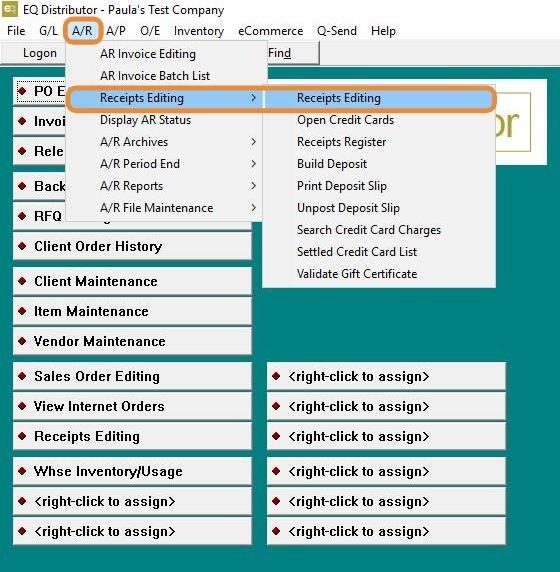
1. Navigate to A/R > Receipts > Editing > Receipts Editing.
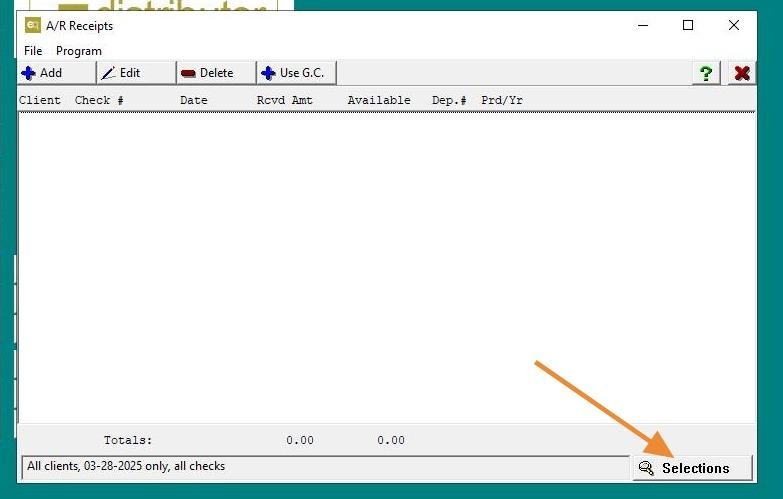
2. Click "Selections"
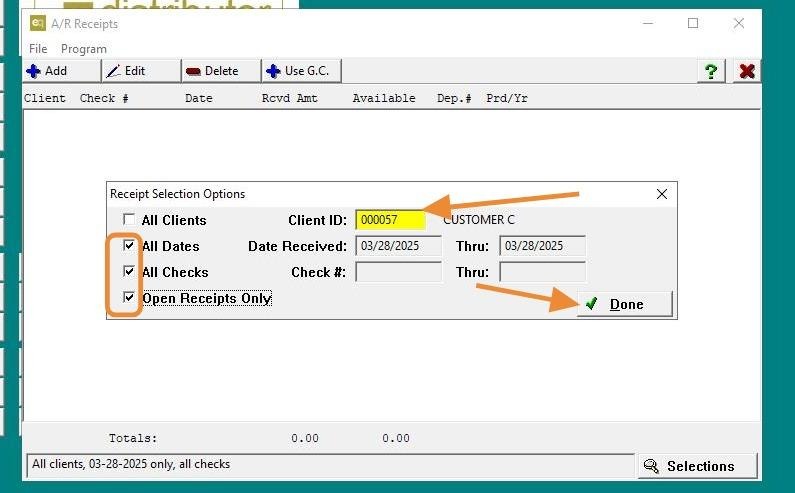
3. Choose your Receipt Selection Options, then right-click to enter the Client ID or use the Display Scan option to locate the Client ID.
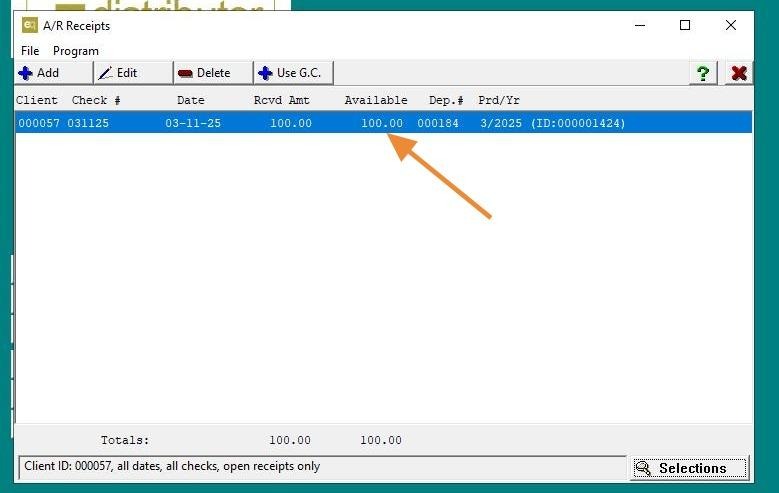
4. Find the On-Account Receipt and double-click on it.
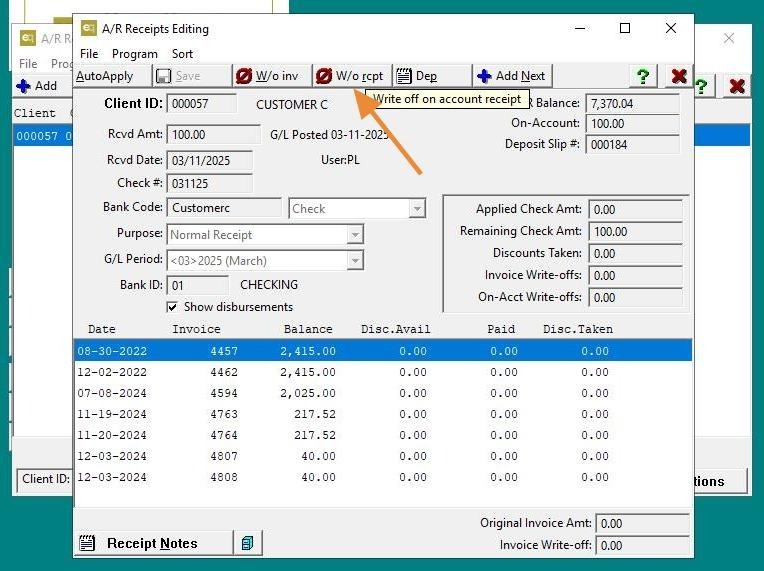
5. Click "W/o rcpt"
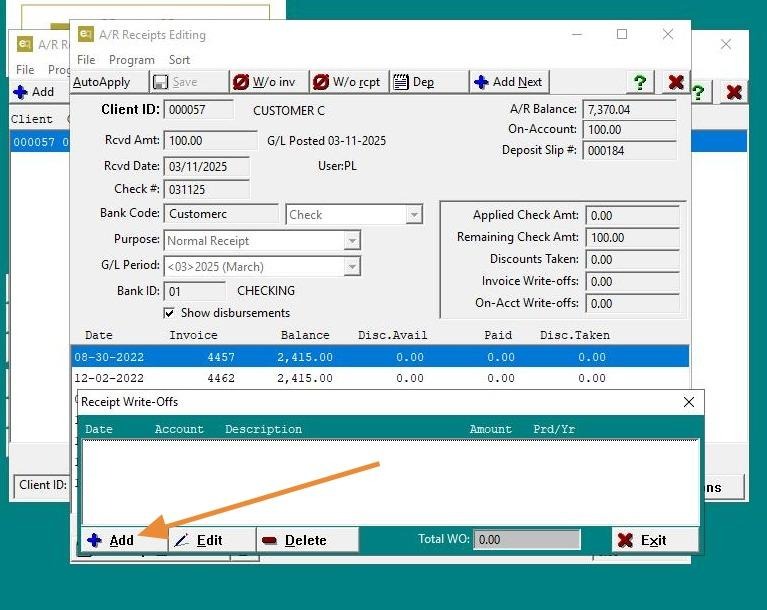
6. Click "Add"
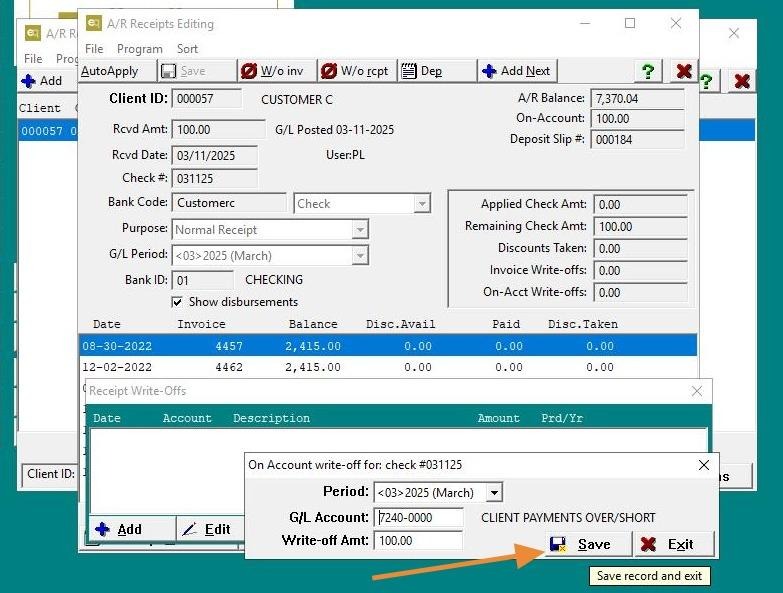
7. Confirm the G/L account for the write-off, make any necessary changes, and save.
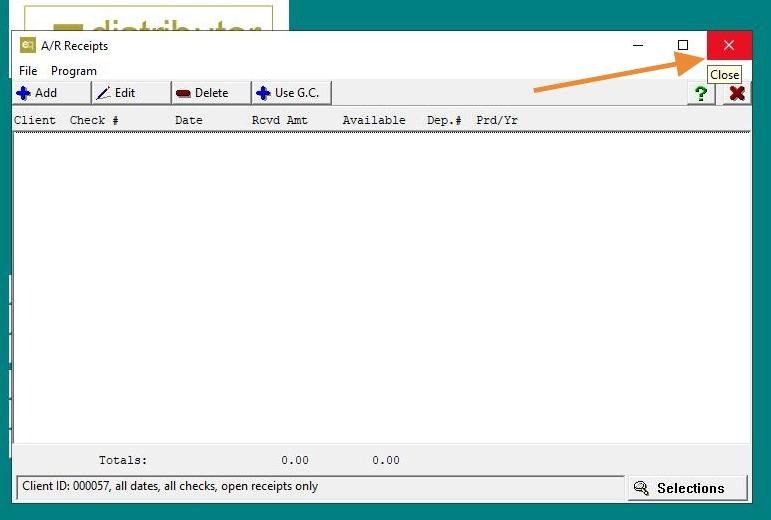
8. Click "X" button.
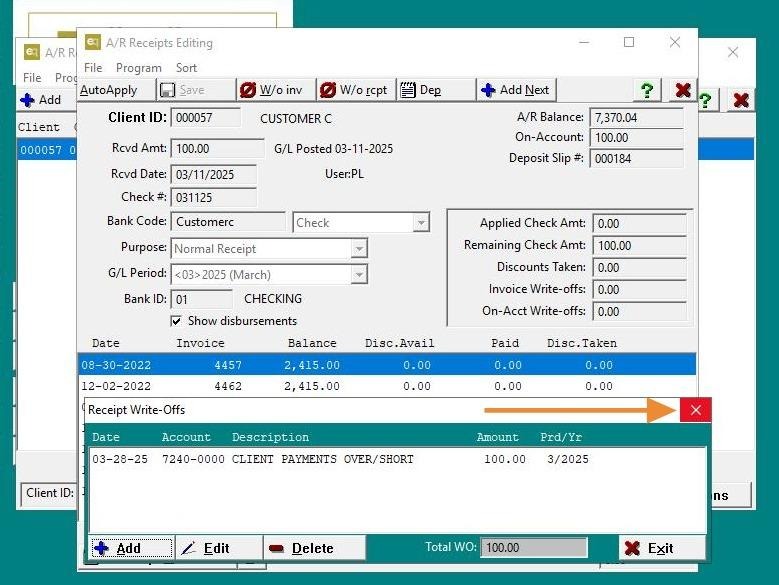
9. Click "X" button.
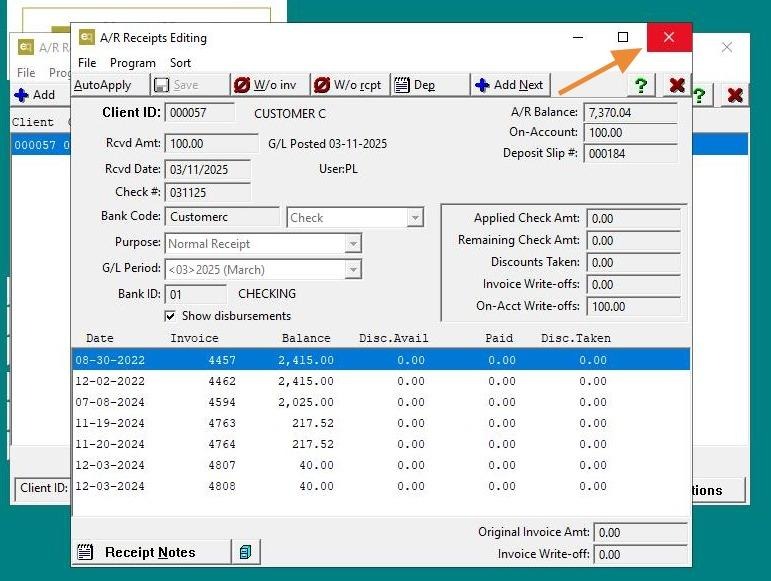
10. Click "X" button.