EQD: Correcting Fiscal Year and Periods
Important: Supervisor access is required to make these changes. Note: This process was created in a test environment. The information selected is for training purposes only and will not match the data you will use in your company's system.
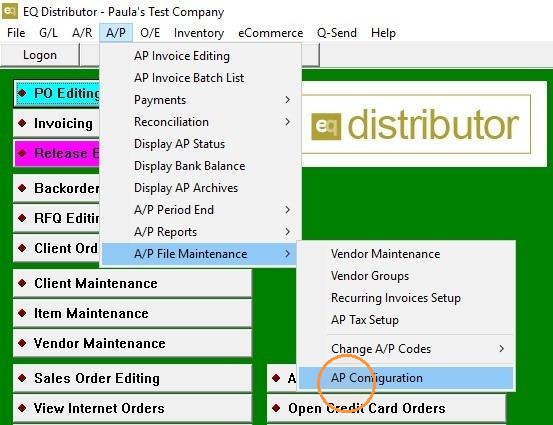
1. Go to "A/P>A/P File Maintenance>AP Configuration"
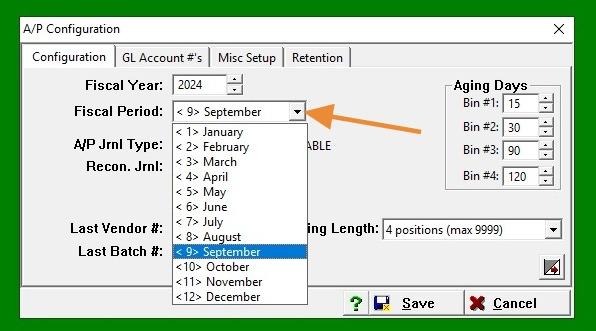
2. Update the year under Fiscal Year and change the year under Fiscal Period in the Configuration menu to reflect the correct fiscal year.
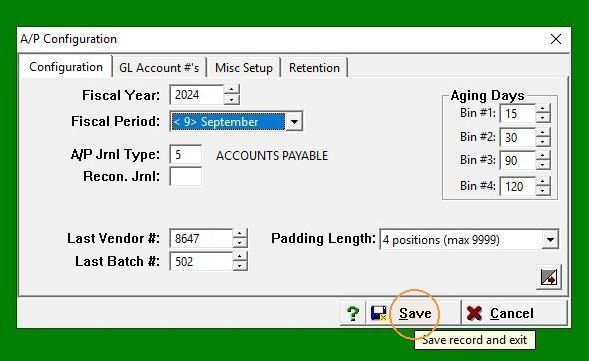
3. Click "Save"
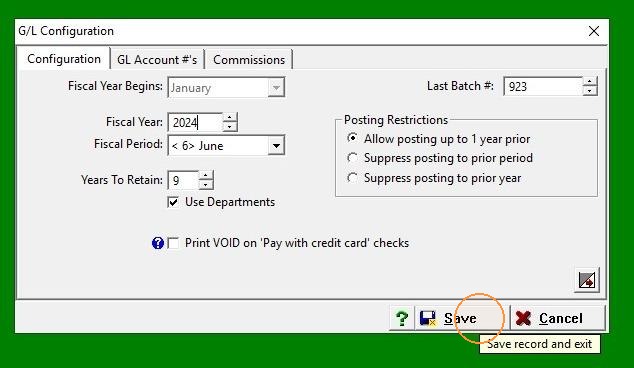
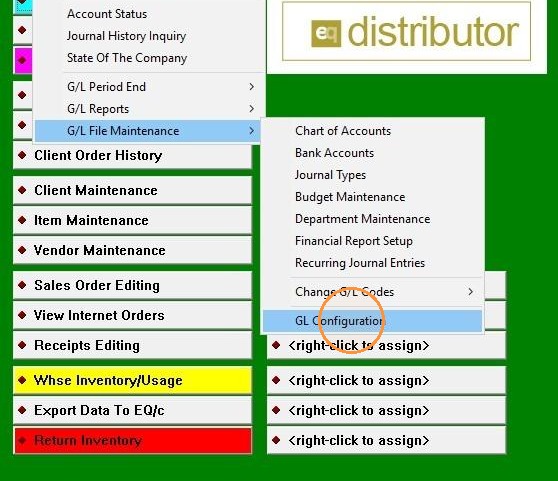
4. To change Fiscal Year, go to "G/L>G/L File Maintenance>GL Configuration"
5. Choose the desired year from the drop-down menu or type it directly into the field"
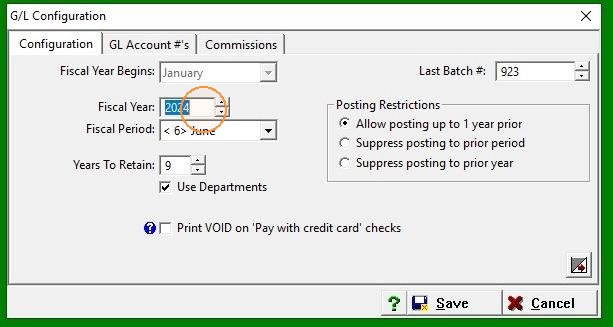
6. Click "Save"