
DBD: Reconciling Your Accounts Payable (AP) at Month End
An essential part of completing your month-end processing is ensuring that your Accounts Payable sub-ledger balances perfectly with your General Ledger. Follow this guide to verify your balances and troubleshoot discrepancies if your accounts do not align.
Step 1: Pre-Requisites Before Balancing
Before running your reconciliation reports, ensure all current period transactions are fully processed:
- Update all Purchase Journals and Disbursement Batches that are currently in progress.
- Update your General Ledger Detail Transactions to ensure all posted batches are reflected.
Step 2: The Reconciliation Process
To verify that your accounts are in balance, run and compare the following two reports for the same period:
- Print the Accounts Payable Trial Balance.
- Print the General Ledger report for your AP Account.
- Compare the Ending Balance Total from the AP Trial Balance with the Ending Balance on your General Ledger report.
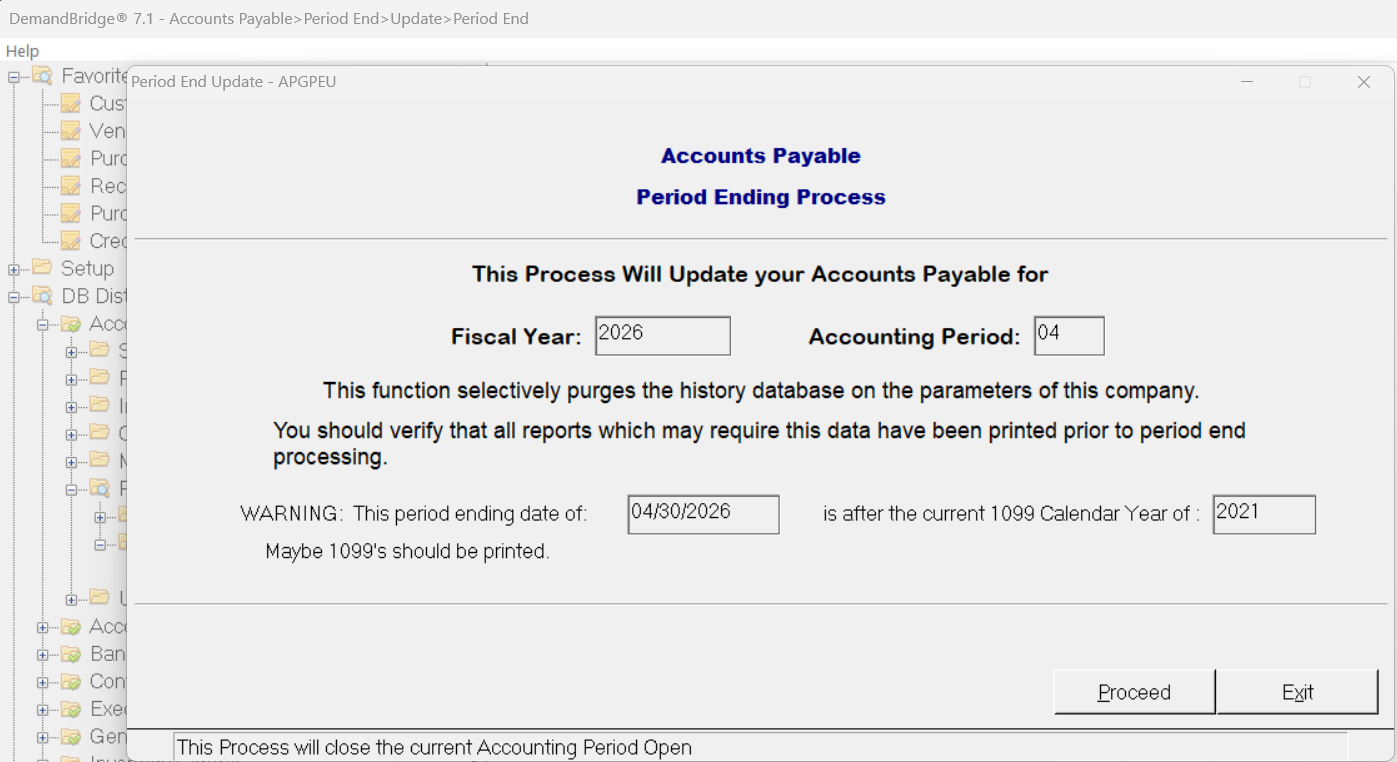
🌟 In Balance? If these two numbers match exactly, your reconciliation is complete! You can safely close your month by navigating to Accounts Payable → Period End → Update →Period End
Step 3: Troubleshooting Discrepancies
If your reports do not balance, use the following checks to isolate and identify the cause of the variance.
Check 1: Prior Month Carry-Over
First, determine if the issue originated in the current month or a previous one:
- Compare the Opening Balance of your current AP Trial Balance with the Beginning Balance on your General Ledger.
- If they balance: The issue is isolated to transactions in the current month.
- If they do not balance: The problem is a carry-over from a prior month.
How to fix a prior month variance:
- Look for a journal entry that may have been made incorrectly in a previous period.
- Compare your Current General Ledger report for the current period against the physical/digital copy you printed and filed last month. Verify if they still match.
- Compare the Beginning Balance on the current period AP Trial Balance with the Beginning Balance from the prior month. If they do not equal, compare both reports side-by-side to identify the specific Vendor and Invoice Number causing the discrepancy.
Check 2: Current Month Journal Entries
If the prior month balances match, the issue occurred during the current period:
- Review your General Ledger for the current period.
- Look specifically for any JE (Journal Entries) manually posted directly to the AP account during this timeframe. Manual JEs are a frequent cause of sub-ledger imbalances.
Check 3: Analyze Source Journals
If no manual journal entries are found, audit your source journals:
- Use your General Ledger selection screen to filter totals by the "Source Journal" field.
- Verify the totals for each distinct type of source journal to pinpoint where the processing variance occurred.