EQD Azure: MS Edge Browser Introduction
The Microsoft Edge Browser has been added to the EQD Remote Environment. Edge will be used for viewing PDFs or any html links, like shipping tracking or credit card edits. The first time you use Edge it will ask you some questions. Here are the steps to complete this initial Edge introduction.
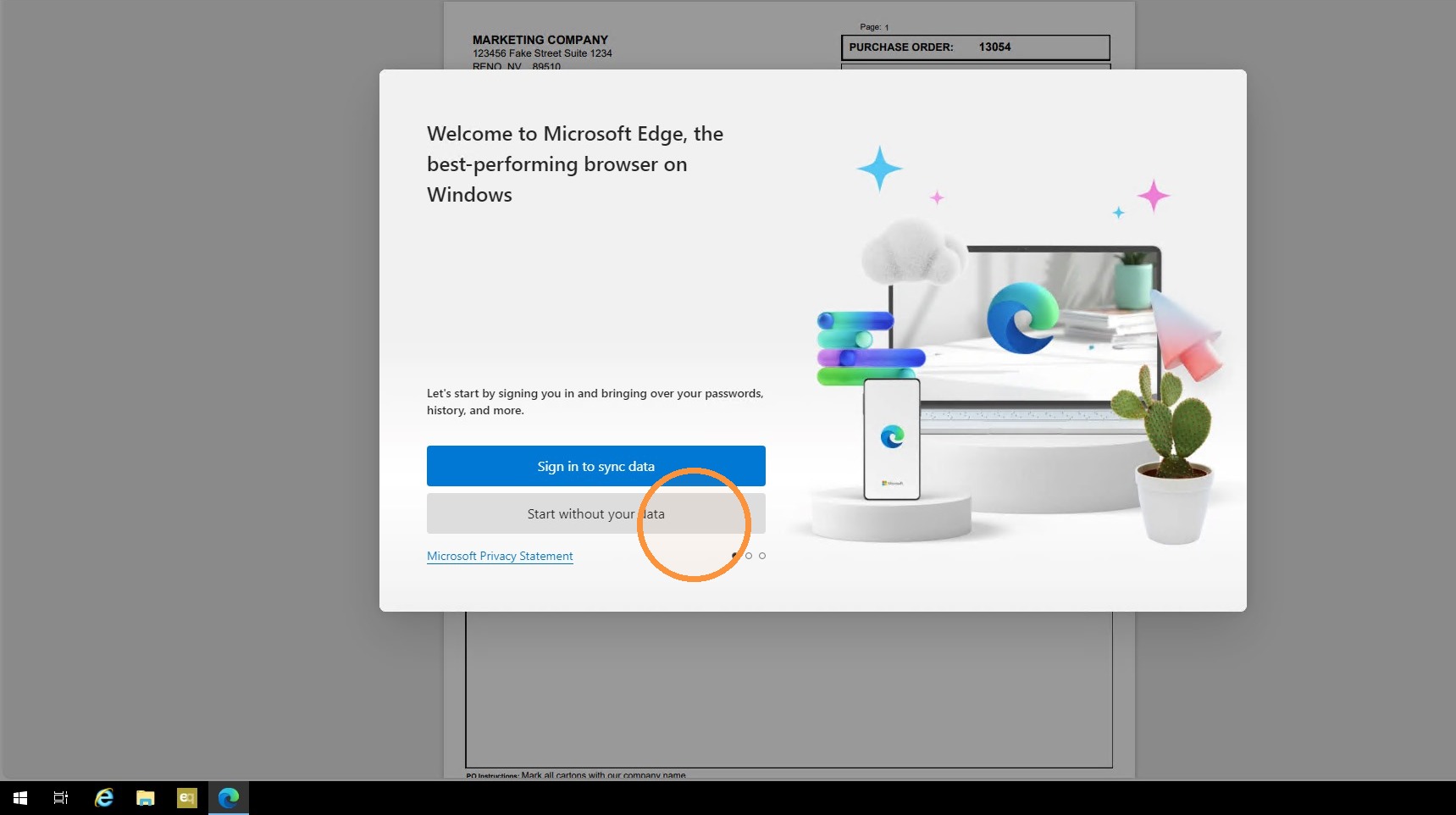
1. In the first Window select "Start without your data".
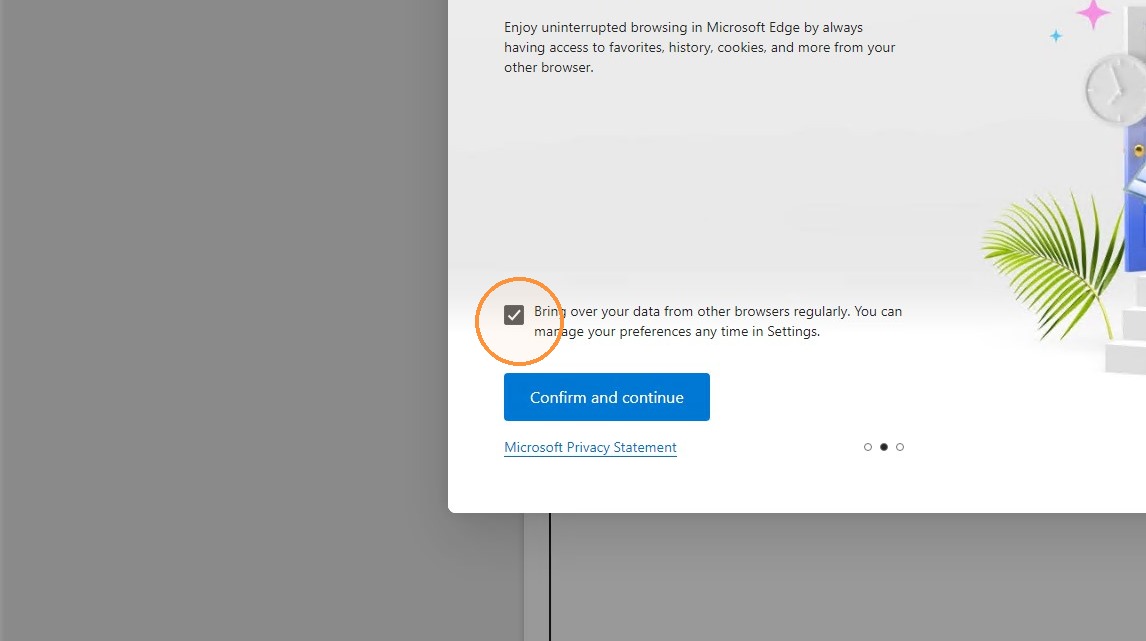
2. Uncheck "Bring over your data from other browsers regularly.......
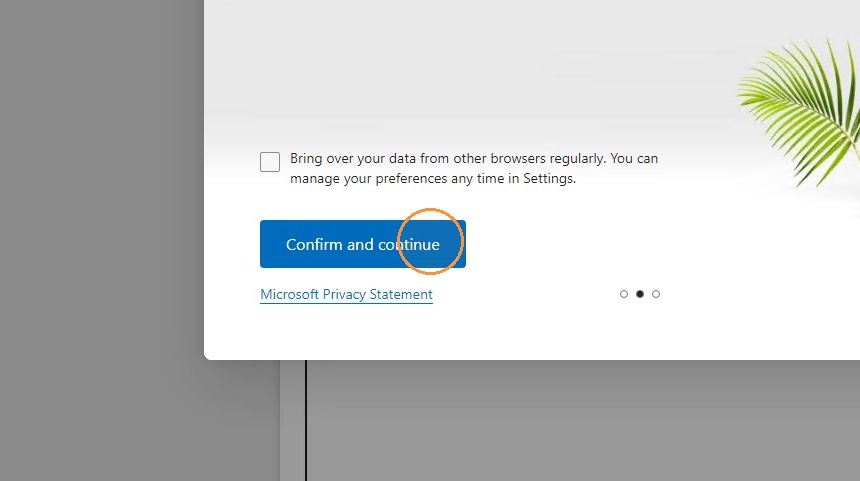
3. Click Confirm and continue.
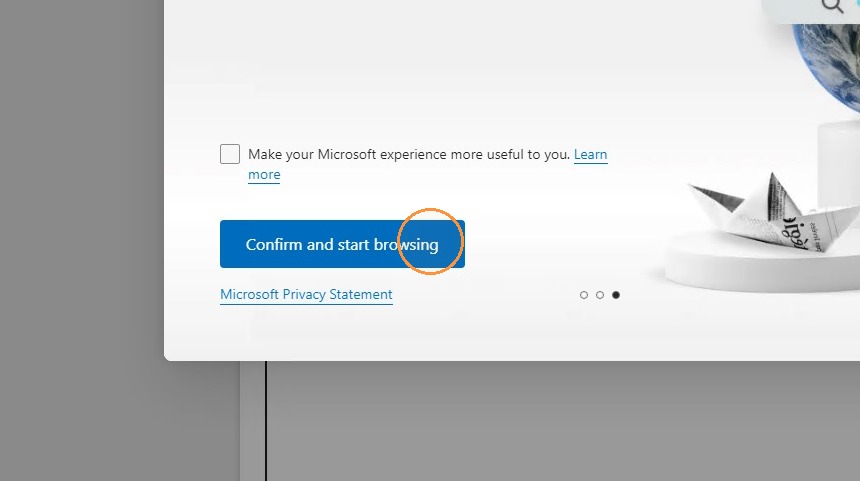
4. Uncheck "Make your Microsoft experience more useful to you."
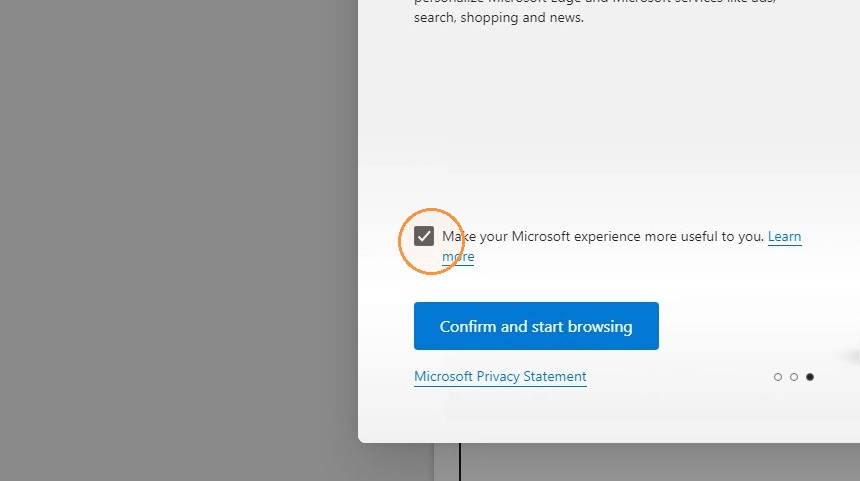
5. Click confirm and start browsing.