EQD: DBPay - PaybyLink: How to to Turn Off Import PayByLink When Posting Invoices and Auto Invoicing
Alert: Note: This process was created in a test environment. The information selected is for training purposes only and will not match the data you will use in your company's system.
Tip: Note:
By default, the system checks and imports all PayByLink Payments before posting or auto invoicing. This can cause the process to take longer. Turning this off will stop the auto import of PayByLink Payments during posting or auto invoicing.
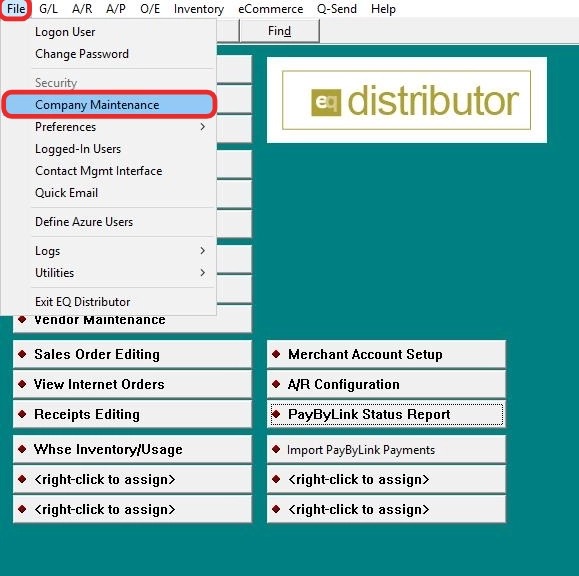
1. Go to File > Company Maintenance.
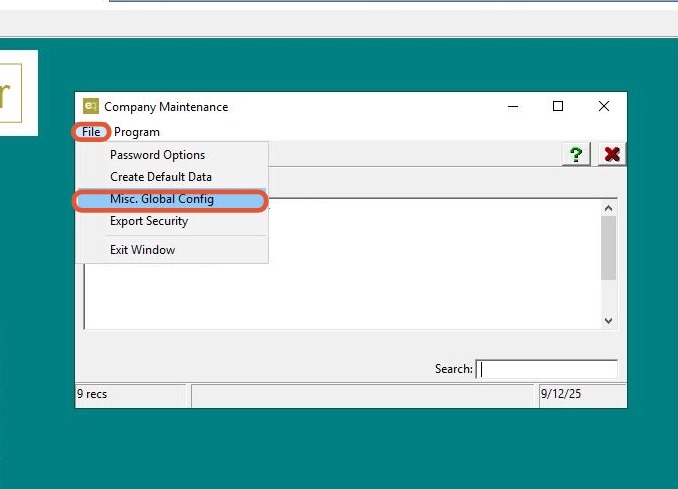
2. Go to File > Misc. Global Config.
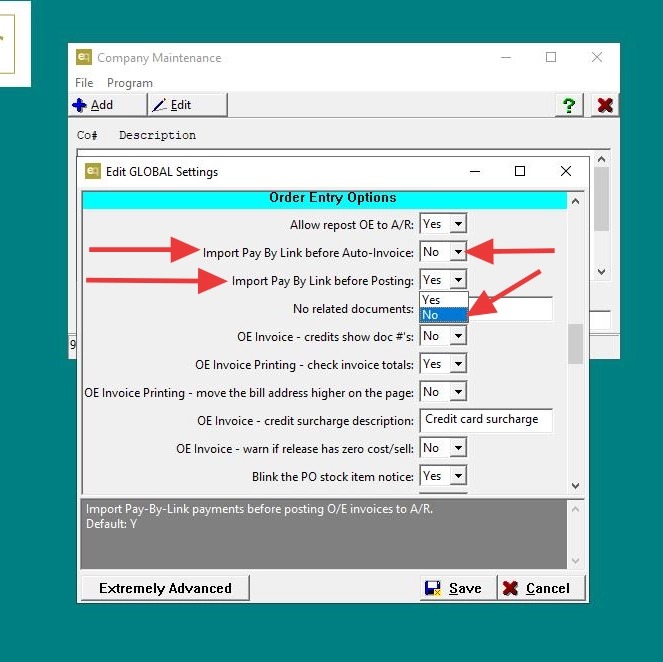
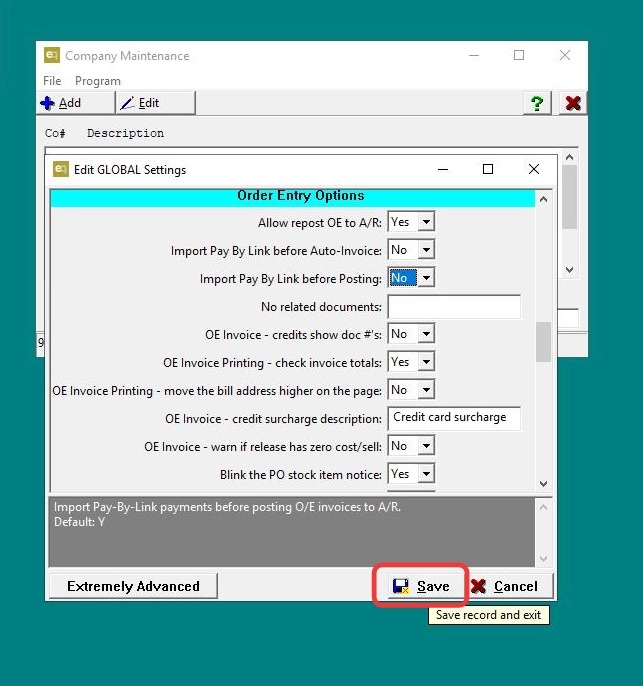
3. - Scroll down to Order Entry Options.
- Update the following settings:
-
Import Pay By Link before Auto-Invoice → Uncheck/Disable
-
Import Pay By Link before Posting → Uncheck/Disable
-
4. Click "Save"
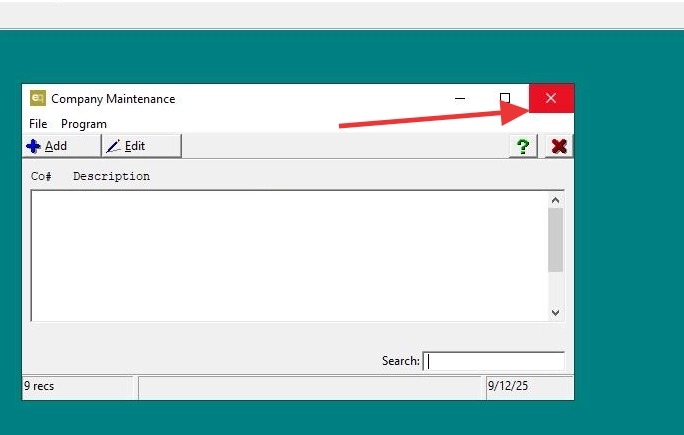
5. Click "Exit"