
DBD: Cash Receipts Refund a Customer
DBD: Cash Receipts - Refund A Customer (On-Account Or Invoice Credit Balance)
🔵 Overview Procedure to refund a client for either an On-Account Balance or Credit Invoice.
Refund Customer for an On-Account Balance
Step 1: Post a Zero Deposit and Apply to the On-Account Balance
Through Cash Receipts, post a zero deposit to the bank. Enter the customer code and make up a reference code (for example, PMT), and enter a ZERO amount for the check amount.
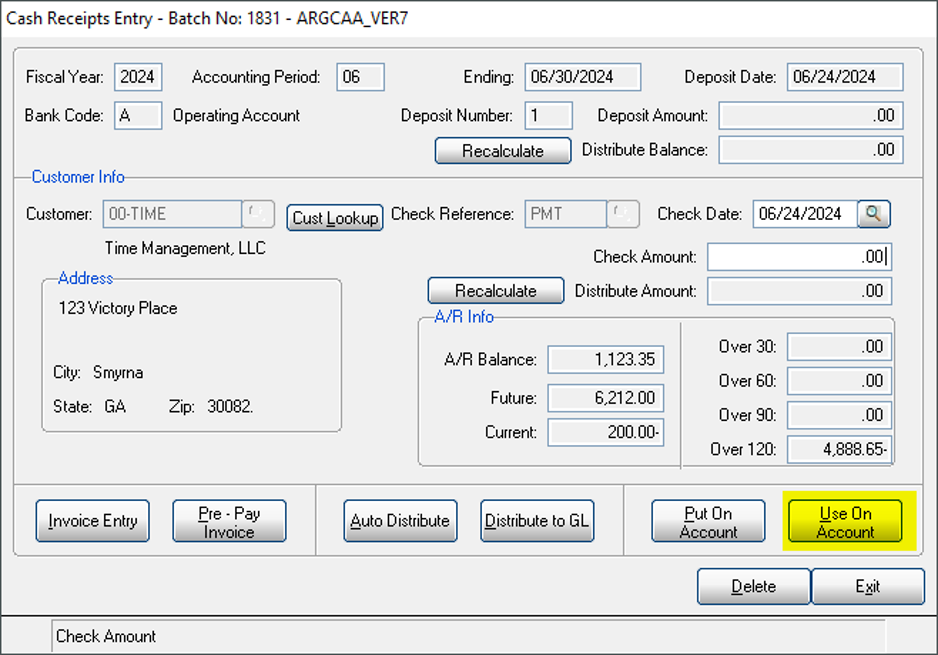
Cash Receipts Entry - ARGCAA_VER7
Click the option to Use On-Account — the amount on account will display. Click OK.
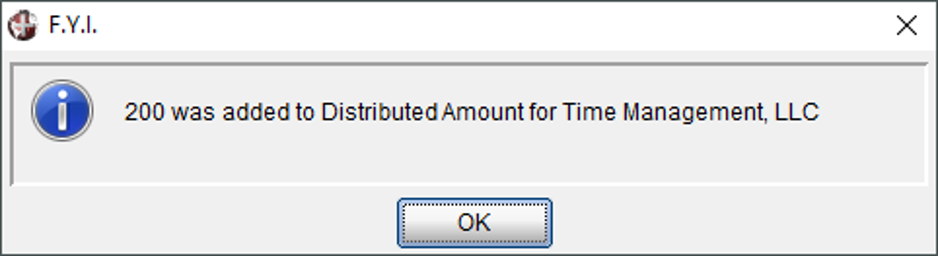
F.Y.I. — amount added to Distributed Amount
The amount of the On-Account balance will appear in the Distribute Amount field.
Click Distribute to GL.
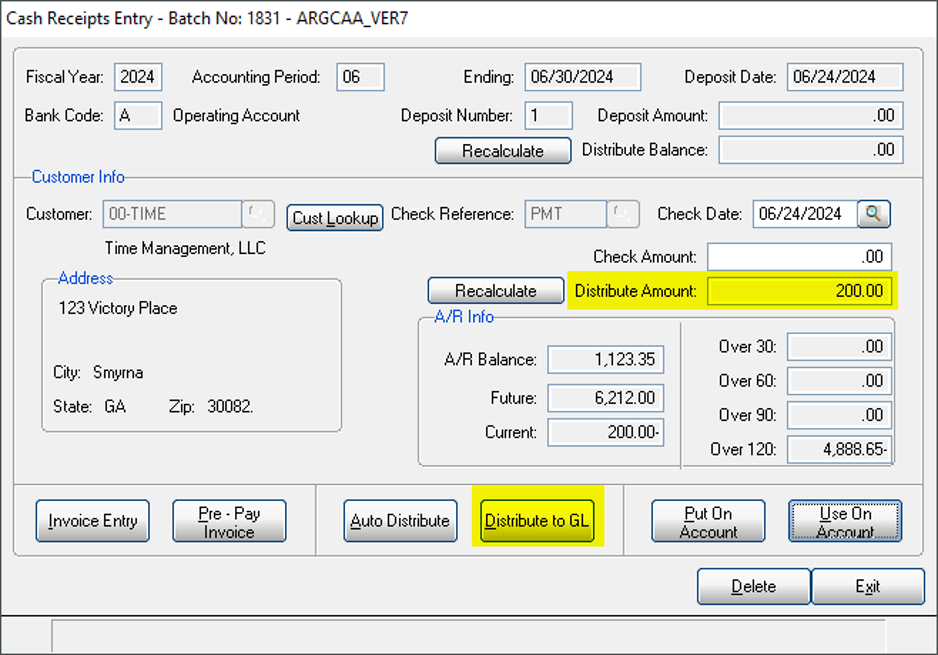
Cash Receipts Entry - Distribute to GL
⚠️ CRITICAL UPDATE NOTE: At this point, enter the A/R ledger account. The reason for using the A/R account is that you will always reconcile this account. If you were to post this to a misc. account, and then forget step two, you may not complete this process.
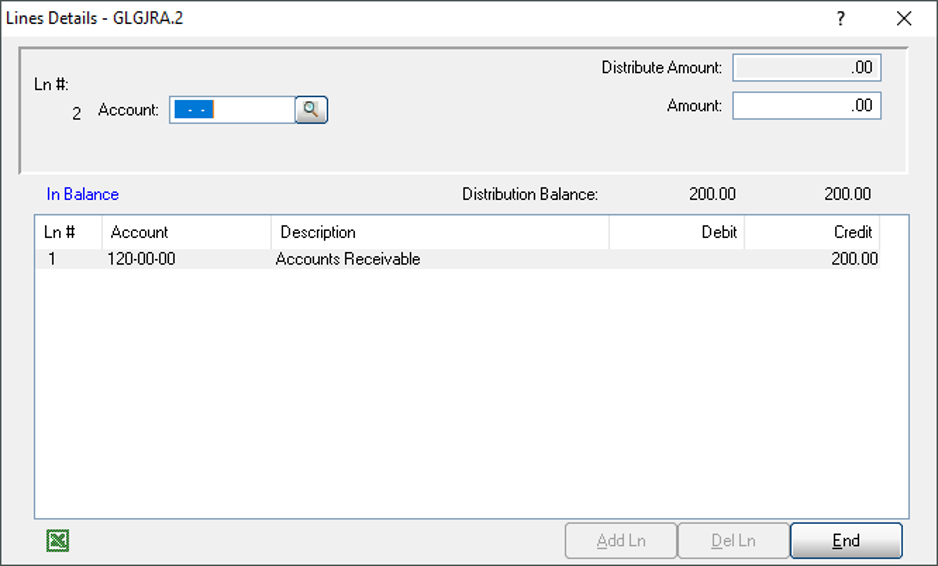
Lines Details - GLGJRA.2
Click End and Exit Cash Receipts Entry.
Print Cash Receipts Journal and Update.
Cash Receipts Journal
Step 2: Generate the Refund Check Through Accounts Payable
In the same period, through Accounts Payable, enter an invoice into AP Invoice Entry. You will need to set your customer up as a vendor. The general ledger distribution will go to your accounts receivable ledger account number.
On the next check run, you will generate a check to your customer.
The net effect of the above transactions is to credit your cash for the amount you are paying your customer, and to debit your accounts receivable subsidiary account for the credit balance on your books. The entries will be:
- Credit A/R — system will post Debit to A/R
- Debit A/R — Credit to Cash (because of the AP check Disbursement)
Refund Customer for an Invoice Credit Balance
Step 1: Apply the Credit Invoice Through Cash Receipts
Through Cash Receipts, post a zero deposit to the bank. Enter the customer code and make up a reference code (for example, PMT), and enter a ZERO amount for the check amount.
Click Invoice Entry.
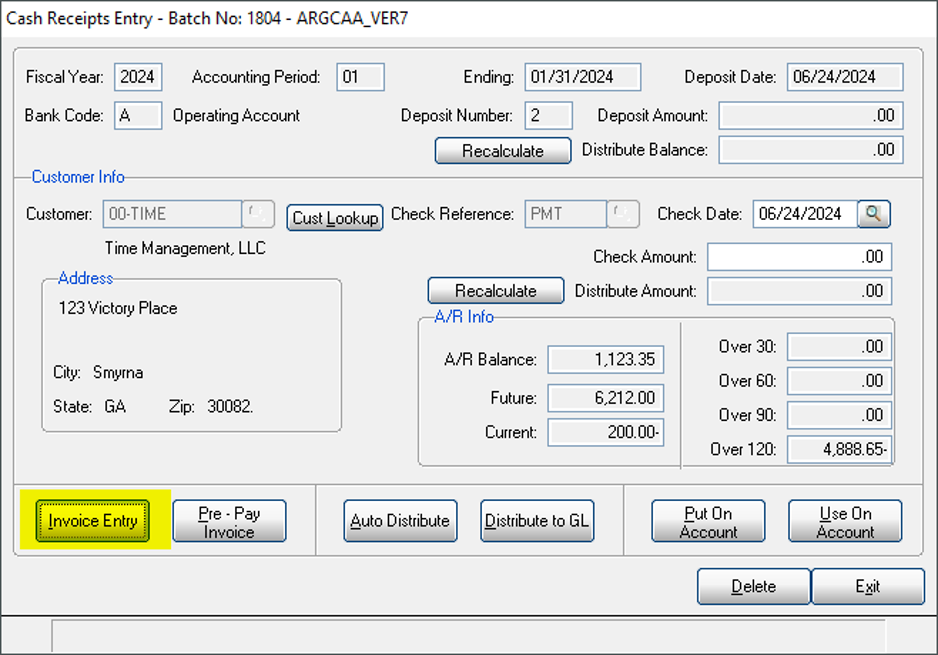
Cash Receipts Entry - ARGCAA_VER7 (Invoice Entry)
Enter the invoice number. Action Code — click Manual. Enter the total amount of the invoice in the Total Applied field. Cash Post is zero.
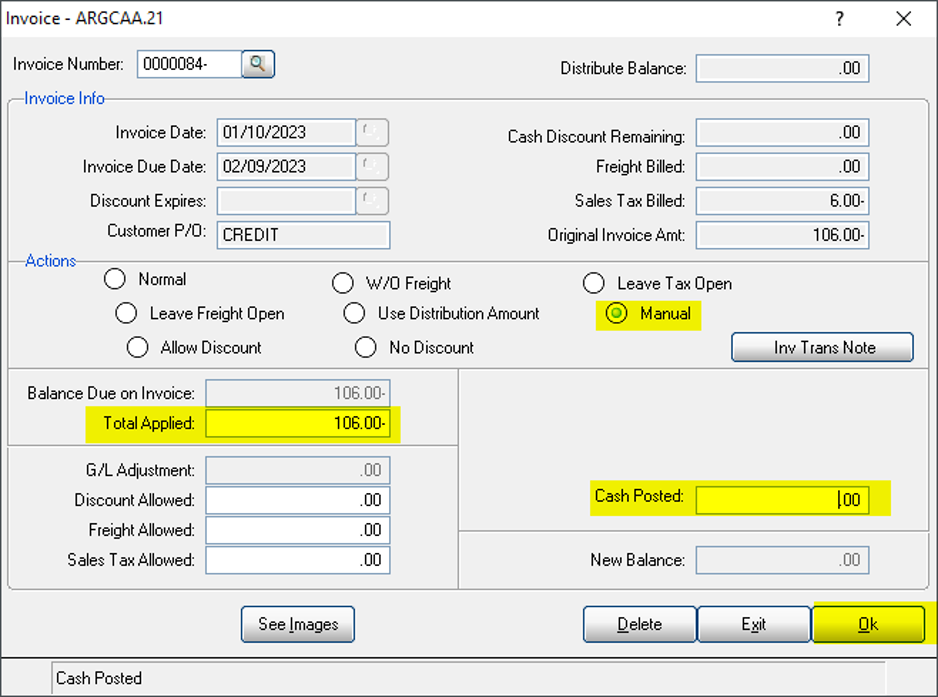
Invoice - ARGCAA.21
Click OK.
F.Y.I. —
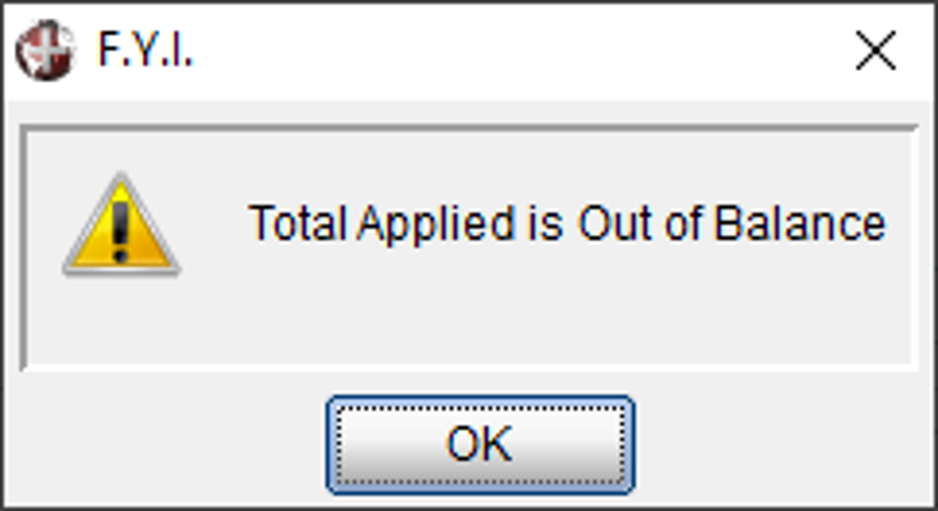
Total Applied is Out of Balance
Click OK, click GL Adjustment.

See Images / REPOST / G/L Adjustment buttons
⚠️ CRITICAL UPDATE NOTE: At this point, enter the A/R ledger account. The reason for using the A/R account is that you will always reconcile this account. If you were to post this to a misc. account, and then forget step two, you may not complete this process.
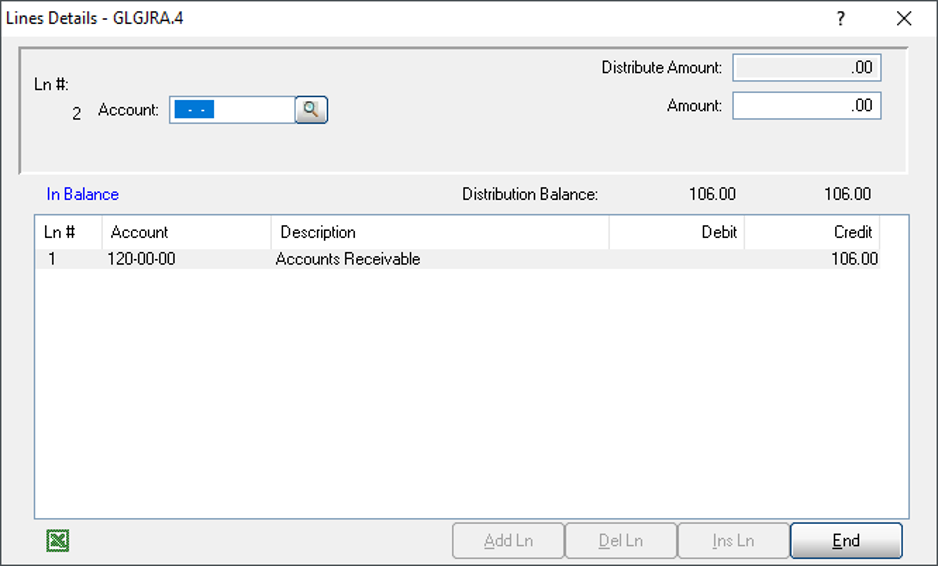
Lines Details - GLGJRA.4
Click End and Exit Cash Receipts Entry.
Print Cash Receipts Journal and Update.
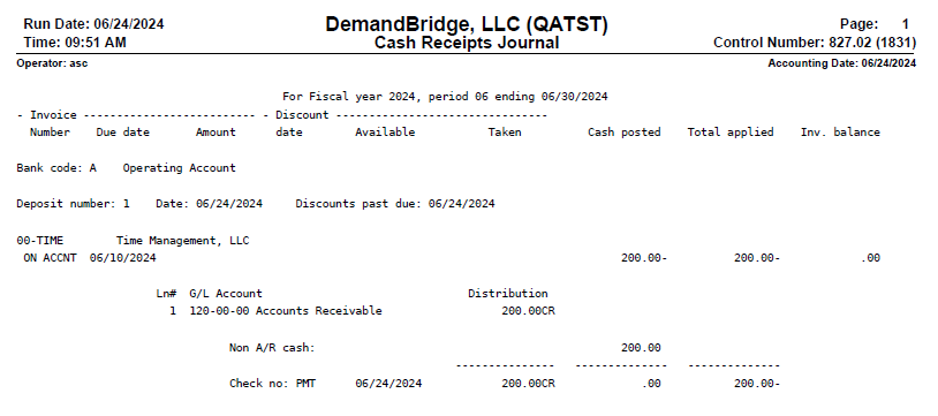
Cash Receipts Journal
Step 2: Generate the Refund Check Through Accounts Payable
In the same period, through Accounts Payable, enter an invoice into AP Invoice Entry. You will need to set your customer up as a vendor. The general ledger distribution will go to your accounts receivable ledger account number.
On the next check run, you will generate a check to your customer.
The net effect of the above transactions is to credit your cash for the amount you are paying your customer, and to debit your accounts receivable subsidiary account for the credit balance on your books. The entries will be:
- Credit A/R — system will post Debit to A/R
- Debit A/R — Credit to Cash (because of the AP check Disbursement)
Frequently Asked Questions
Q: What's the difference between refunding an on-account balance versus an invoice credit balance?
A: For an on-account balance, you use the Use On-Account option in Cash Receipts and then Distribute to GL. For an invoice credit balance, you use Invoice Entry with an Action Code of Manual and enter the total invoice amount in Total Applied. Both are followed by the same Accounts Payable refund-check step.
Q: Why must I use the A/R ledger account instead of a miscellaneous account?
A: You will always reconcile the A/R account. If you post to a misc. account and then forget the Accounts Payable step, you may not complete the process.
Q: How does the refund check actually get issued to the customer?
A: In the same period, enter an invoice into AP Invoice Entry with the GL distribution going to your accounts receivable ledger account number, after setting the customer up as a vendor. The check is generated on the next check run.
Q: What are the net accounting entries for this refund process?
A: The system posts a debit to A/R when the credit is entered, and then a credit to A/R (debit to Cash) when the AP check is disbursed — the net effect credits cash for the refund amount and debits the A/R subsidiary account for the credit balance.
Tags: cash-receipts, customer-refund, on-account-balance, credit-invoice, accounts-payable, DB-distributor