EQd: How to Run AR Invoice Diagnostics
This guide provides steps for running the AR Invoice Diagnostics in EQD.
Tip: Ensure Everyone Is Logged Off and a Current Backup Is Taken Before Proceeding
Alert: If you are hosted, backups are performed nightly. Running the diagnostic first thing in the morning should be fine.
Alternatively, you can create your own backup by copying your company folder (0001, or whatever that folder is named) from the F drive into the Temp folder.
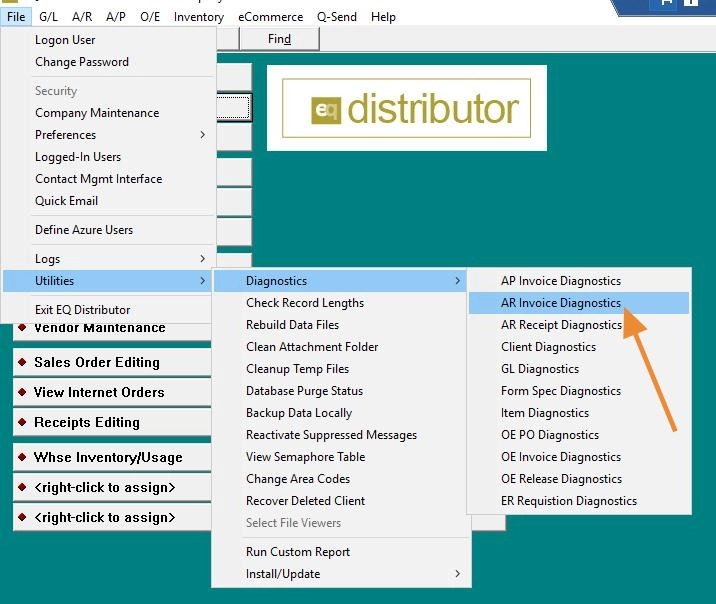
1. In EQ go to: File> Utilities> Diagnostics> AR Invoice Diagnostics.
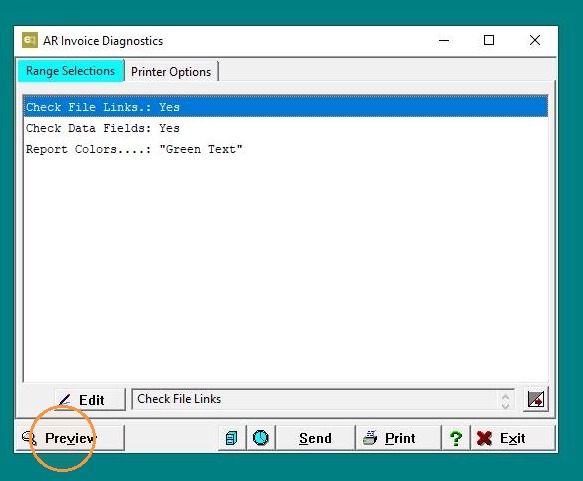
2. Click "Preview"
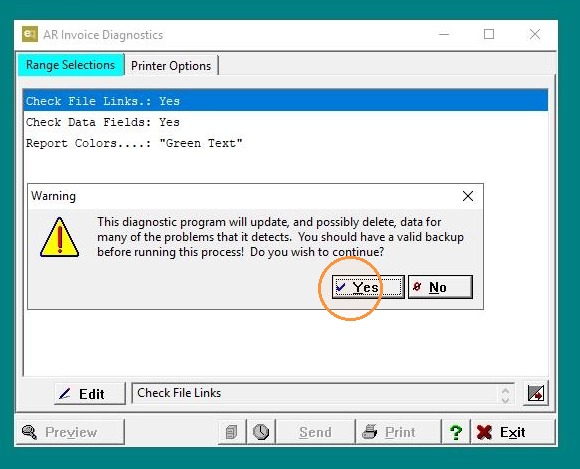
3. If you have a current backup Click "Yes". Once the diagnostic completes you can close the log.