
EQd: Transferring On-Account Funds Between Clients Using GL Write-Offs to Pay an Invoice for Another Client
1. Step 1: Write off receipt from the original client
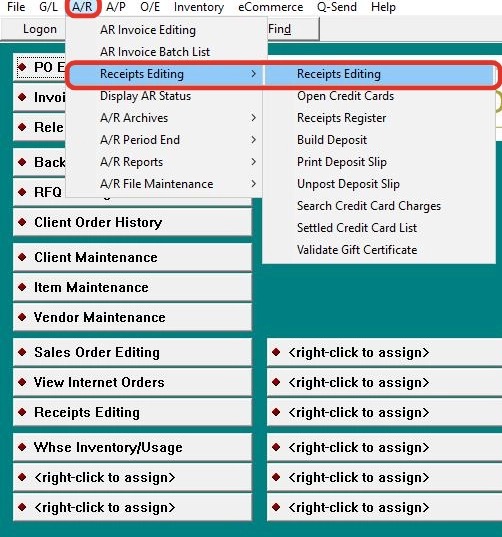
Go to Receipts Editing > Receipts Editing.
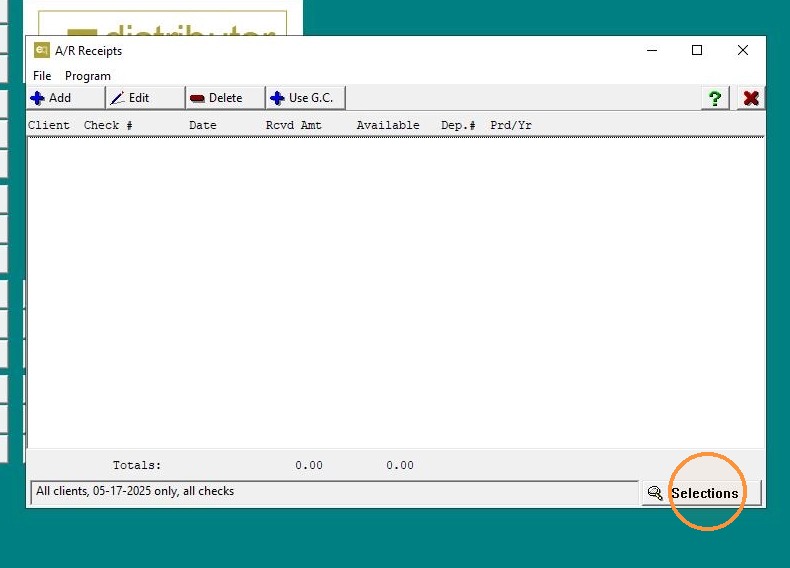
2. Click "Selections" (lower right corner).
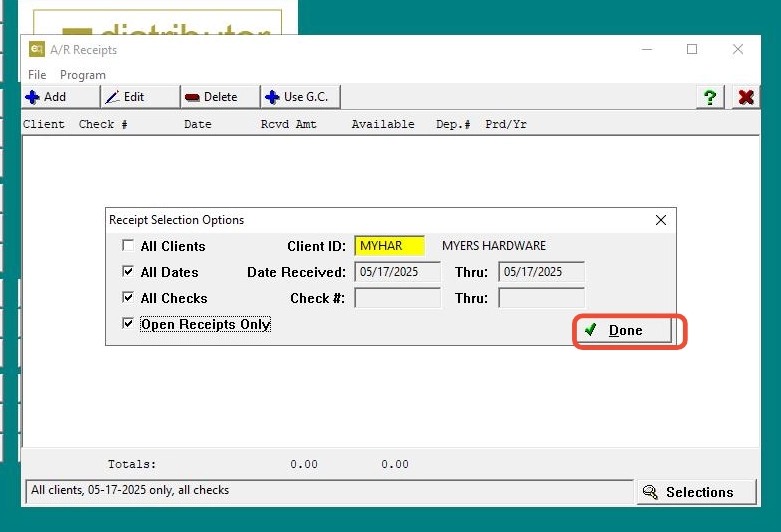
3. Enter the client with the on-account funds.
-
Check the remaining 3 boxes:
-
All dates
-
All checks
-
Open Receipts Only
-
-
Click Done.
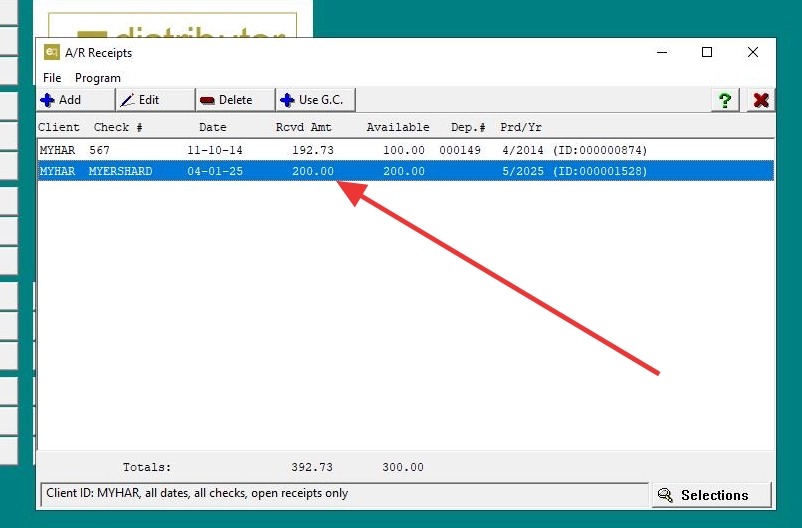
4. Edit the receipt.
5. Select W/o rec > click Add.
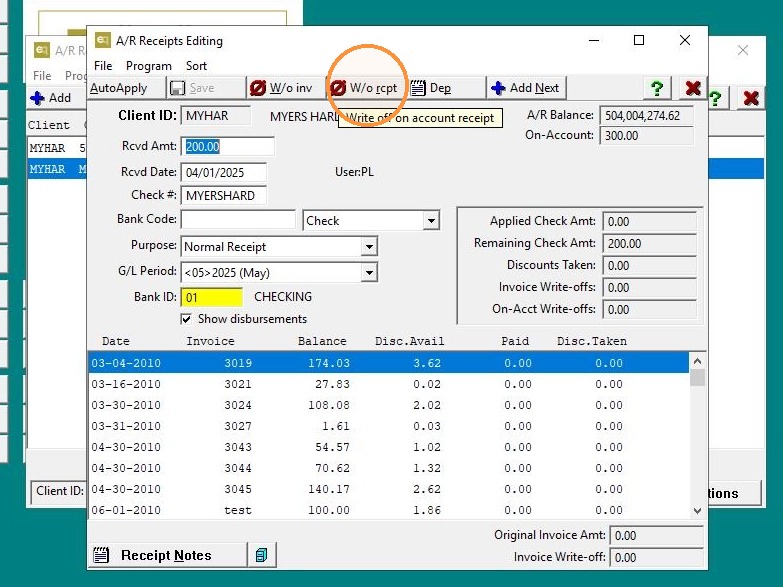
6. Assign a GL account> Click "Save"
Important: The GL account used for both write-offs is typically an internal clearing or suspense account (such as a Miscellaneous A/R offset). Please confirm with your accountant which GL account is appropriate for your setup.
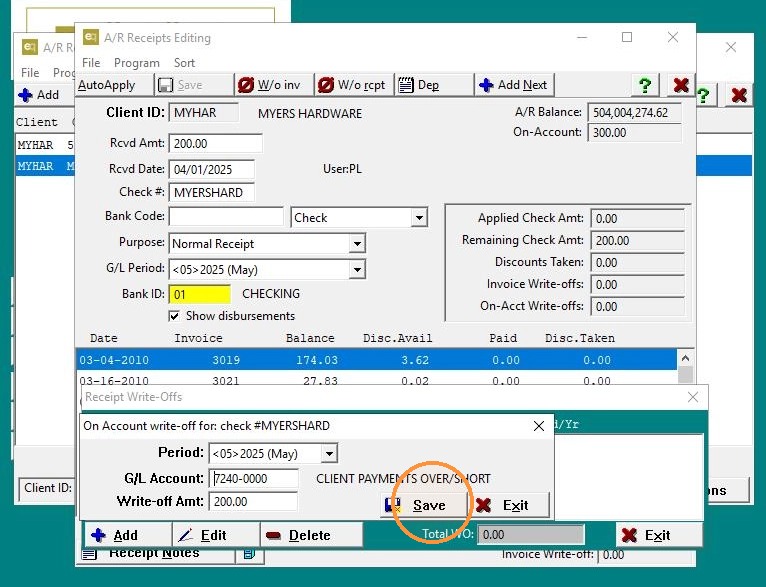
7. Click "Exit"
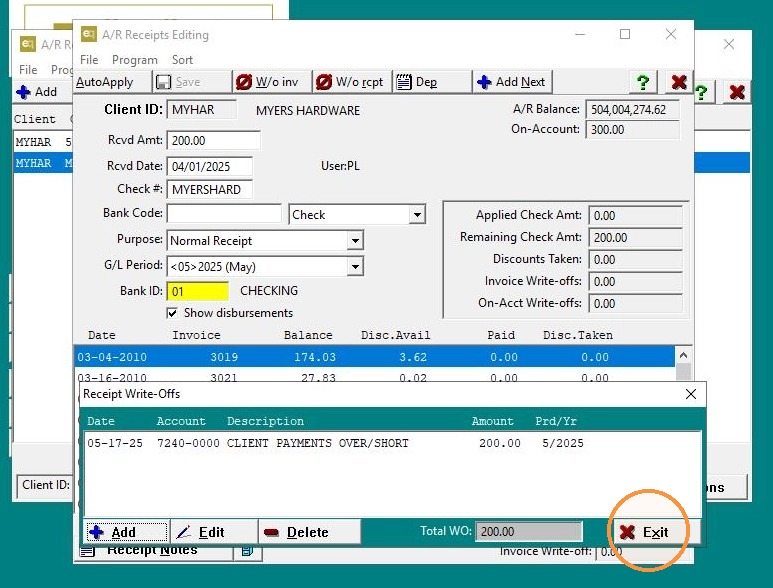
8. Go to Receipt Notes (bottom left) > enter the explanation:
Note Added: This is critical—you're documenting why you’re doing this. It tells anyone reviewing the books what happened.
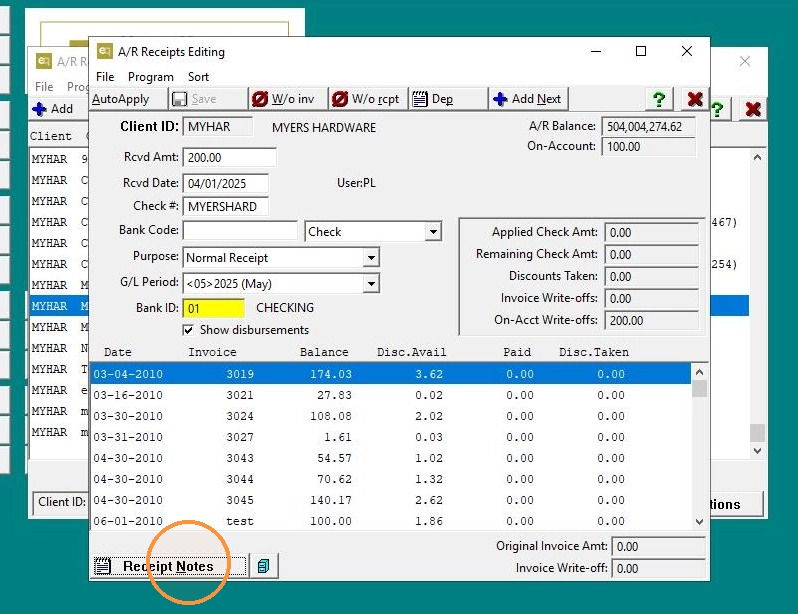
9. Add note: "Funds used for client x on invoice #xxxx> Save
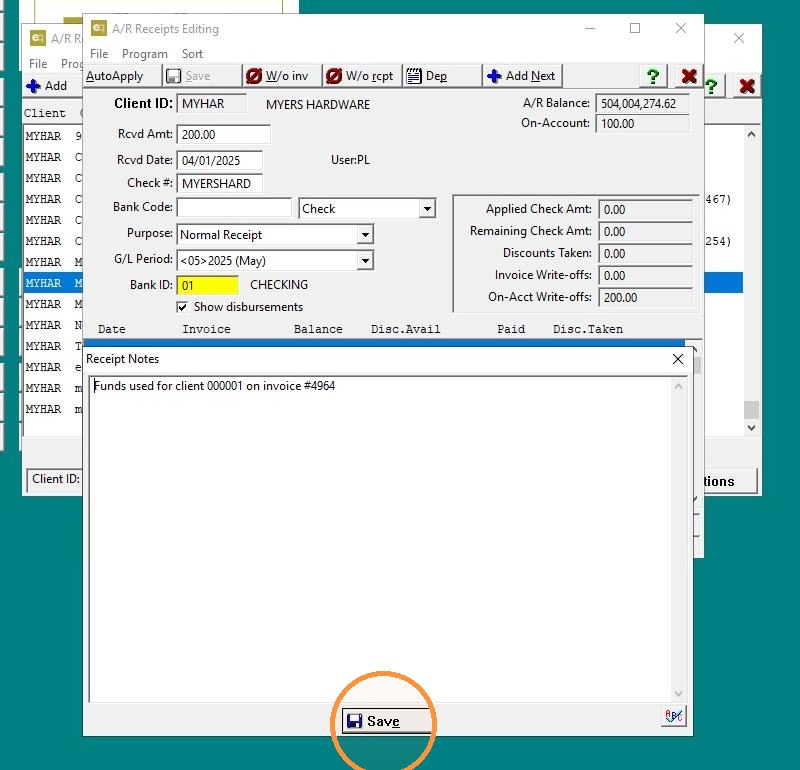
10. Click "Exit"
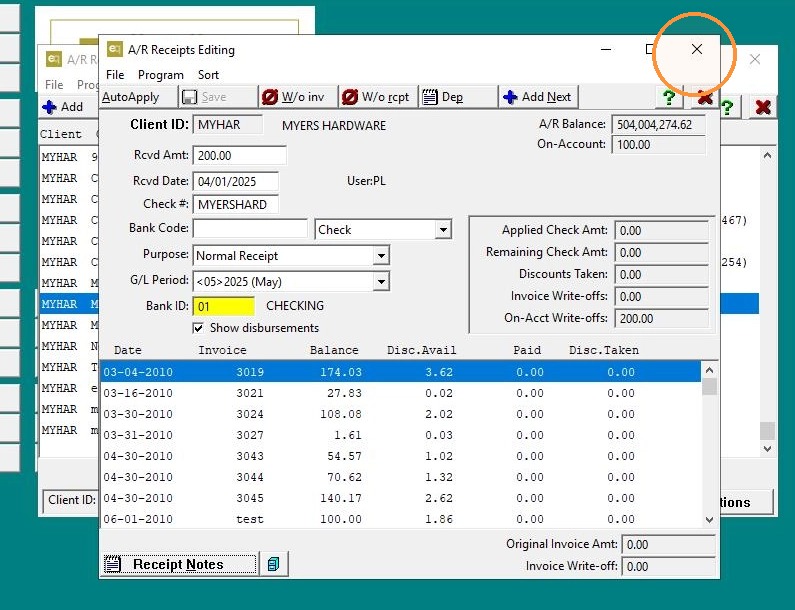
11. Click "Exit"
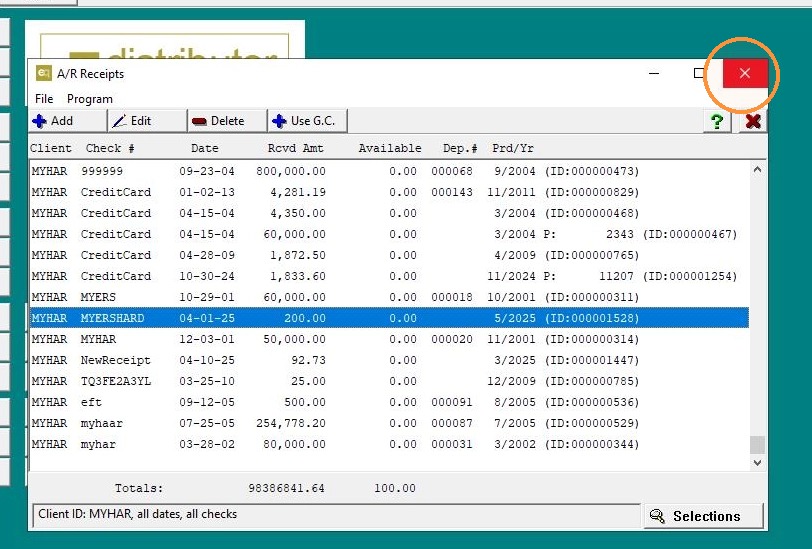
12. #### Step 2: Apply amount to the receiving client's invoice.
Go to Receipts Editing > Receipts Editing.
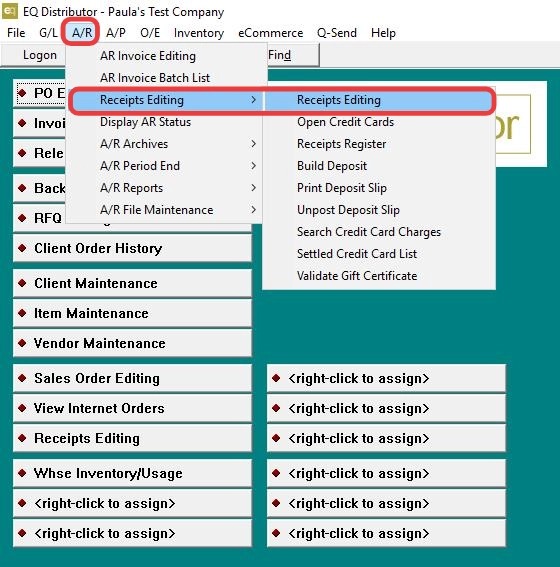
13. Click "Add" enter the client receiving the funds.
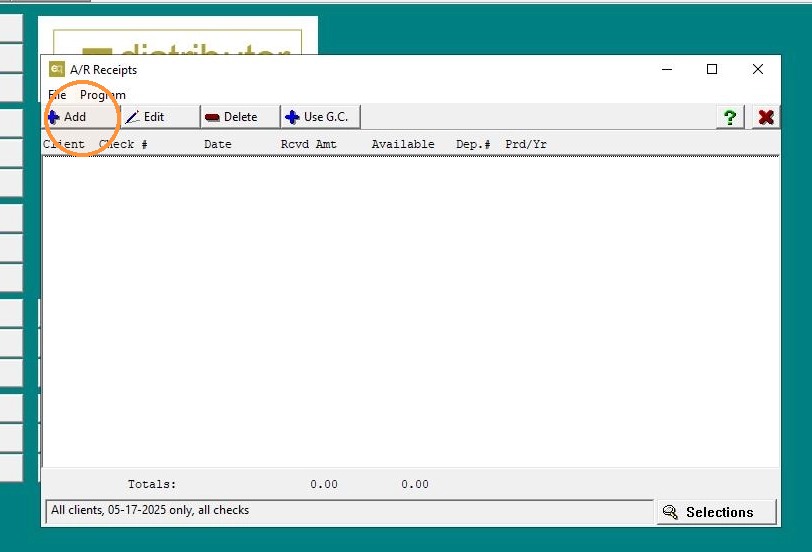
14. - Set:
-
Rcvd Amount: $0.00
-
Date: Today’s date
-
GL Period: Current period
-
Highlight the invoice > select W/o inv.
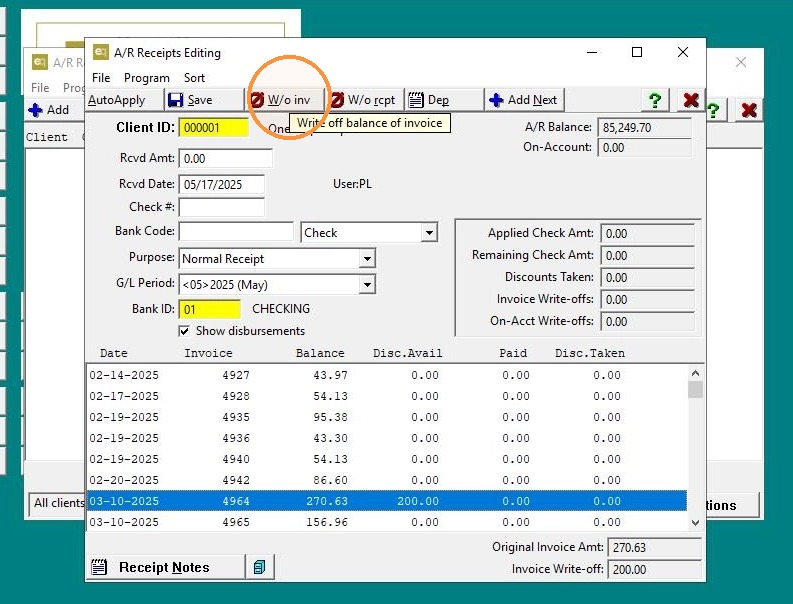
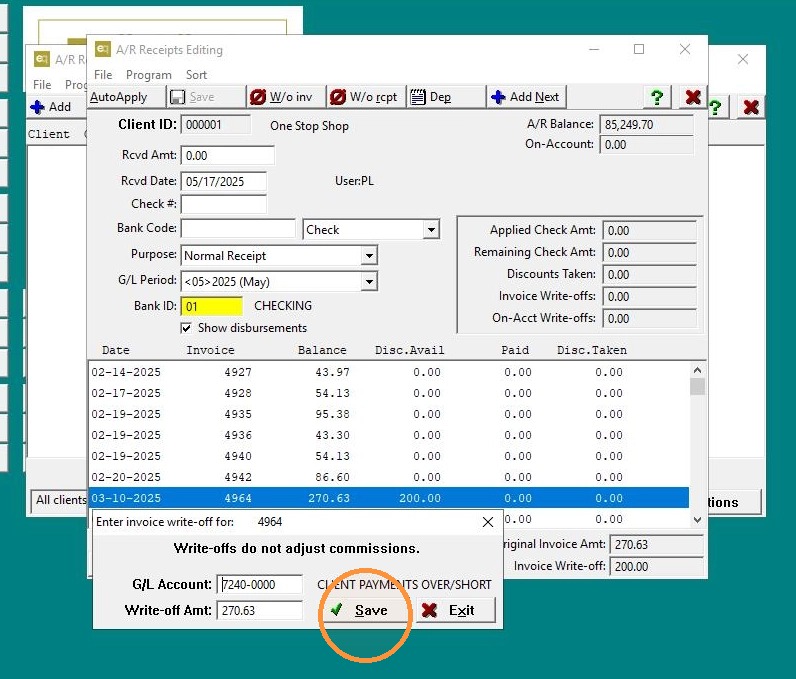
15. Use the default GL account (same as used in receipt write-off).
Click Save.
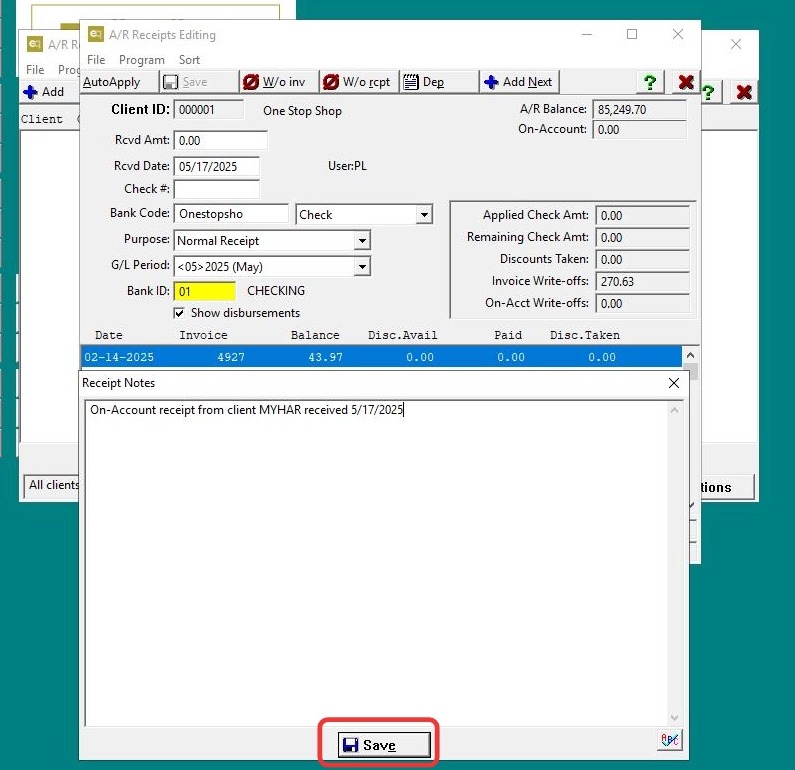
16. Go to Receipt Notes > enter the explanation:
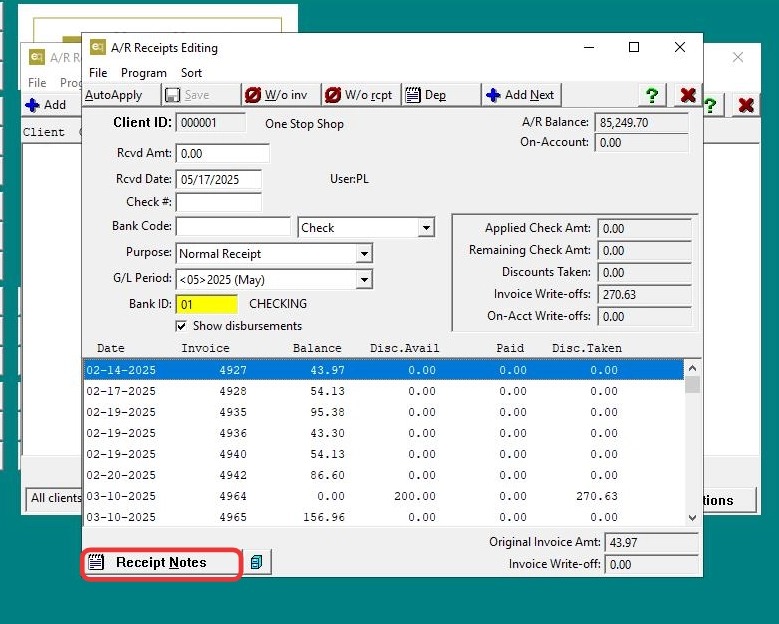
17. Add note: "On-Account receipt from client x received xx/xx/xxxx> Save
Note Added: Again, you explain that the funds came from the other client and when they were received.
18. Click "Exit"
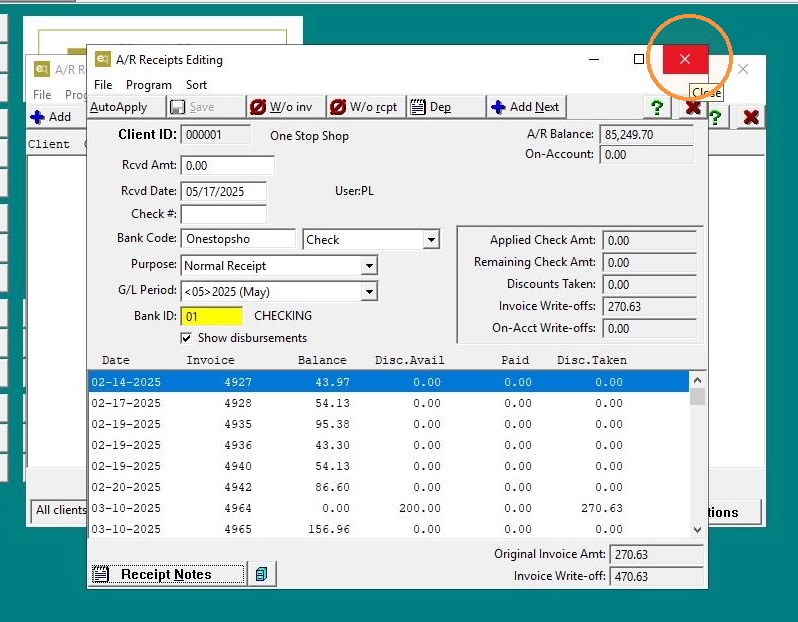
19. Click "Exit"
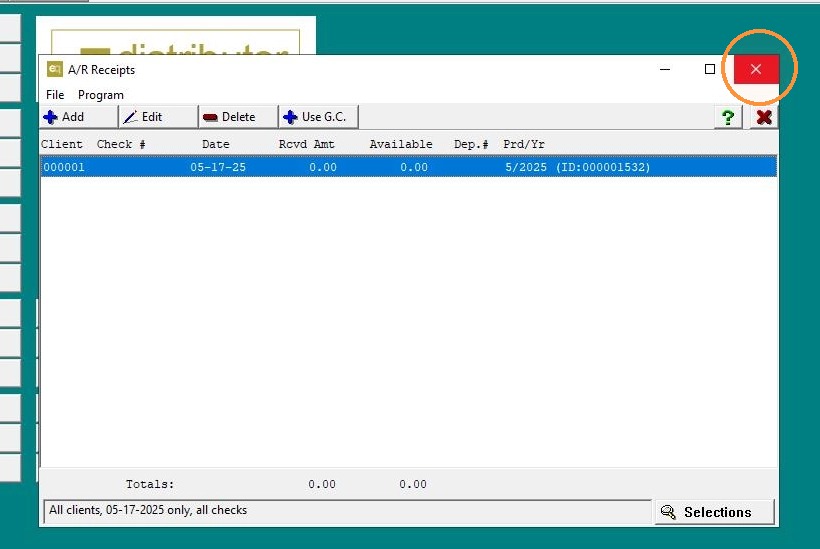
Tip: Note:
This process is used to reallocate on-account funds from one client to cover invoices for another when the system does not support direct cross-client application. By writing off the funds from the original client and creating a $0.00 receipt with a write-off to the receiving client, the transaction is balanced using the same general ledger (GL) account.
This method ensures that:
-
The original client’s balance accurately reflects the removal of the unused funds.
-
The receiving client’s invoice is marked as satisfied without affecting actual cash or bank balances.
-
The general ledger remains balanced, with no net financial impact.
-
A clear audit trail is maintained through receipt notes explaining the transaction.
Overall, this approach keeps client accounts accurate while maintaining financial integrity in the system.