PBL: Mass Update Client Overrides - Convenience Fee (Client Level)
Important Notes
⚠️ Warning:
This utility has no undo. Always confirm:
-
Client range
-
Selected override options
before proceeding.
1. Select Client Maintenance
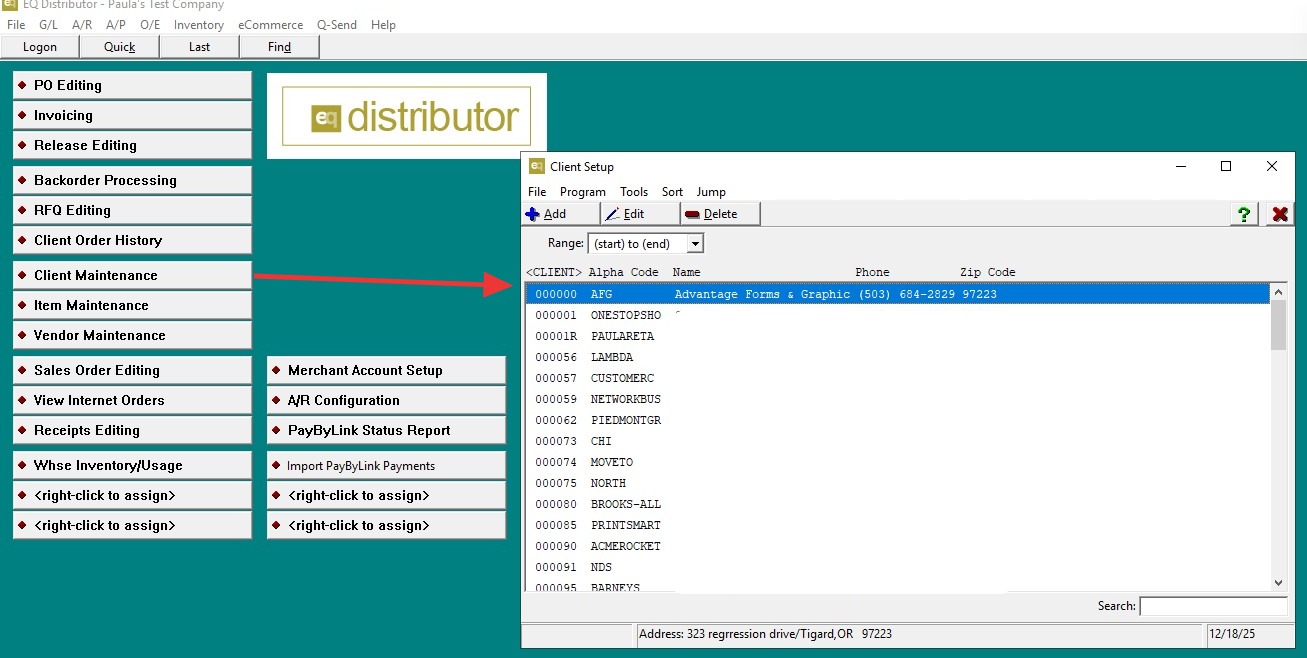
2. Select one or more clients you plan to update.
-
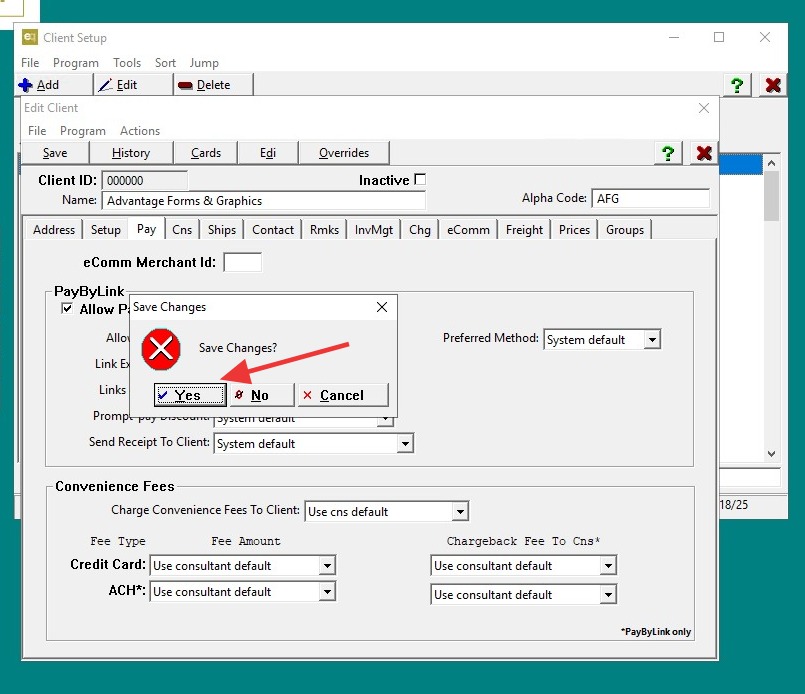
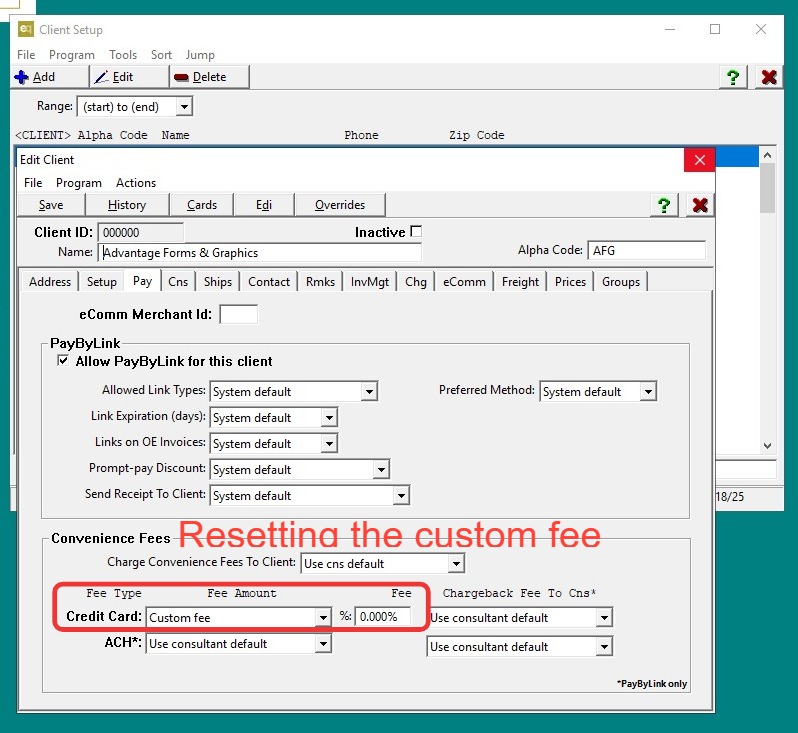
Review the client settings to verify which override(s) need to be changed.
-
Exit the client
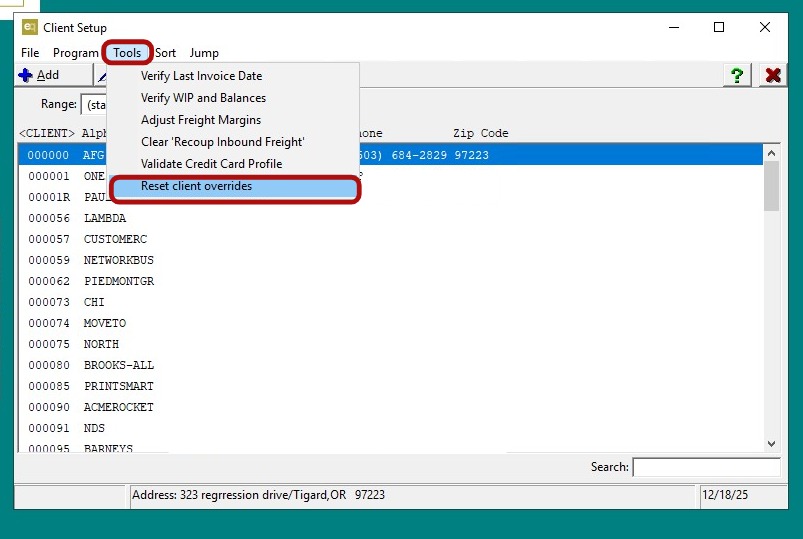
3. From Client Maintenance, open the Tools menu.
- Select Reset Client Overrides.
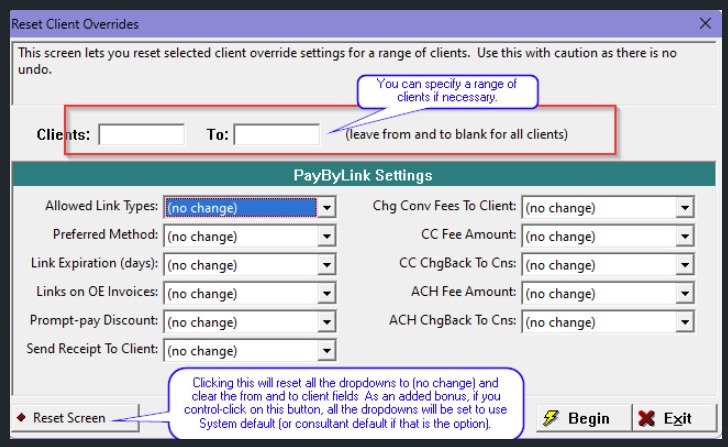
4. In the Reset Client Overrides screen:
-
Enter a From Client and To Client range,
or leave both fields blank to apply the change to all clients. -
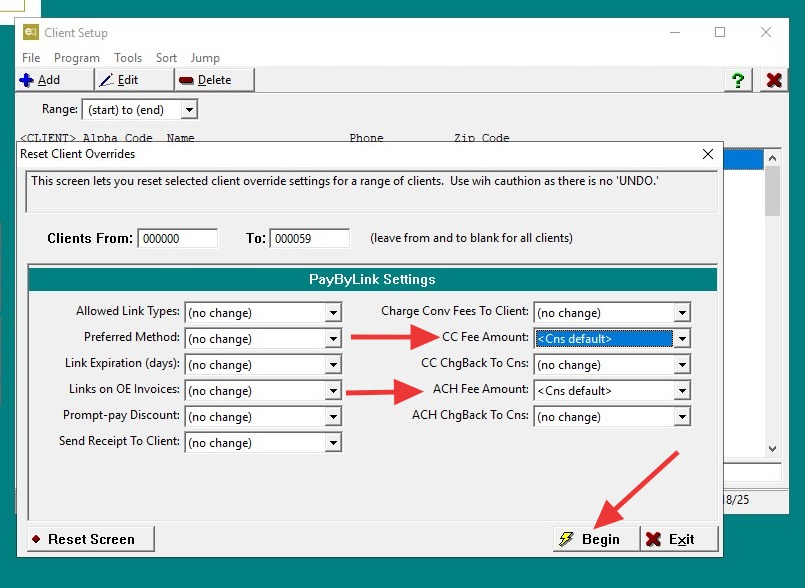
Select the override options you want to mass update (for example, Convenience Fee).
-
Verify all selections before proceeding (there is no undo).
5. Click "Begin".
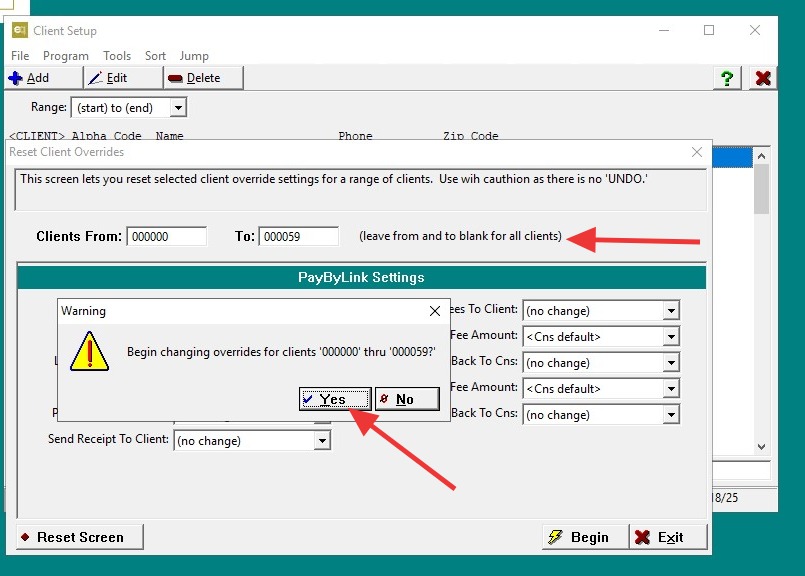
6. When prompted with "Begin changing overrides for clients?", click Yes.
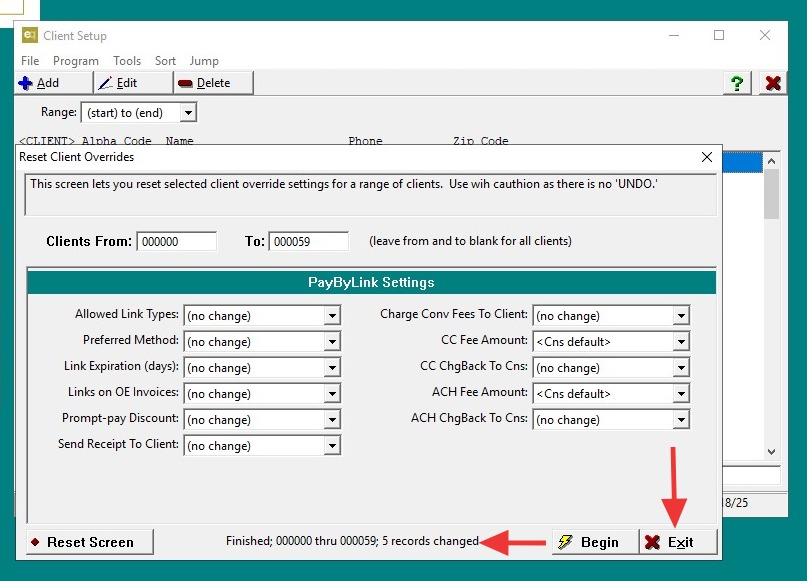
7. At the bottom of the screen, review the message confirming:
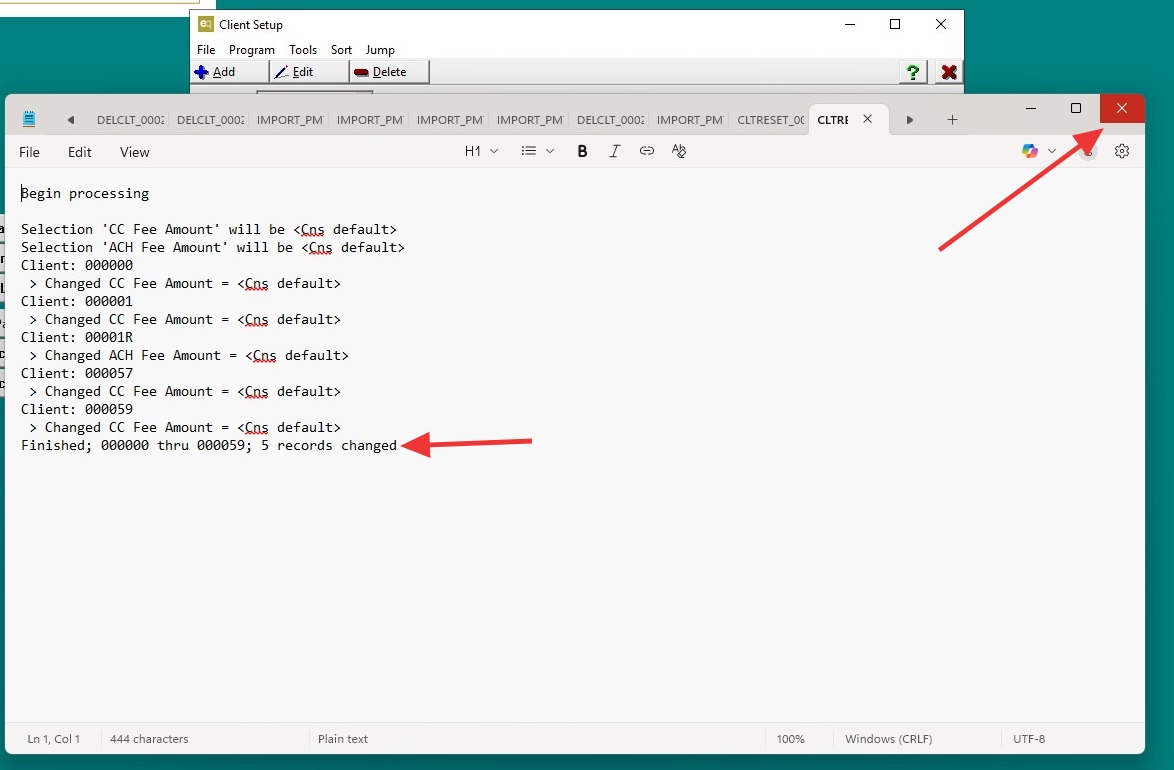
- The number of clients updated.
8. Exit the Reset Client Overrides screen.
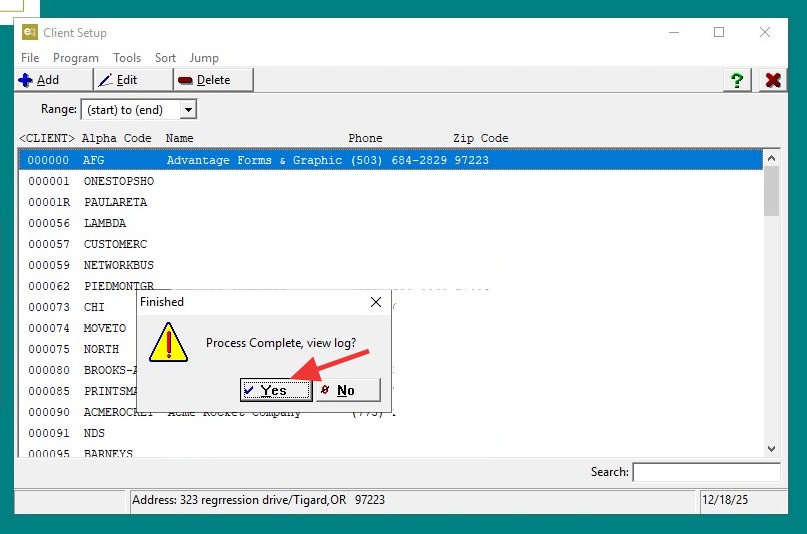
- When prompted to Process Complete, view log? click "Yes".
9. Review the log, then exit.
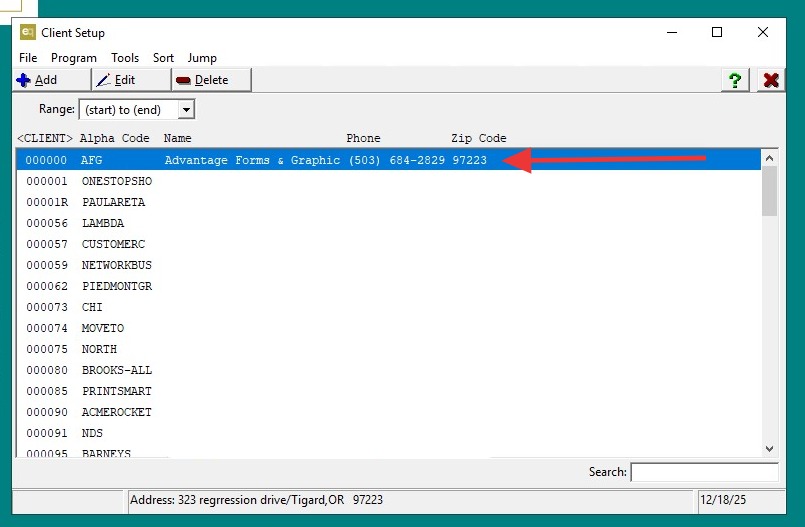
10. Return to Client Maintenance.
- Select a client that was included in the update and verify the changes were applied correctly.
11. Verify the changes were applied correctly.
Click "Exit"
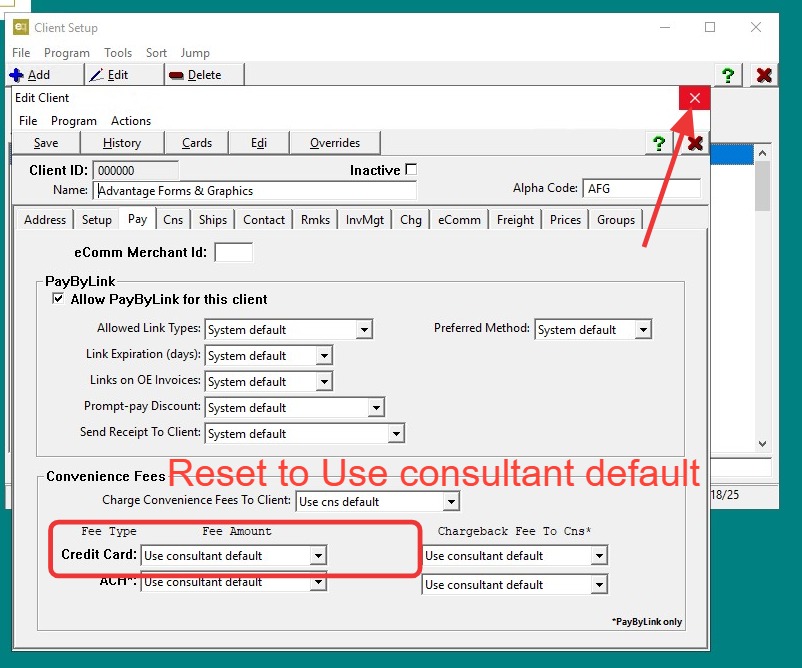
12. Click "Save" then completely exit the client.