EQd: How to Add Countries to Your Company Profile in Quantum for Client Use
Alert: Note: This process was created in a test environment. The information selected is for training purposes only and will not match the data you will use in your company's system.
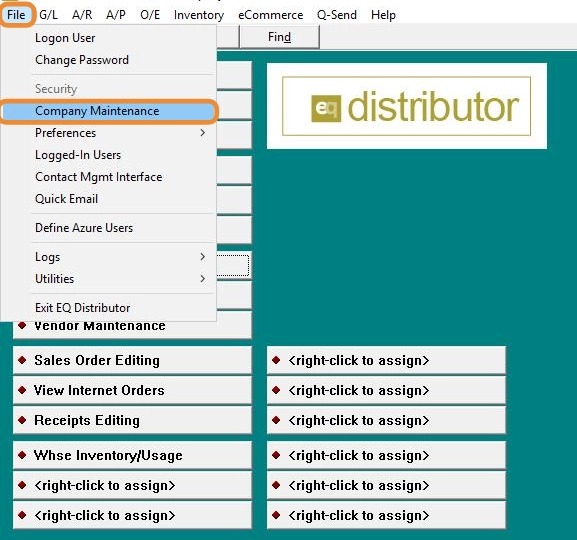
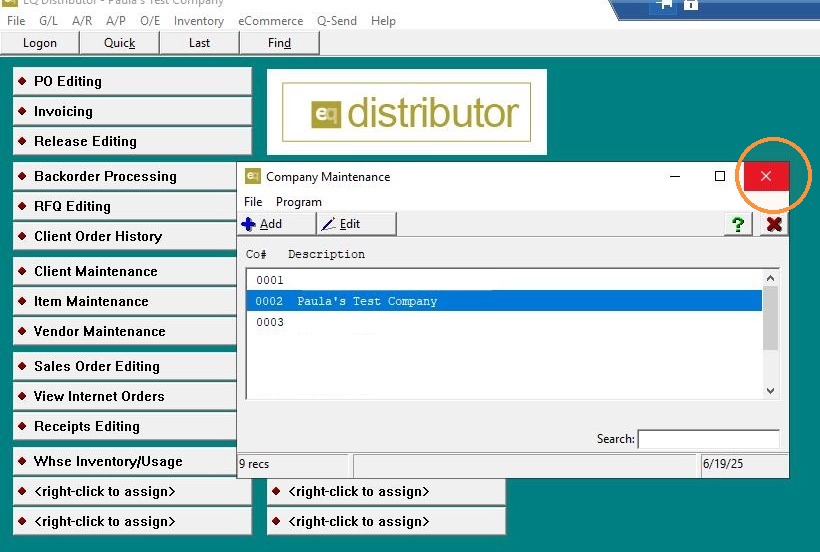
1. Navigate to Company Maintenance
- Go to File > Company Maintenance.
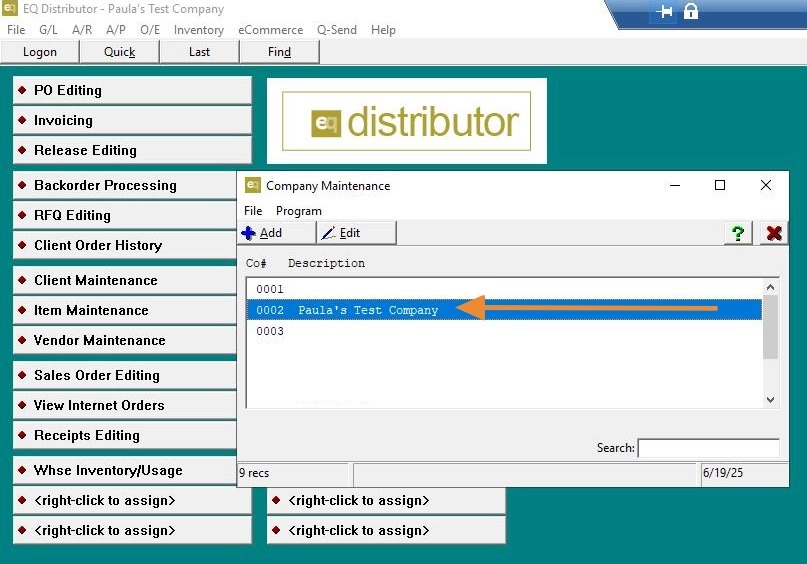
2. Select the Correct Company
- If you have multiple companies, select the one you want to add countries to.
3. Add Countries
-
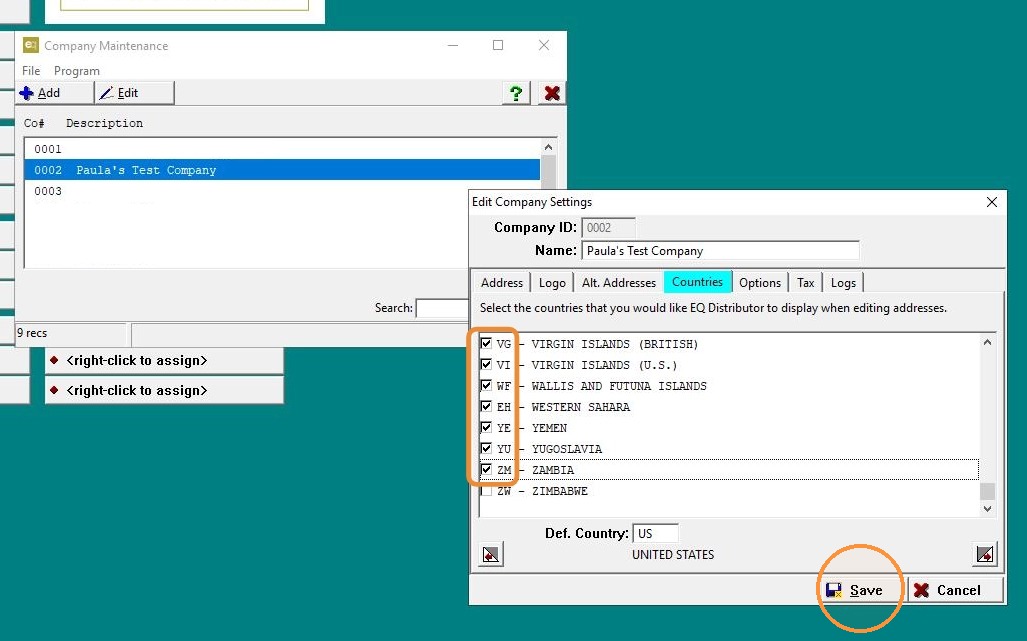
Click on the Country tab.
-
Check the boxes next to the countries you want to enable.
-
Click Save and Exit.
4. Click "Exit"
5. #### Assign Countries to Clients
-
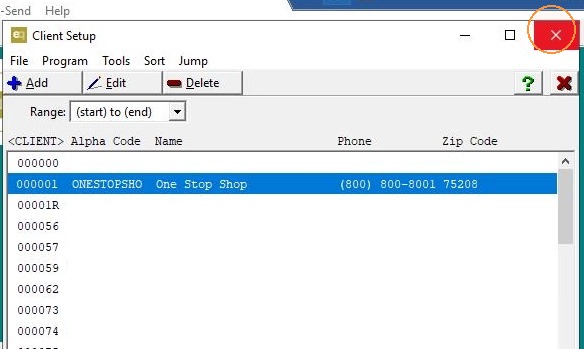
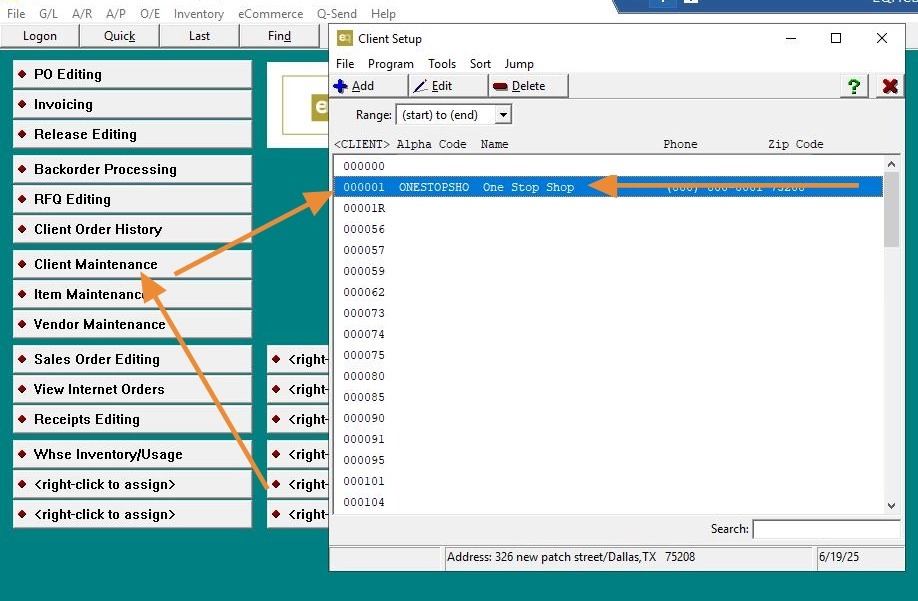
Go to Client Maintenance.
-
Select an existing client or click to add a new client.
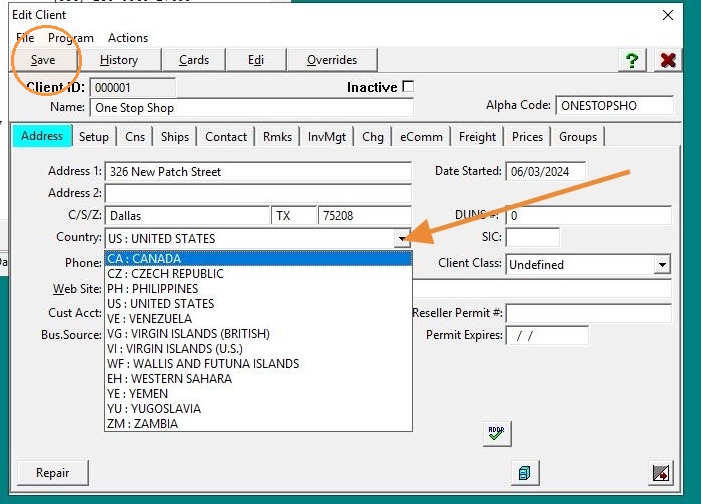
6. - Under the Address tab, you'll now see the countries you enabled.
- Choose the appropriate country for the client. Click "Save".
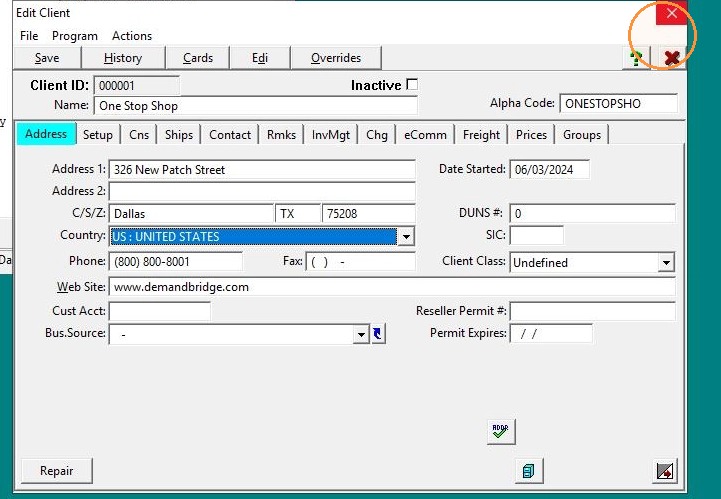
7. Click "Exit"
8. Click "Save"
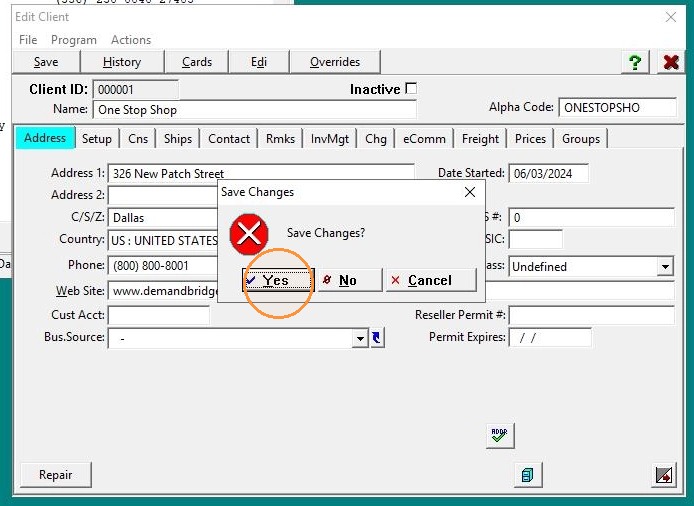
9. Click Exit and Save, then exit the screen.