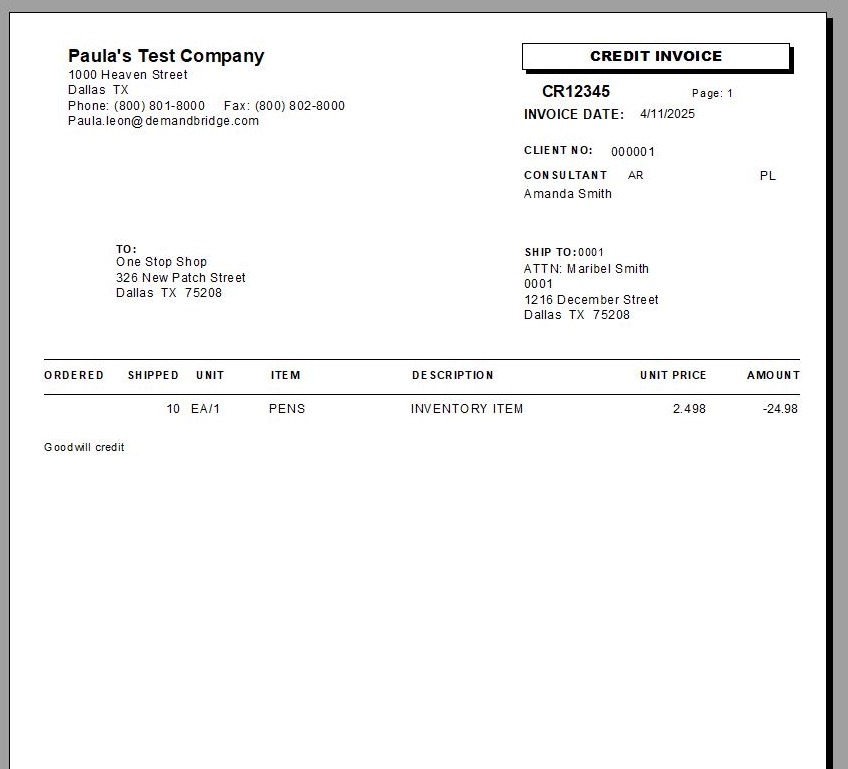
EQd: How to Process a Credit Memo
Note: This process was created in a test environment. The information selected is for training purposes only and will not match the data you will use in your company's system.
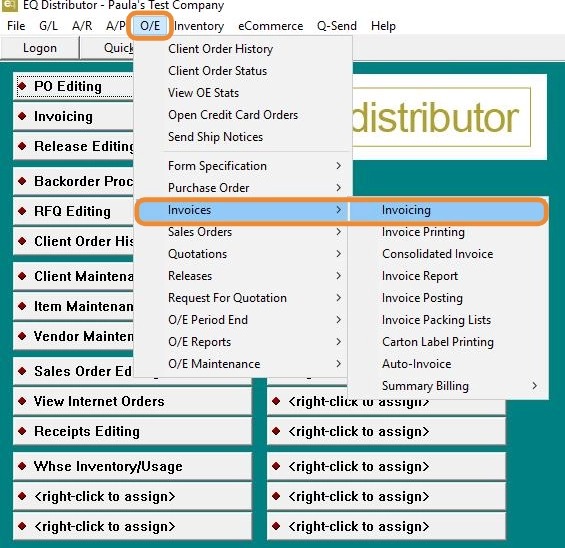
1. Click "O/E>Invoices >Invoicing".
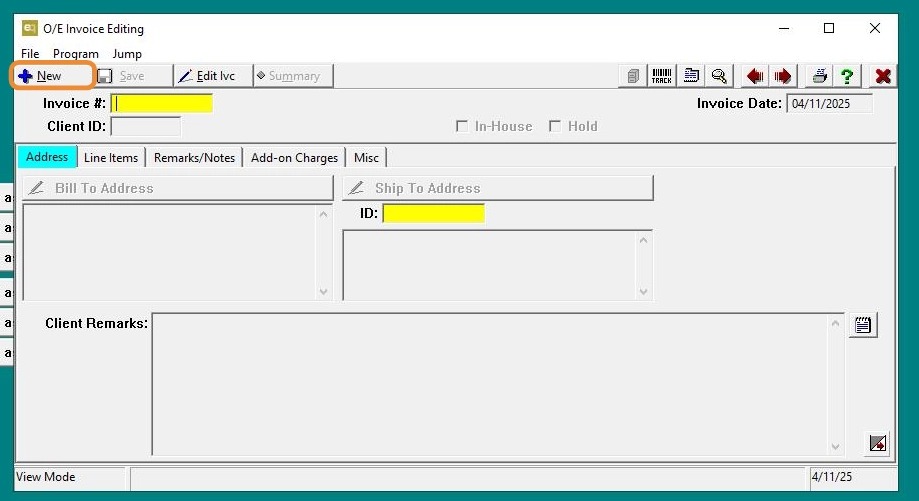
2. Click "New"
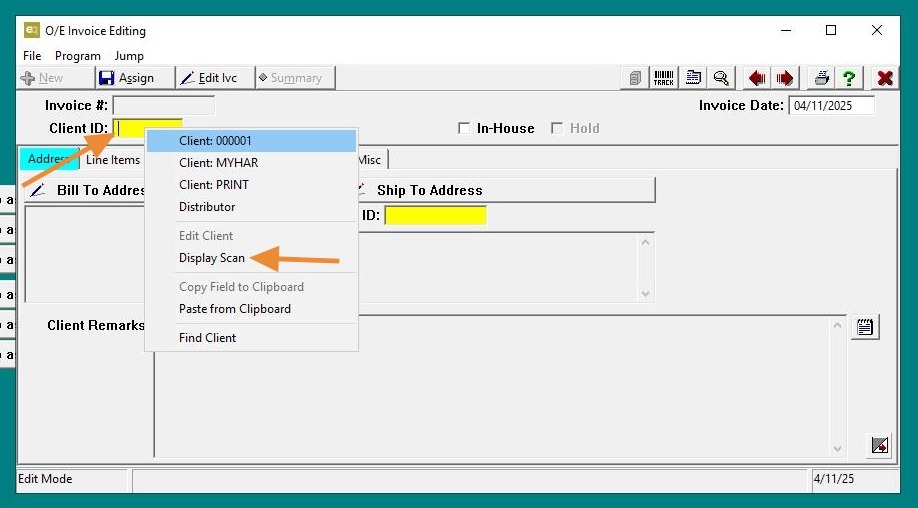
3. Right-click on the Client ID field to display a list of clients or type the client name/ID directly into the field.
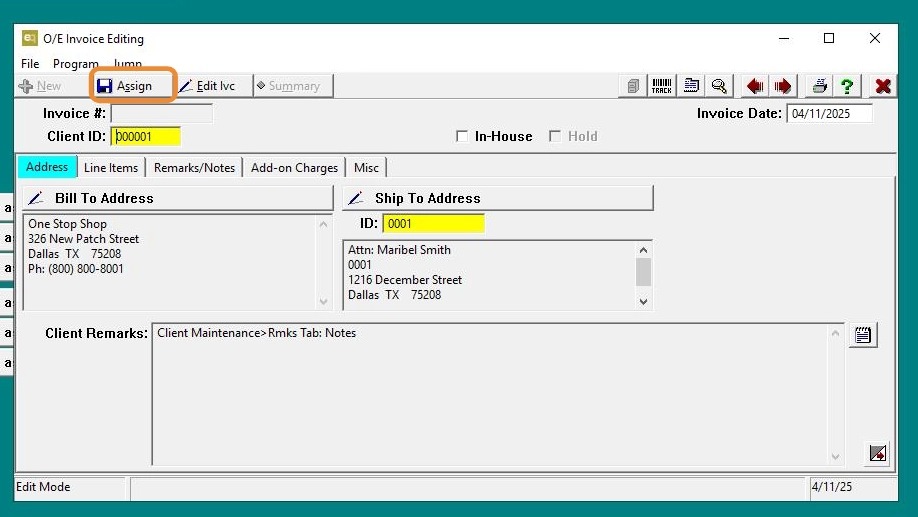
4. Click "Assign"
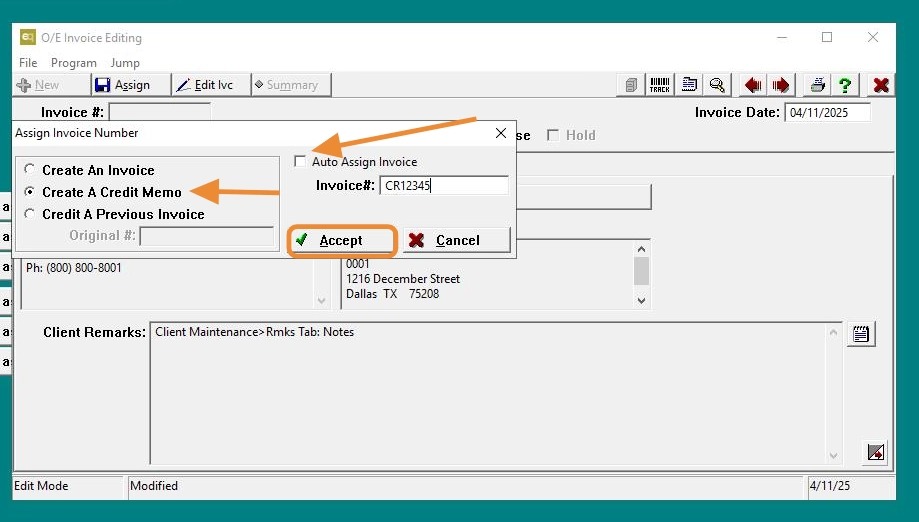
5. Leave "Auto Assign Invoice" checked to have the system automatically assign an invoice number or uncheck it to manually assign a credit number.
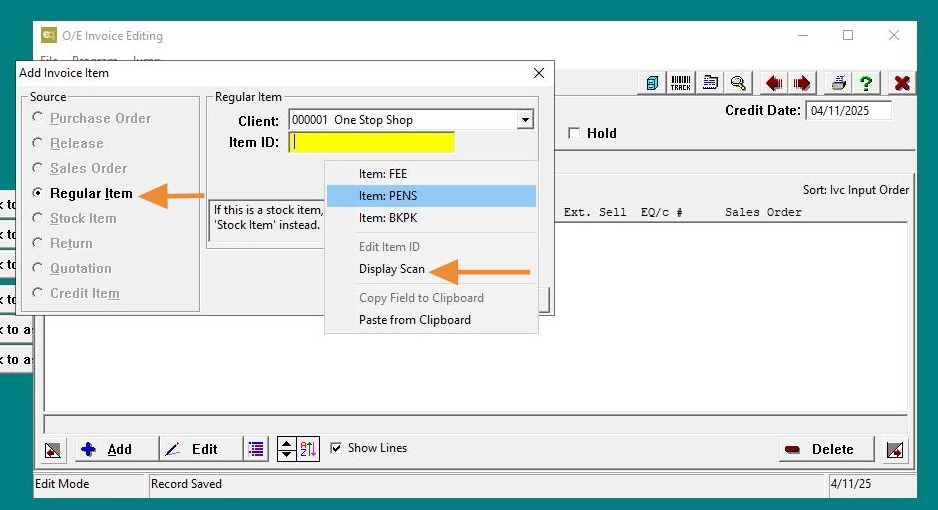
6. The system will default to Regular Item. Right-click on the Client ID field to display a list of clients or type the client name/ID directly into the field.
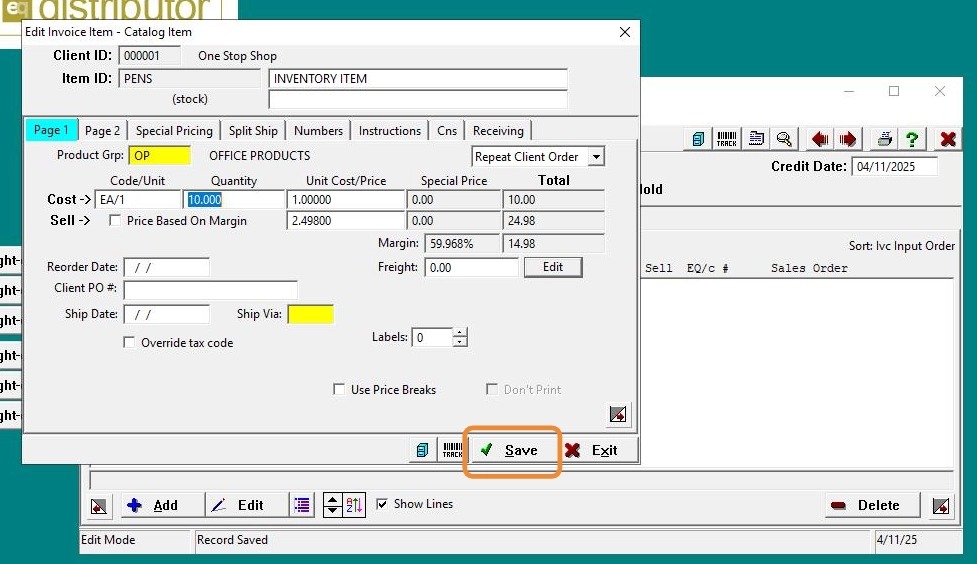
7. Click "Save"
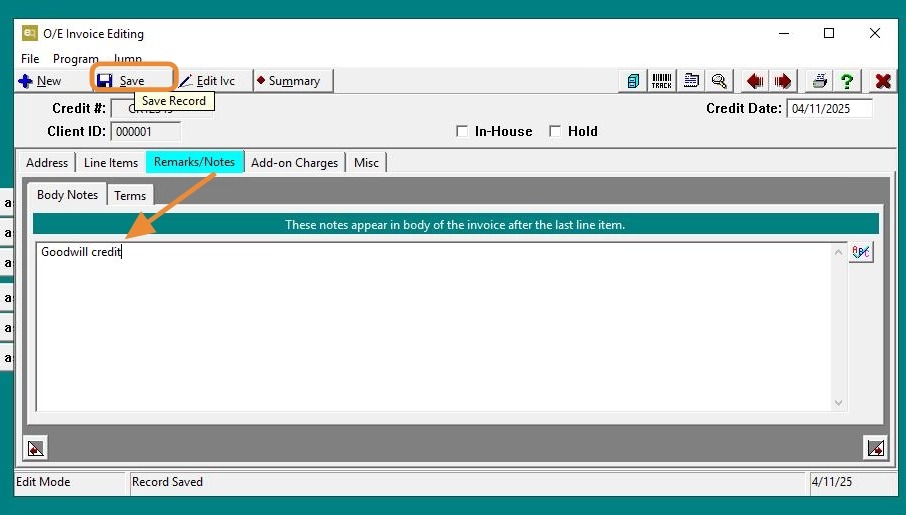
8. Click "Remarks," add your remarks in the provided field, then click "Save."
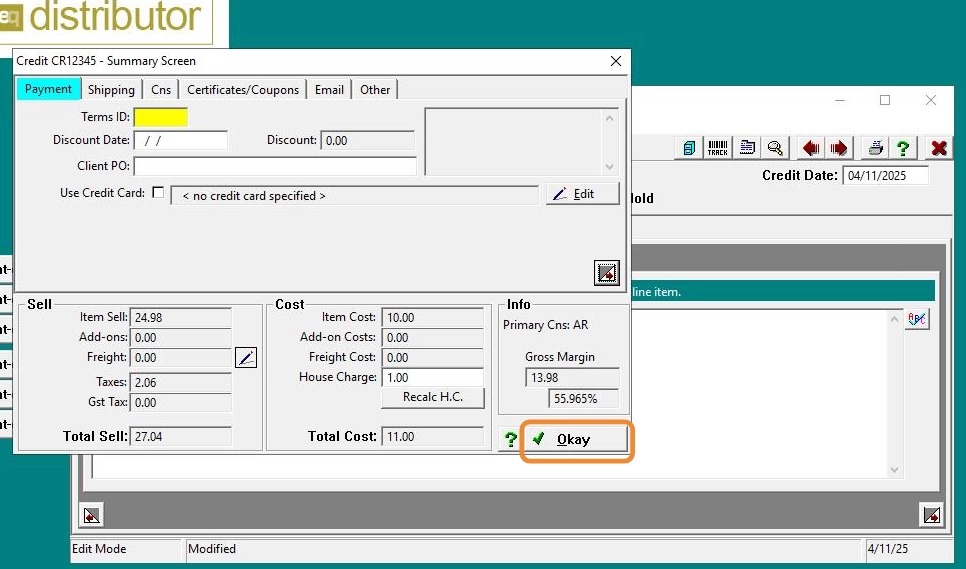
9. Click "Okay"
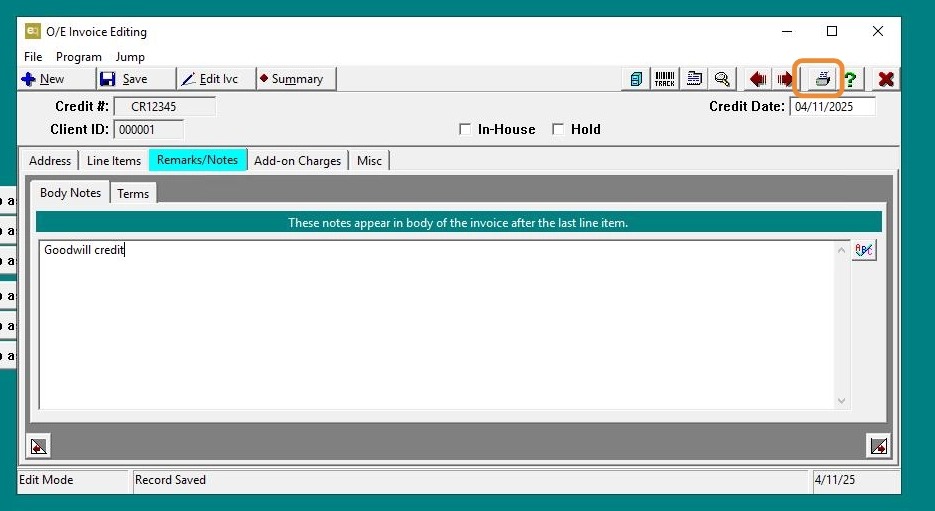
10. Click "Printer"
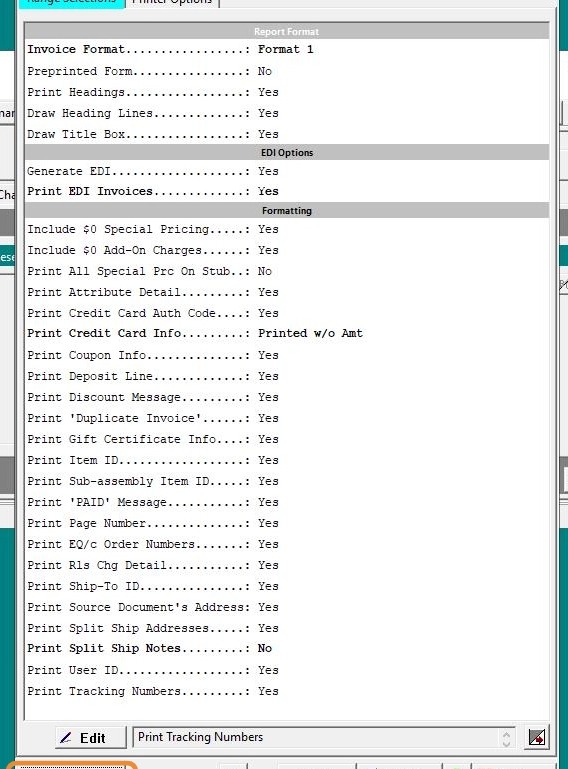
11. Click "Preview"
12. Finished