
EQD: How to Resolve: "Start or Close Job - Failed" Error in Client Managed Remote Desktop
This guide provides step-by-step instructions to resolve the "Start or Close Job - Failed" error in a client managed Remote Desktop. By copying dll's from the win_crystal and win_syswow folder and pasting them to the root of the C:\q2klocal and q2000 folders.
1. Open a file browser and go to: Q2000\Installs\DLL folder.
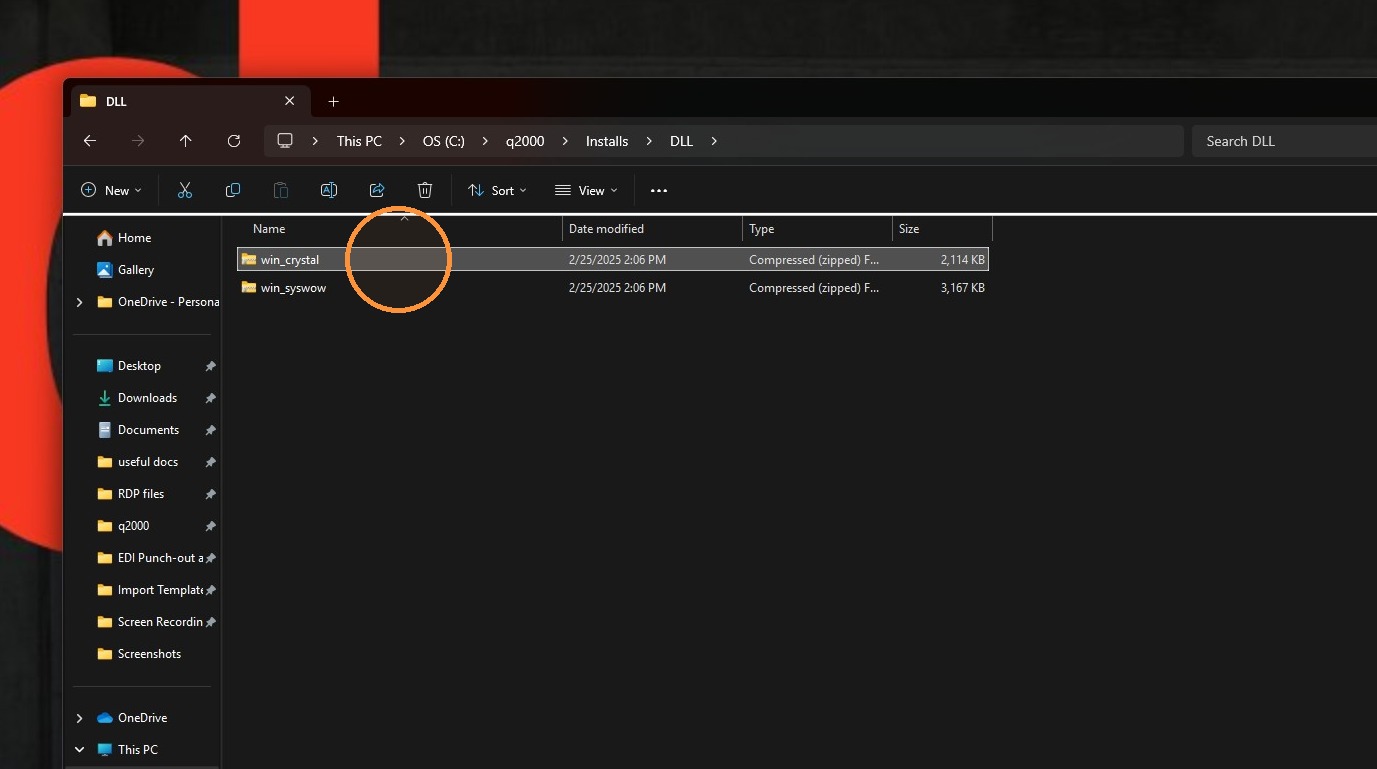
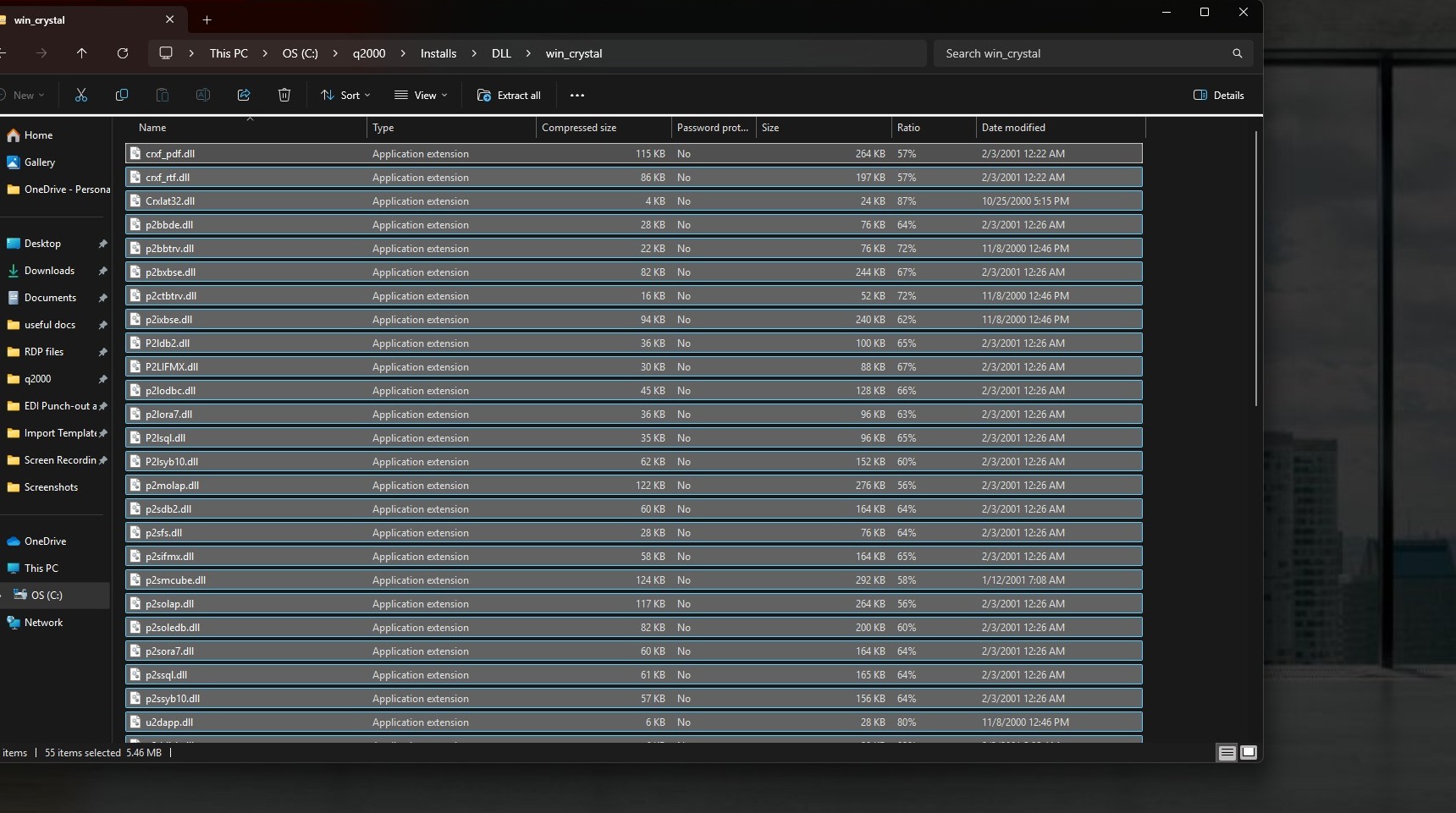
2. Open the win_crystal select 1 file then do Ctrl+A to select all. Then Ctrl+C to copy. Or you can right click and copy.
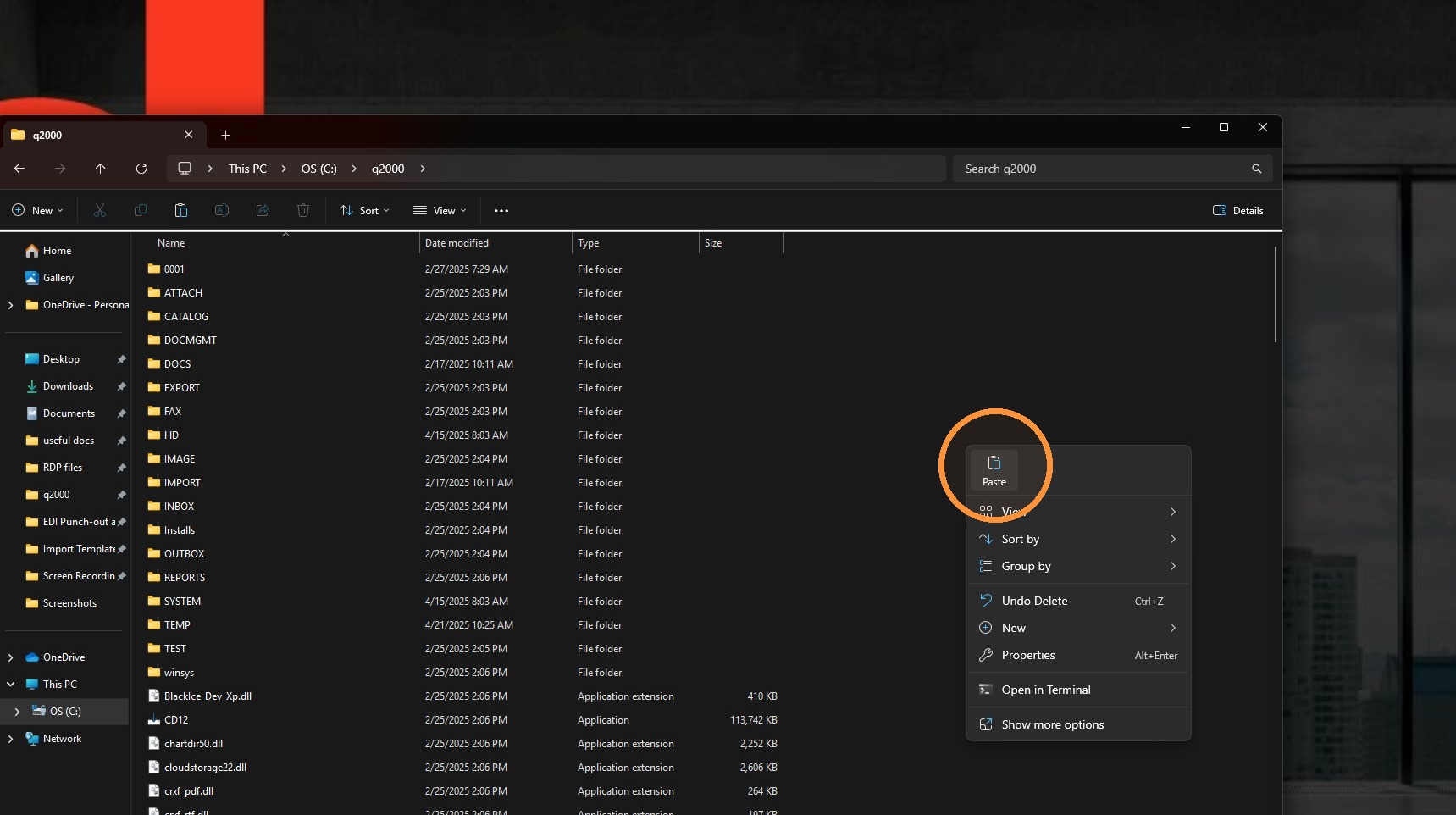
3. Go back to the root of the q2000 folder and paste the dll files there. You can right-click and paste or Ctrl+V
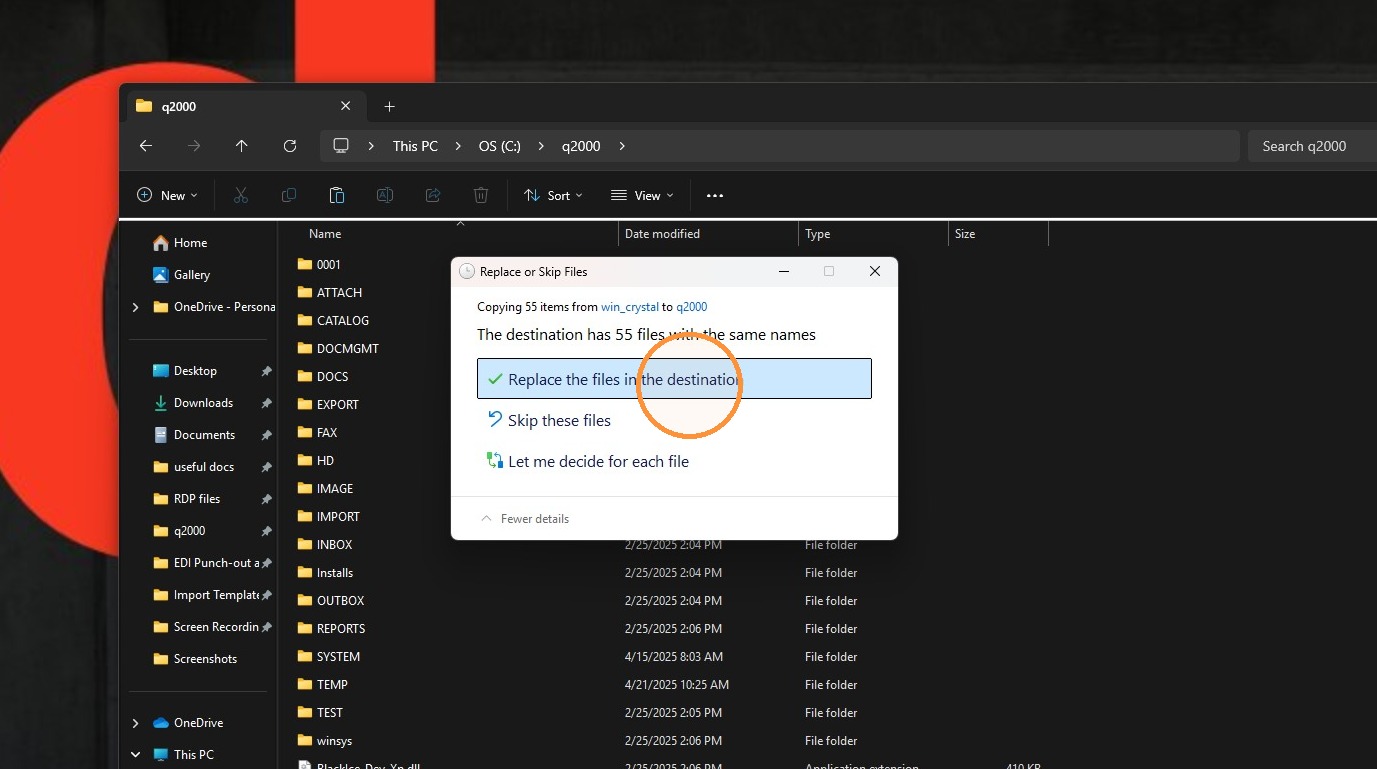
4. Click "Replace the files in the destination"
5. Make sure you also paste the win_crystal dll's into the root of the C:\q2klocal.
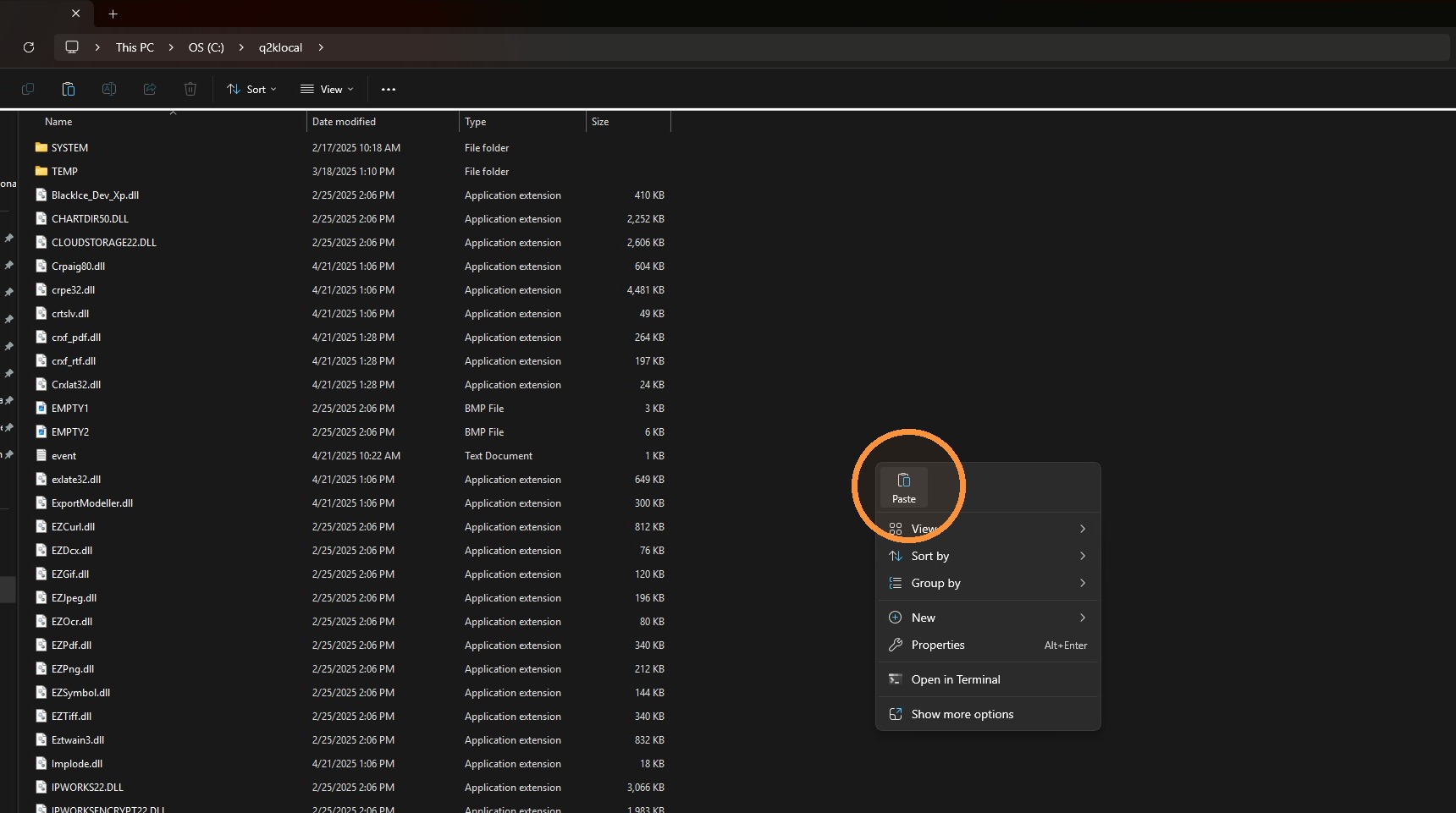
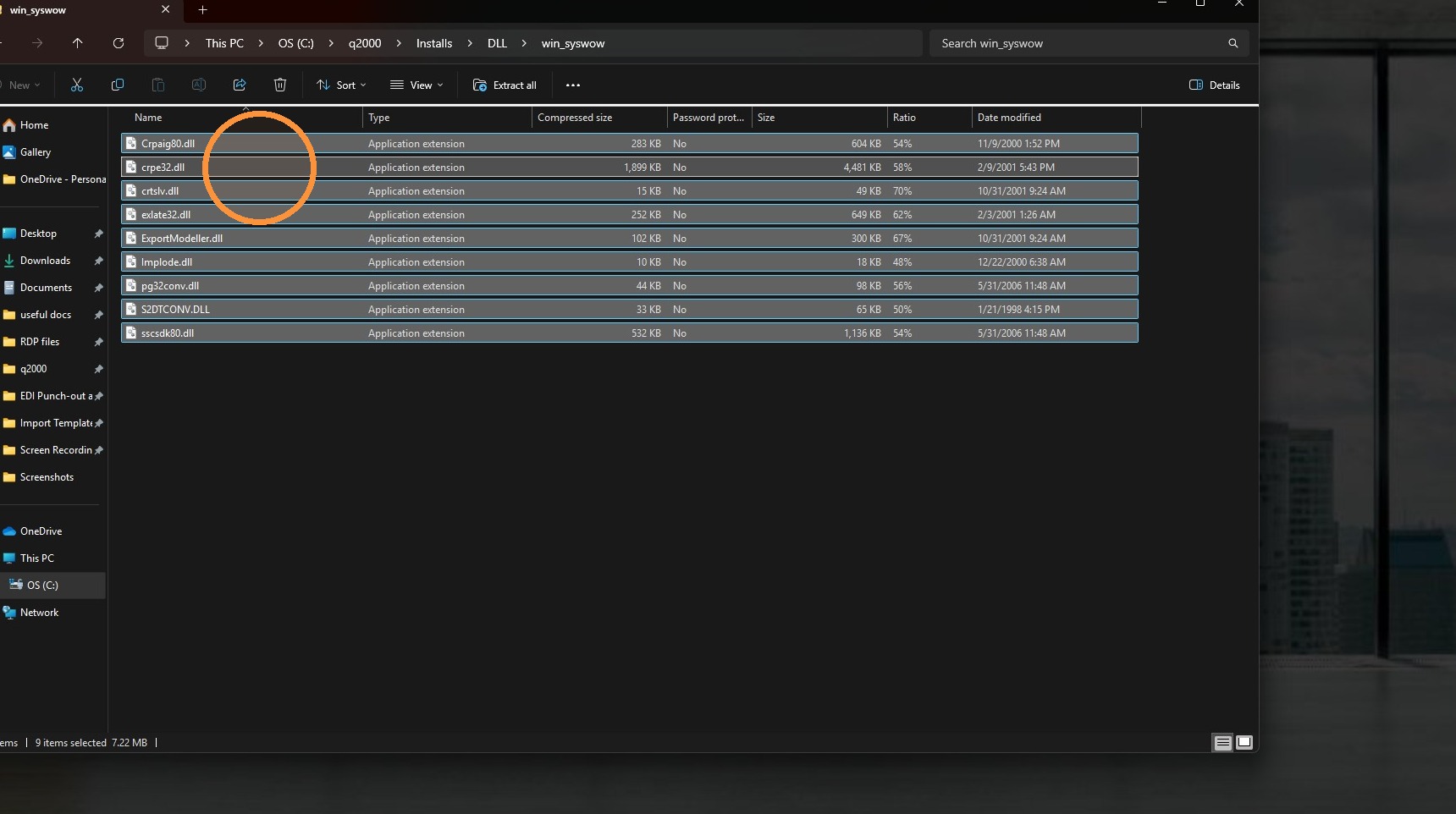
6. Make sure you also go back to the q2000\installs\DLL\win_syswow folder and copy those and paste them onto the root of the C:\q2klocal and q2000 folders.
Tip: If you have any further questions, please contact DemandBridge support.