
EQD: Finding Your Actian Zen, or PSQL License key
If you host your own EQD software, Pervasive SQL (PSQL) or Actian Zen SQL. Is a 3rd party required software for managing the EQD database. There may be certain situations where you need to know your license key, or your user count. This is how you can find that information.
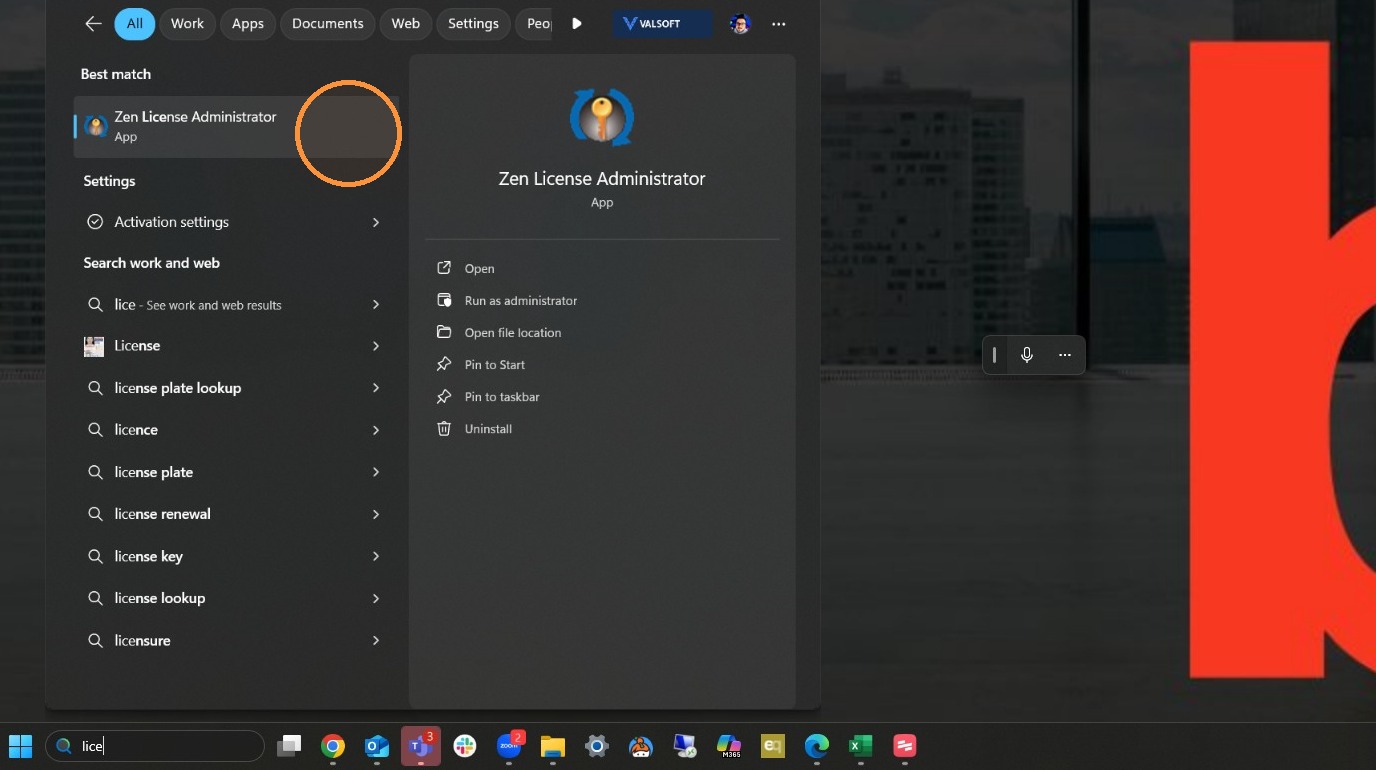
1. Search for license administrator and find the Zen License administrator or Pervasive SQL License Administrator (depending on what version you are running)
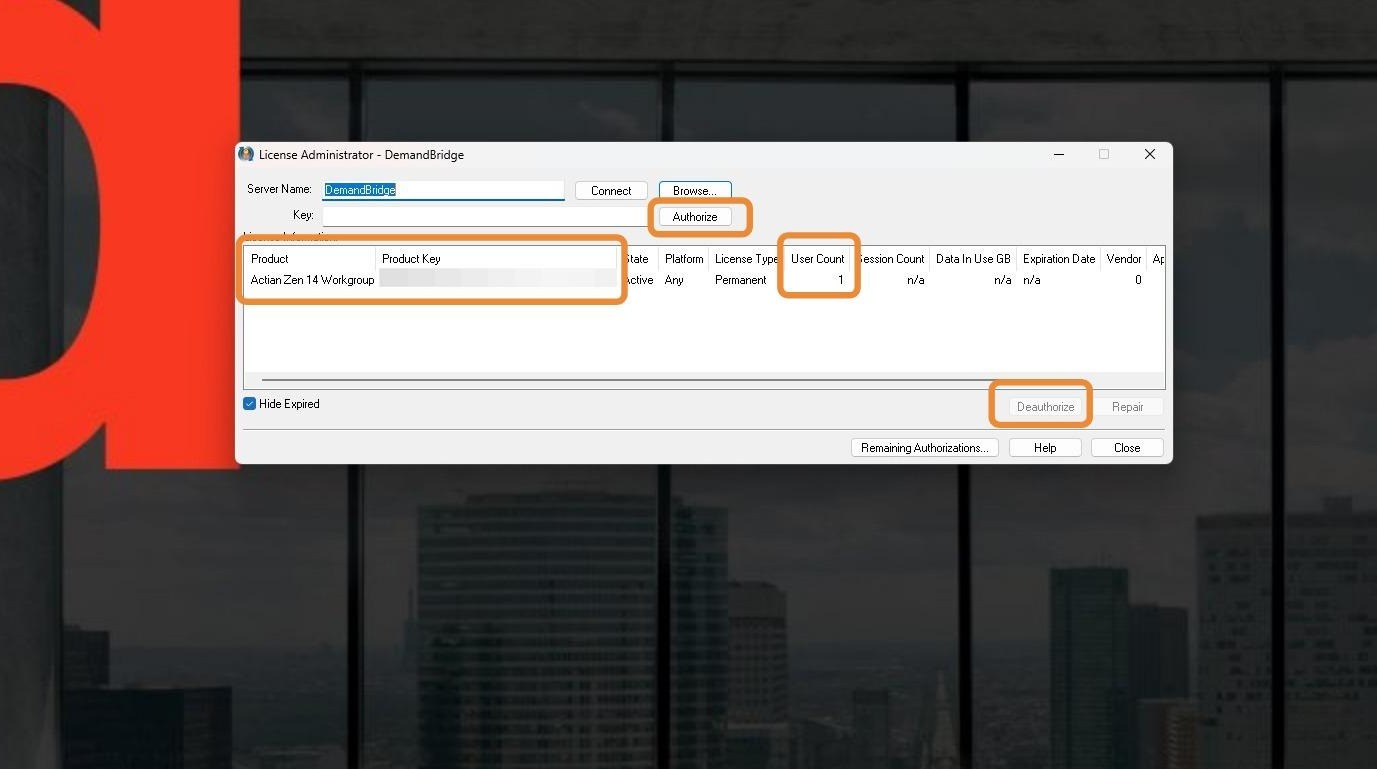
2. You can find a lot of helpful information in the license administrator. Like your product version, your product key and your user count. You can also authorize a license key or deauthorize a license key which is necessary if you are installing the SQL on a new server.
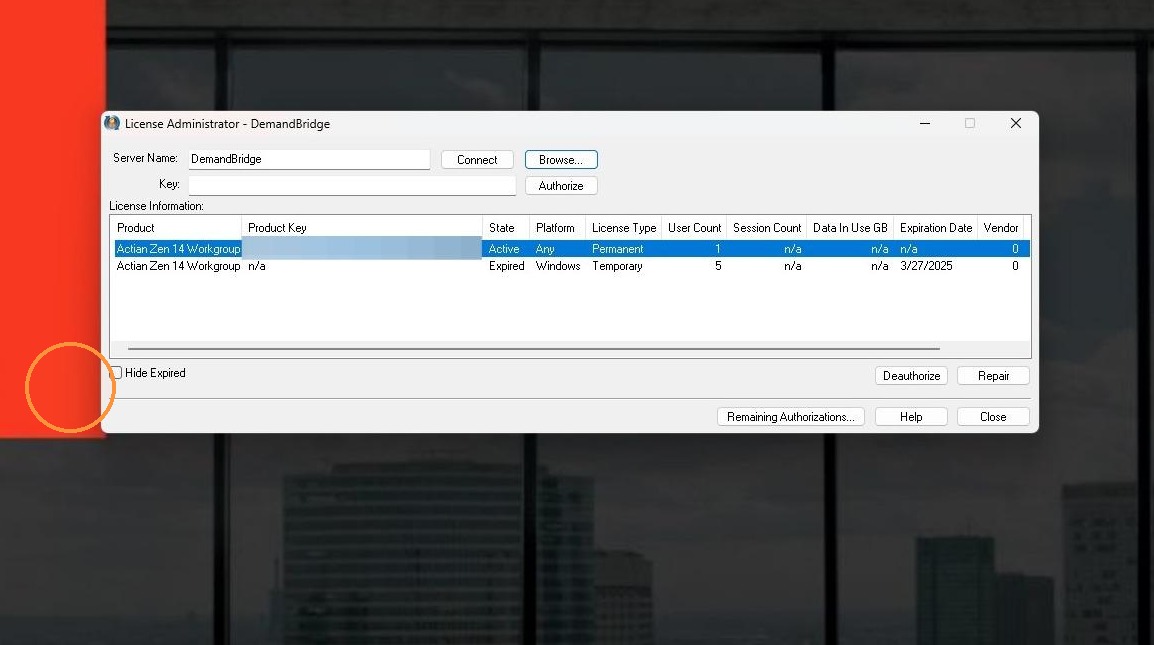
3. If you uncheck the "hide expired" box you can see any expired licenses you may have.
Note: If you do a new install of the SQL, it will run on a 30 day temporary license. But once that temporary license expires, you will need to authorize the SQL with a current product key.
Tip: If you have any further questions, feel free to reach out to DemandBridge support