EQd: Customizing/Navigation
Some handy tips for customizing and navigating the program.
1. Use the Find feature to search for anything in the program
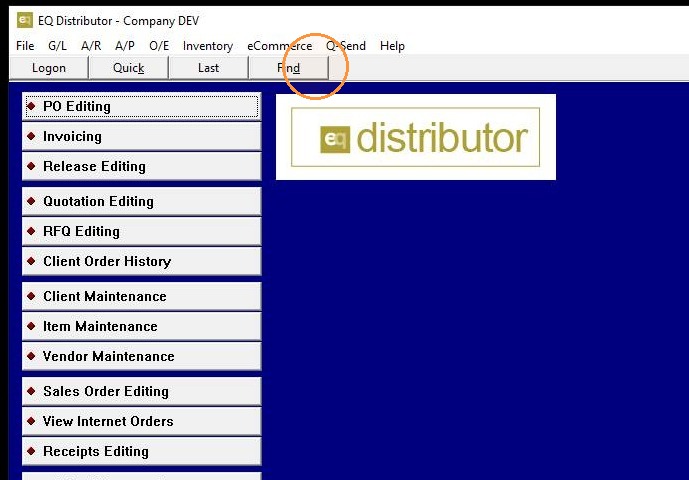
2. Use the Find feature to search for anything in the program
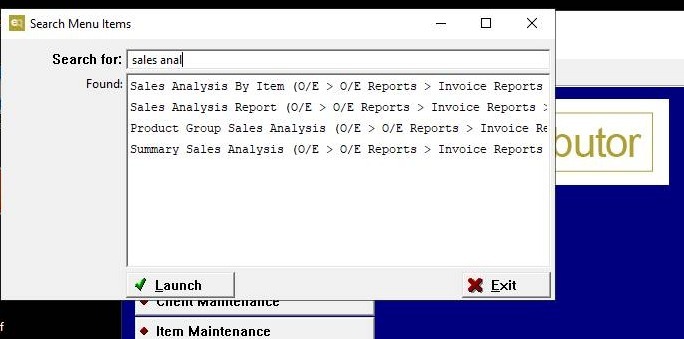
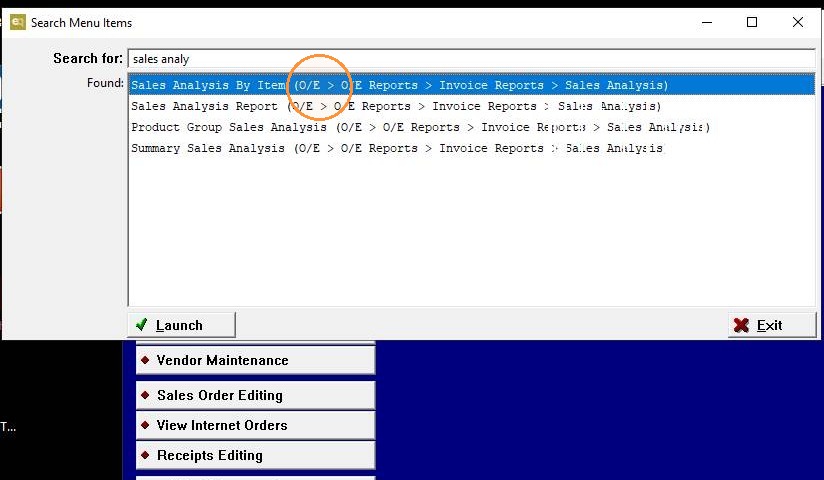
3. The results are clickable and also display the navigation path
4. User Preferences allow each user to customize the program
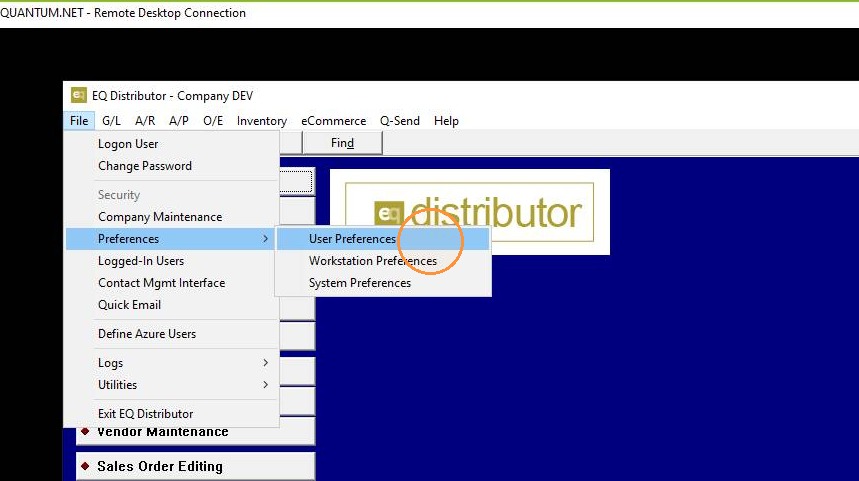
5. User Preferences allow each user to customize the program
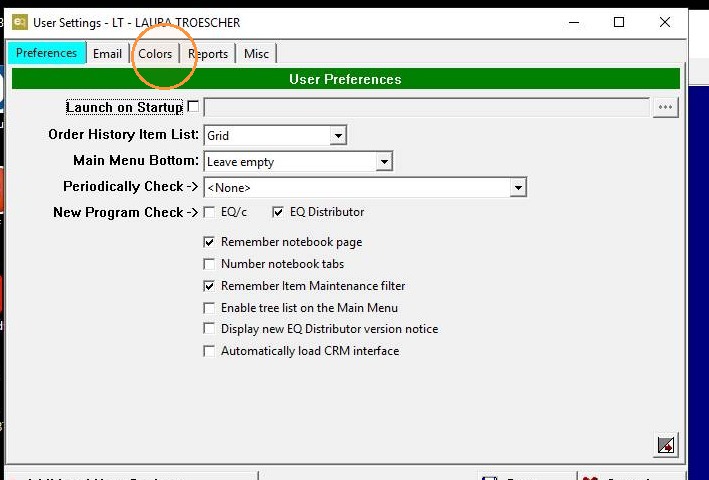
6. User Preferences allow each user to customize the program
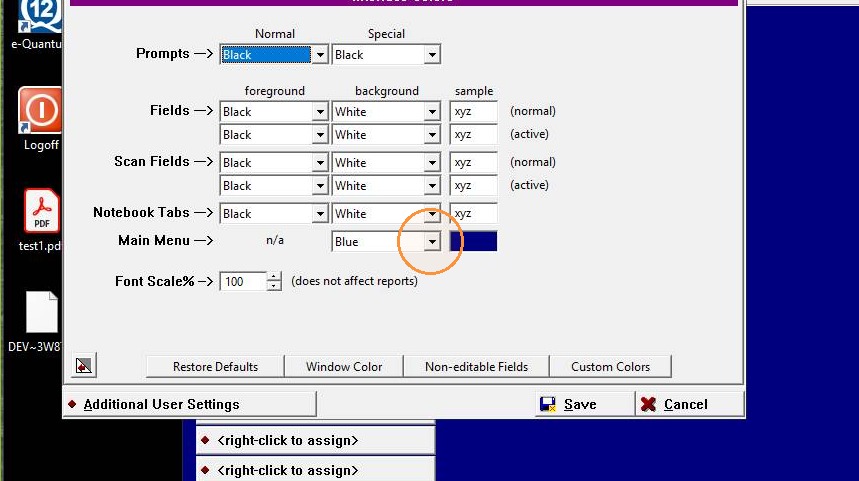
7. User Preferences allow each user to customize the program
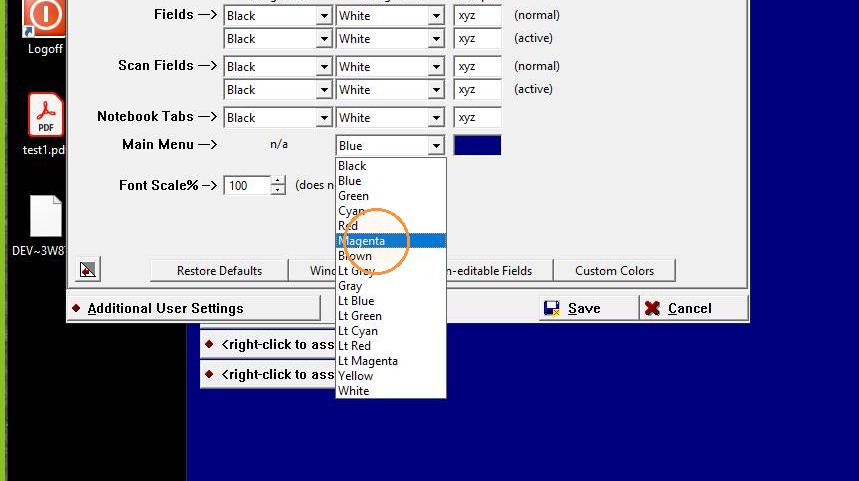
8. Custom Colors allow any RGB value
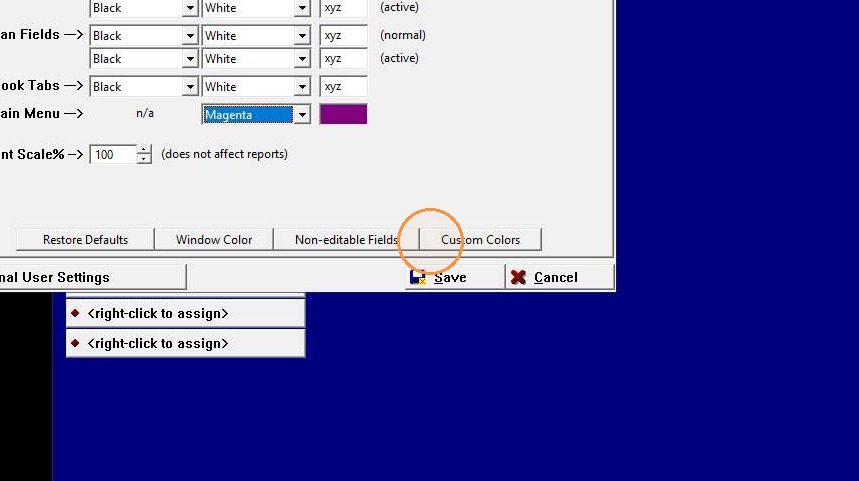
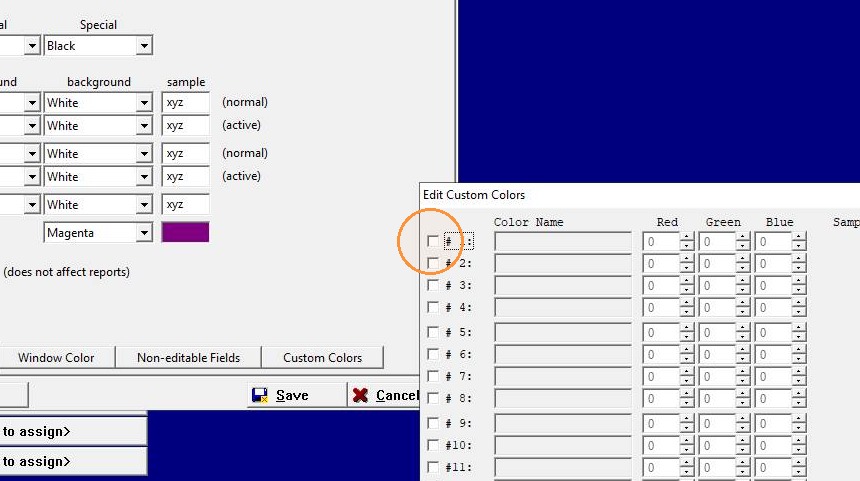
9. Custom Colors allow any RGB value
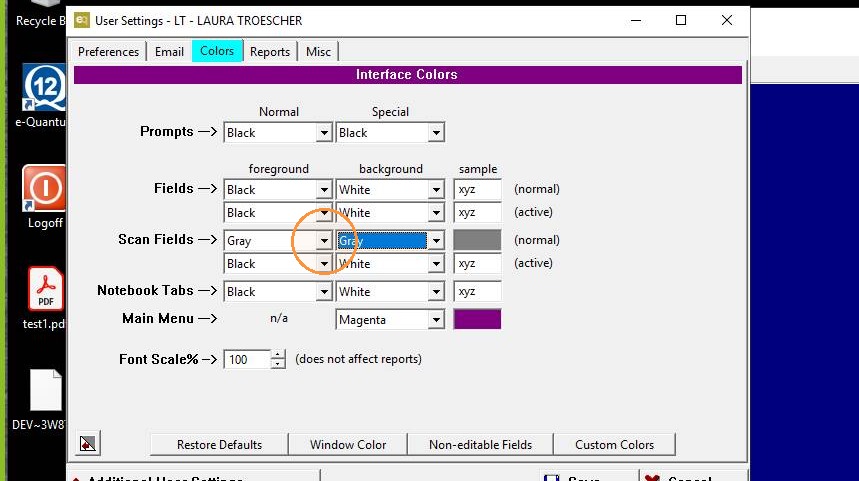
10. Scan Fields allow the user to easily customize with a color fields that are scannable
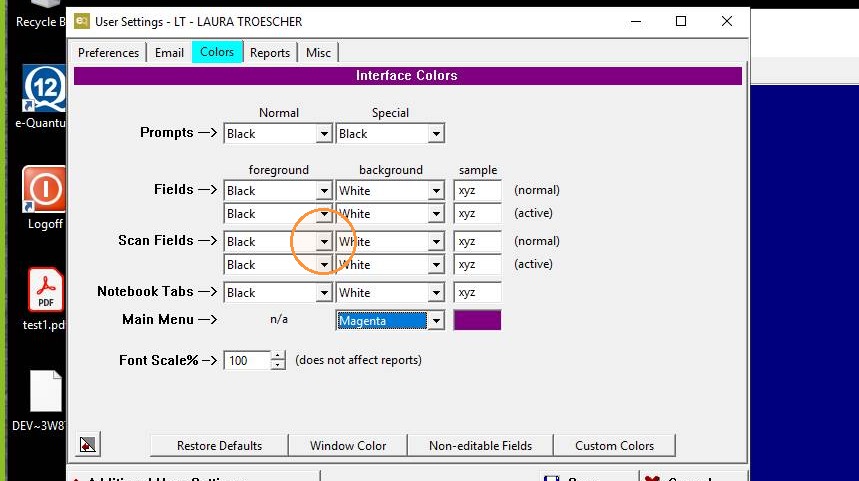
11. Scan Fields allow the user to easily customize with a color fields that are scannable
12. Add custom notes or buttons to the main screen
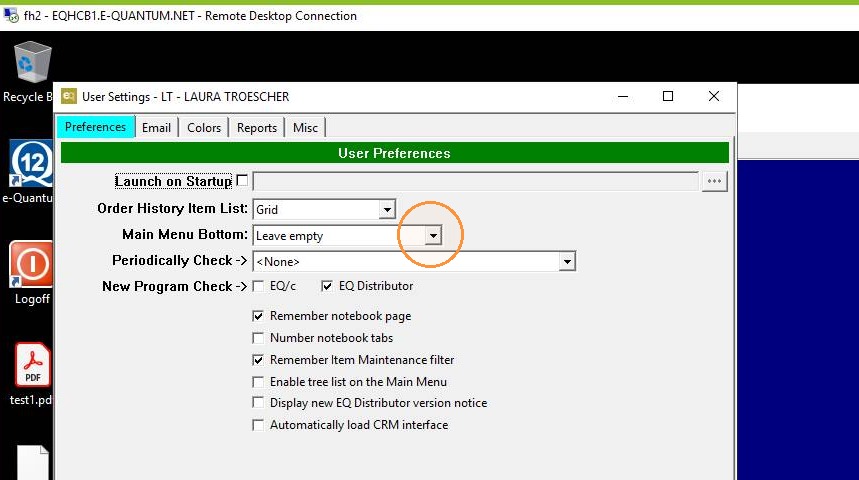
13. Add custom notes or buttons to the main screen
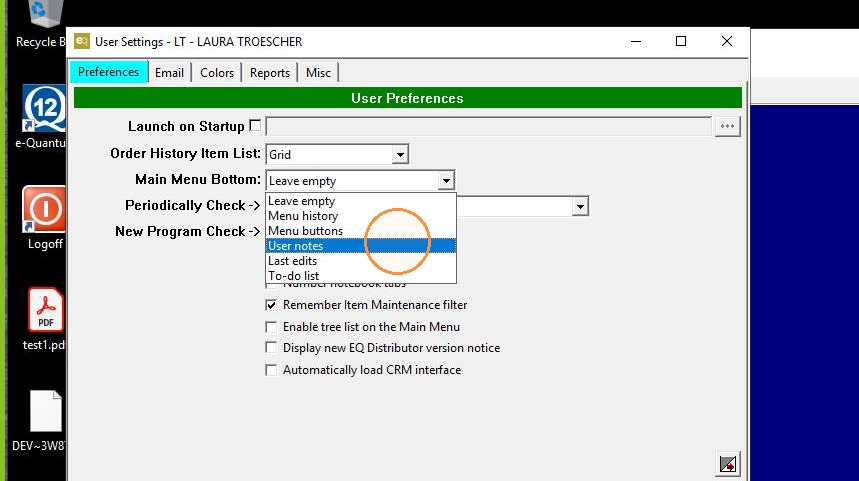
14. Add custom notes or buttons to the main screen
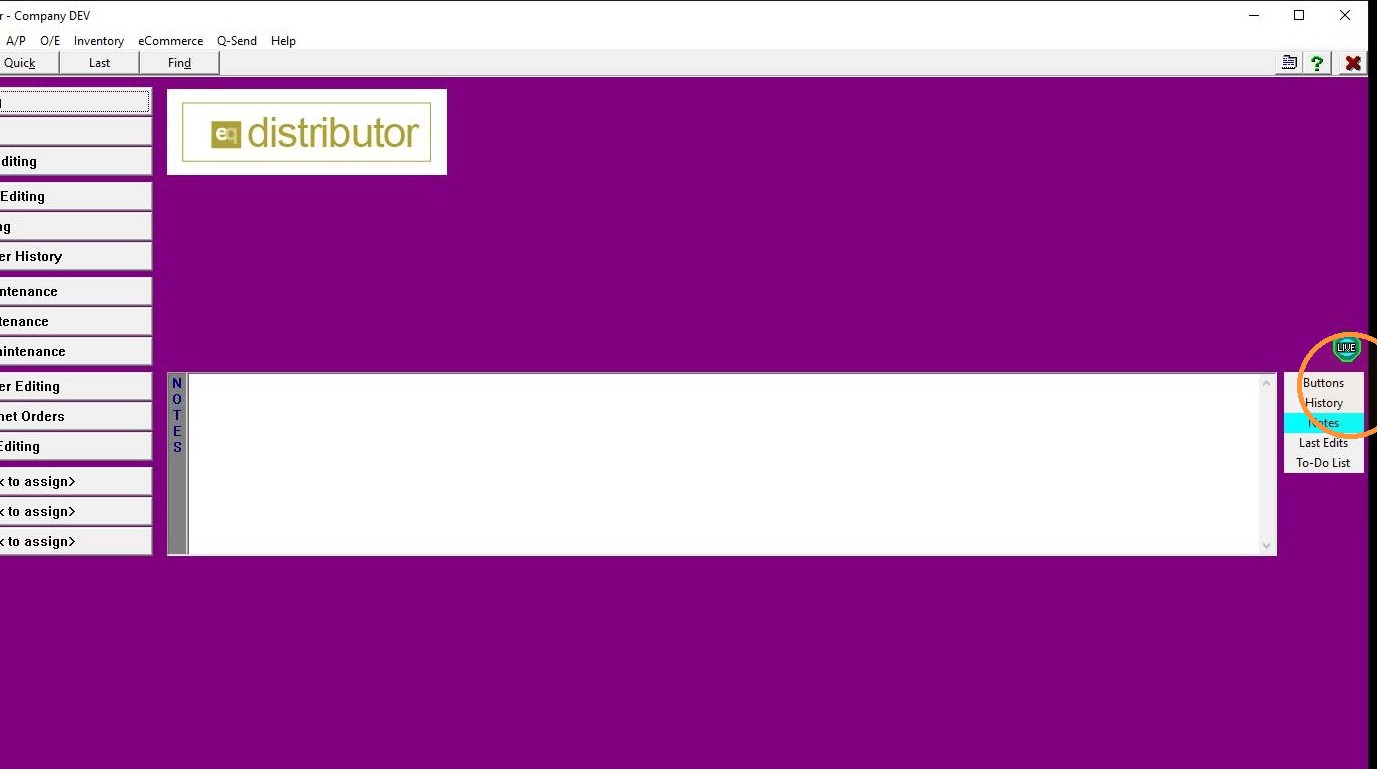
15. Add custom notes or buttons to the main screen
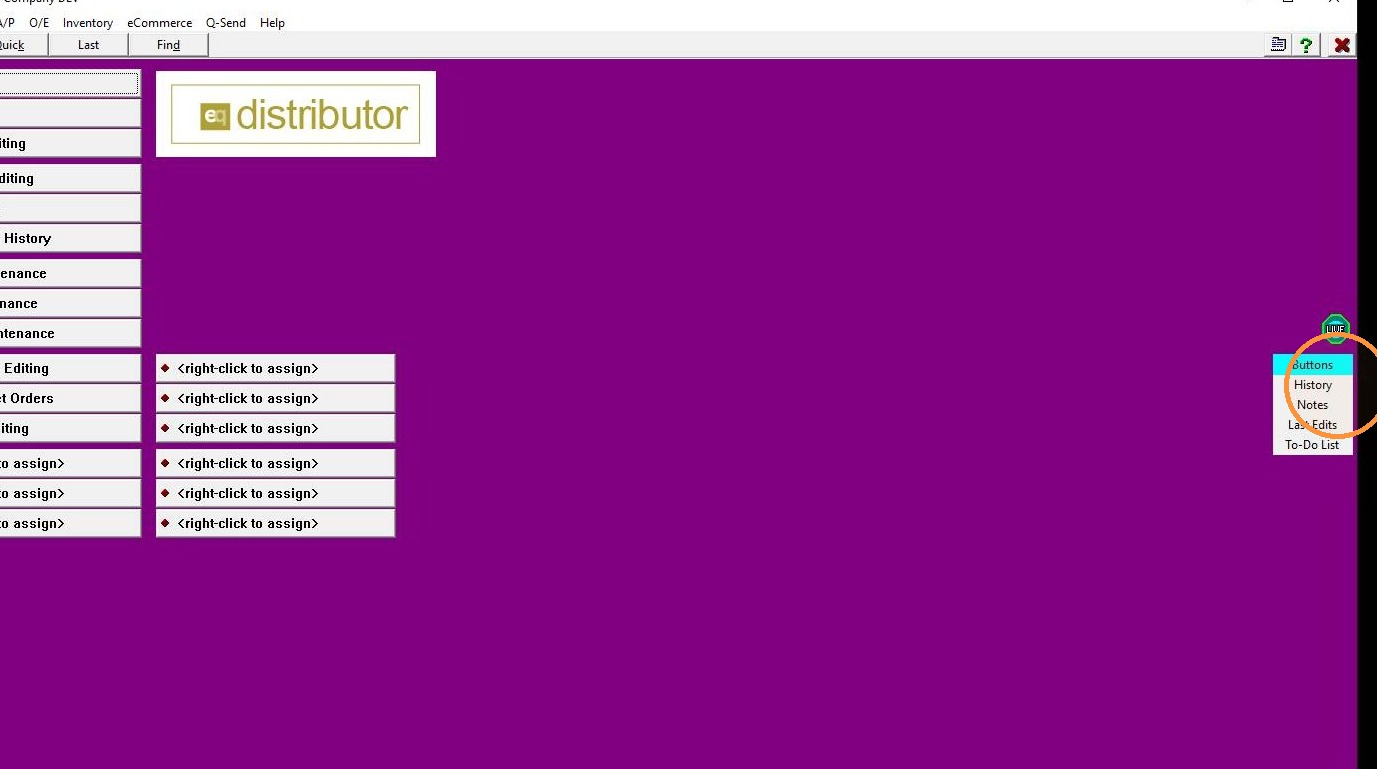
16. Customize additional buttons for most-used functions
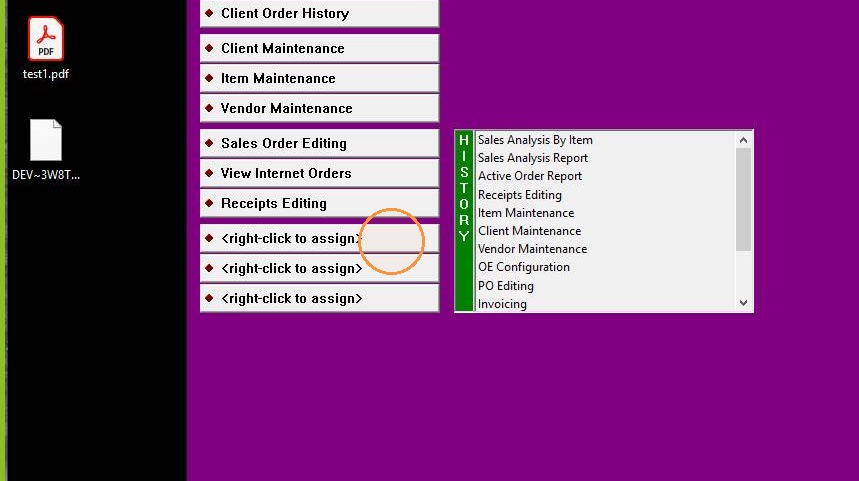
17. Customize additional buttons for most-used functions
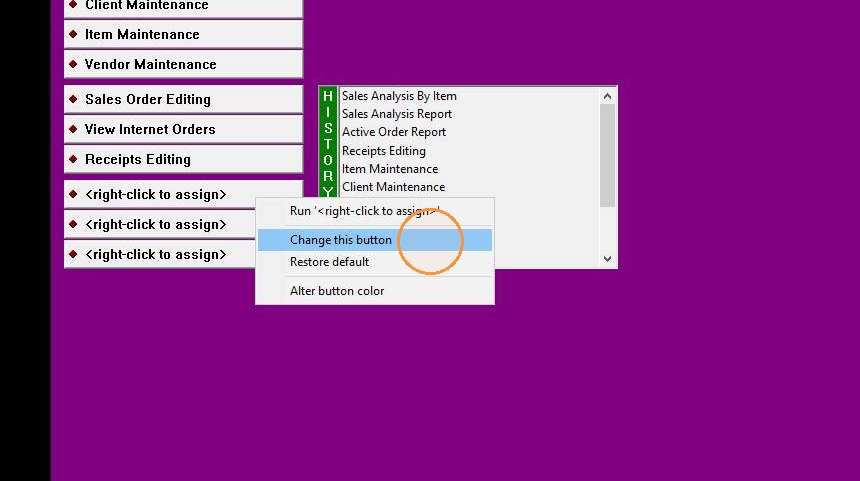
18. Customize additional buttons for most-used functions
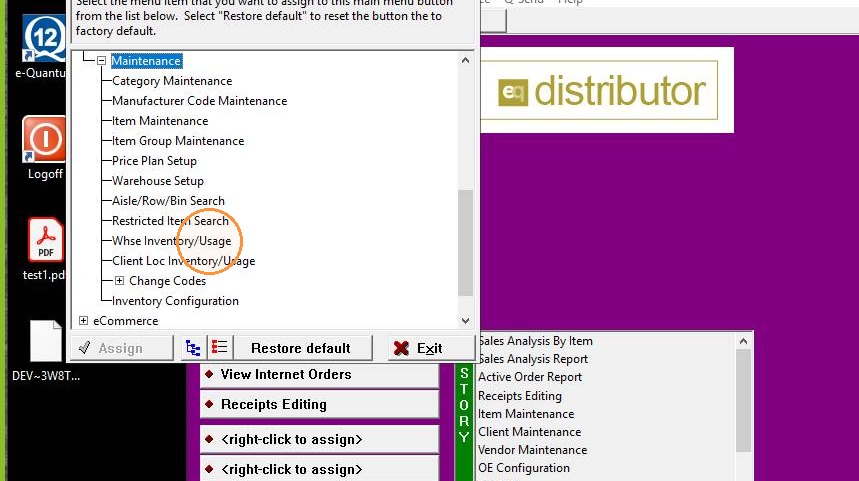
19. Customize additional buttons for most-used functions
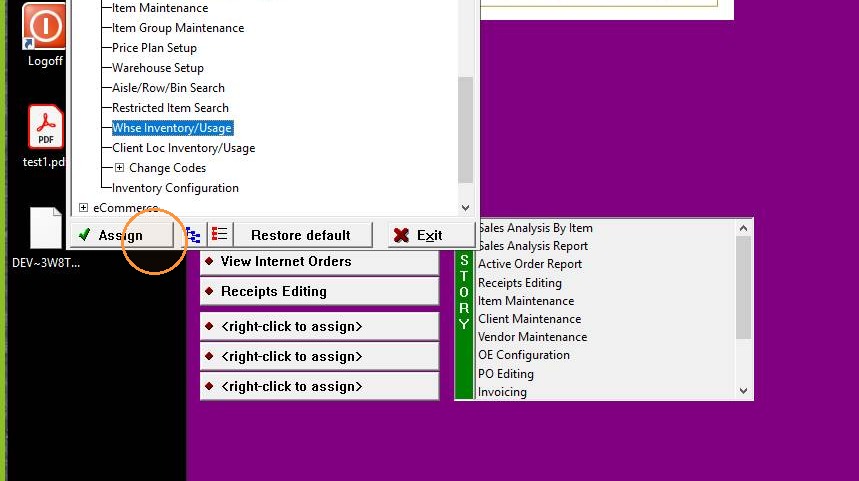
20. Customize additional buttons for most-used functions
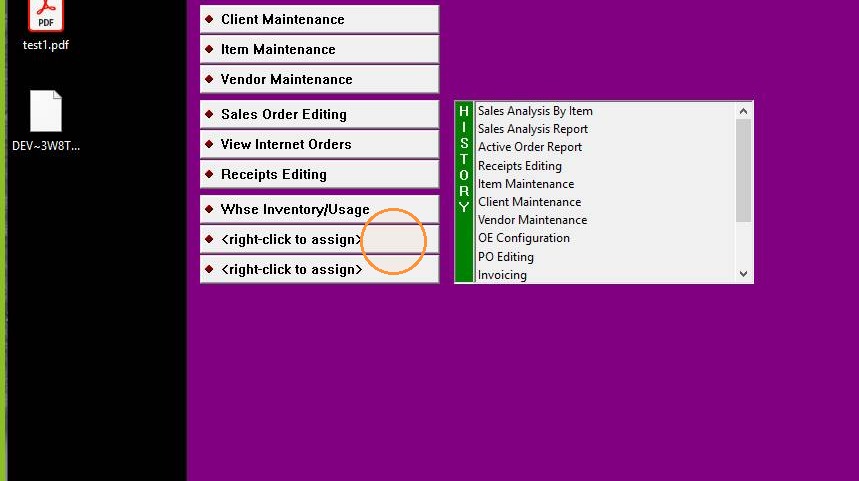
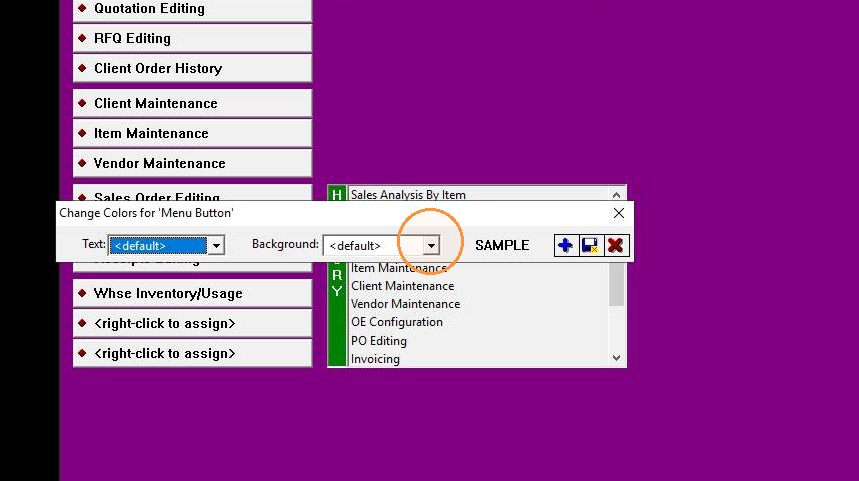
21. Click "Input Capture Window"
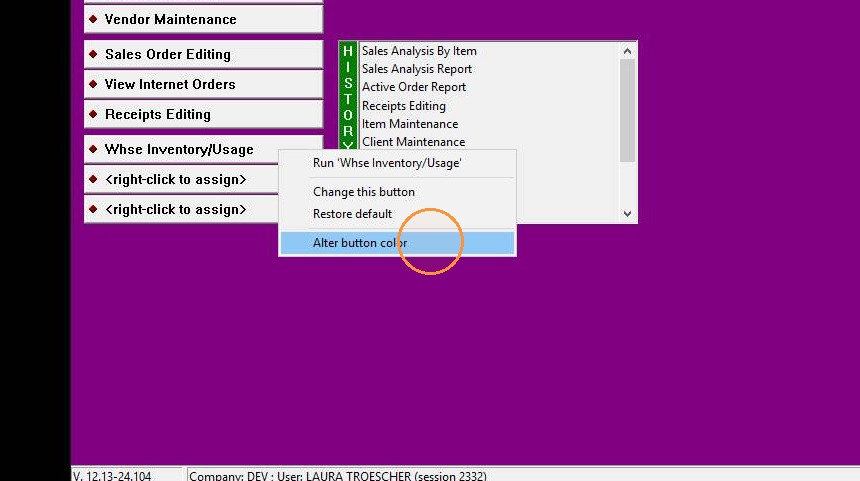
22. Customize additional buttons with colors