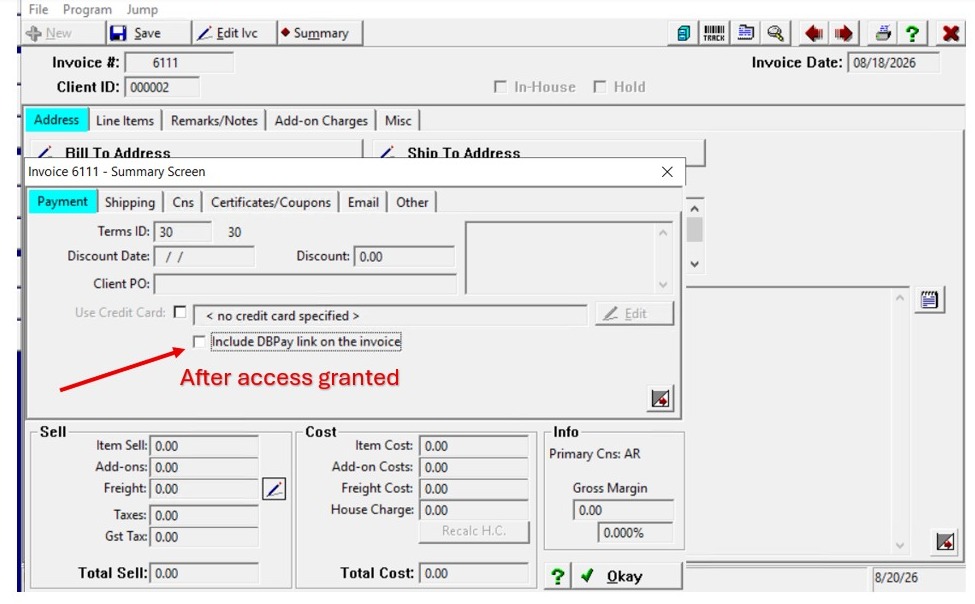
Granting User Access to Send DBPay Links
Summary: Even when Pay by Link is fully configured in A/R, the user must also be granted permission to send the link. A/R configuration controls how Pay by Link is set up, including link preferences and options, while the ability to send the link is controlled through user-level security permissions.
Alert: Note: This process was created in a test environment. The information selected is for training purposes only and will not match the data you will use in your company's system.
1. Log in to Quantum as a Supervisor.
Go to File > Security.
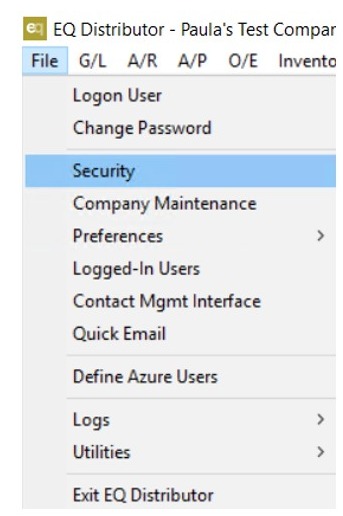
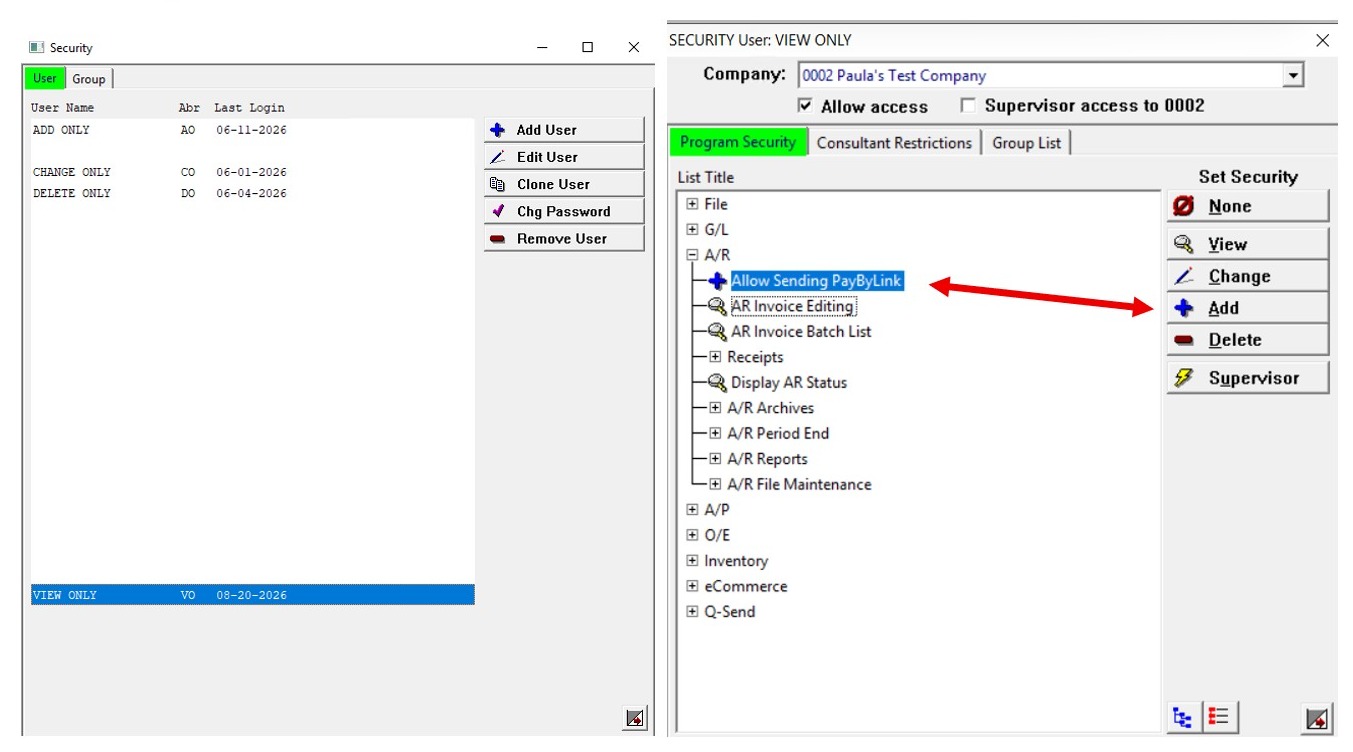
2. Locate and select the user who needs access.
Select AR.
Select Allow Sending Pay by Link and change the setting to Add.
Save the changes and exit.
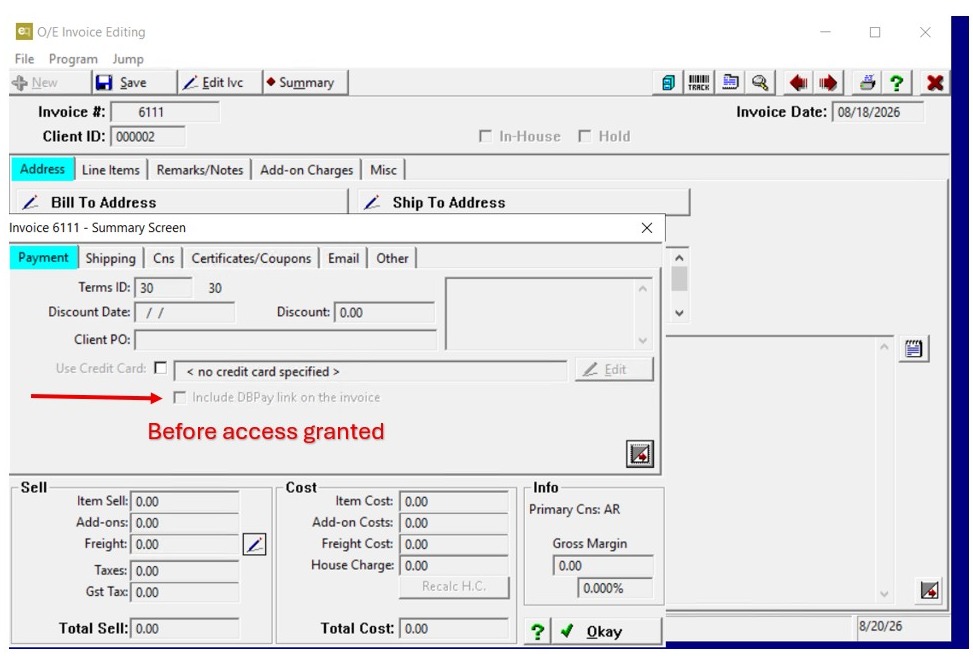
3. ClickBefore Permission Is Granted
Invoice Summary screen showing the Include DBPay Link on the Invoice checkbox grayed out.
4. After Permission Is Granted
Invoice Summary screen showing the Include DBPay Link on the Invoice checkbox available for selection.