
DBD: Order Processing Sales Tax Status By Item
DBD: Order Processing - Sales Tax Status By Item
🔵 Overview DemandBridge has always had the option to determine whether an order should be tax exempt by customer, ship-to, or by product code. DemandBridge now also has an option to determine the tax status at the "Item" level. This enhancement allows the user to designate a Taxable Status for Inventory and Custom Items.
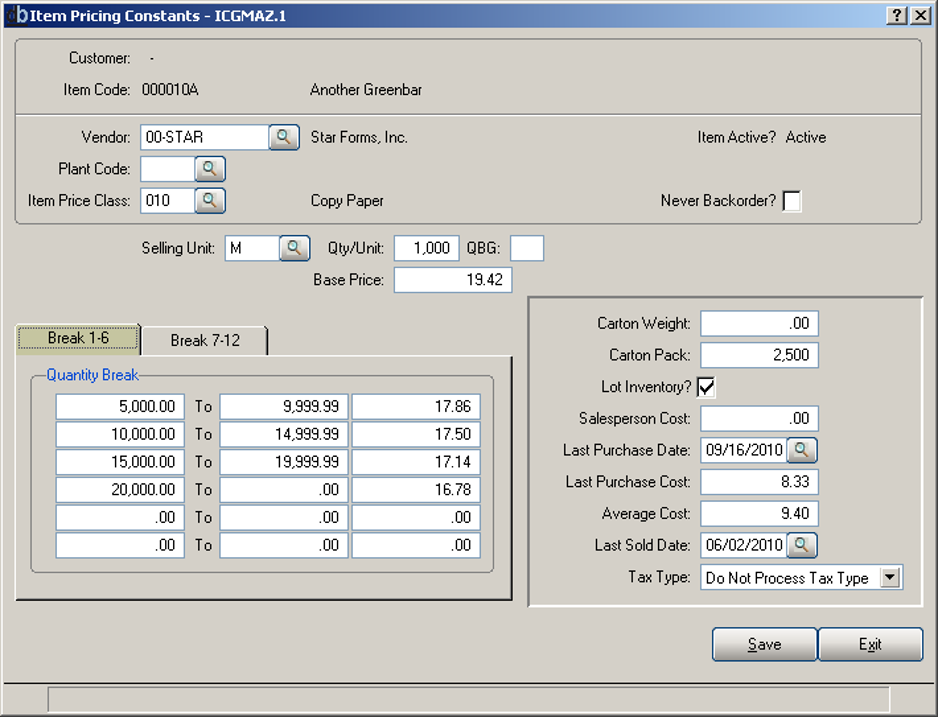
Item Pricing Constants - ICGMAZ.1 — Tax Type field
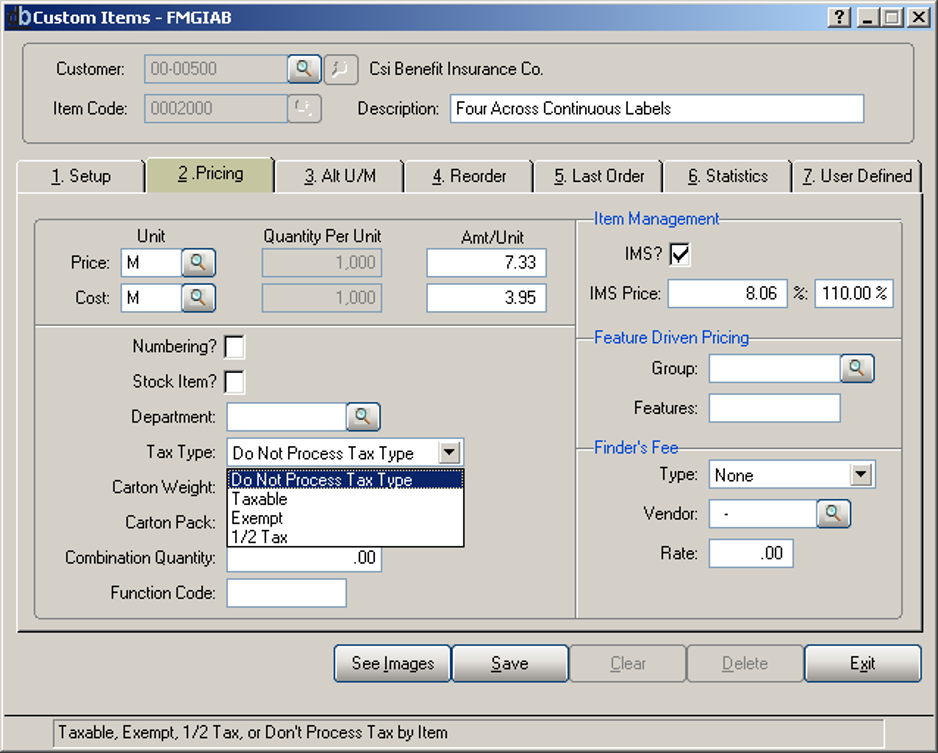
Custom Items - FMGIAB — Tax Type dropdown
A new field has been added to the Item and Custom Item Master Files. This new field is called "Tax Type". This field has the following input options:
- Y — Taxable
- C — For custom items. The State of Illinois provides for custom items to be taxed at one-half their value.
- E — For tax-exempt items
- Blank — Don't Process (ignore)
How the Taxable Determination Works
The following is a brief overview of the process that DemandBridge now uses to determine if a line on an order should be taxable. It is hierarchical, starting with the Customer and ending with the Item being ordered.
During Order Entry — including orders processed via E-Commerce or the Order Entry Gateway — your DemandBridge system will first determine if the Customer is tax exempt. If so, the Taxable Flag on the order will be set to non-taxable and vice versa.
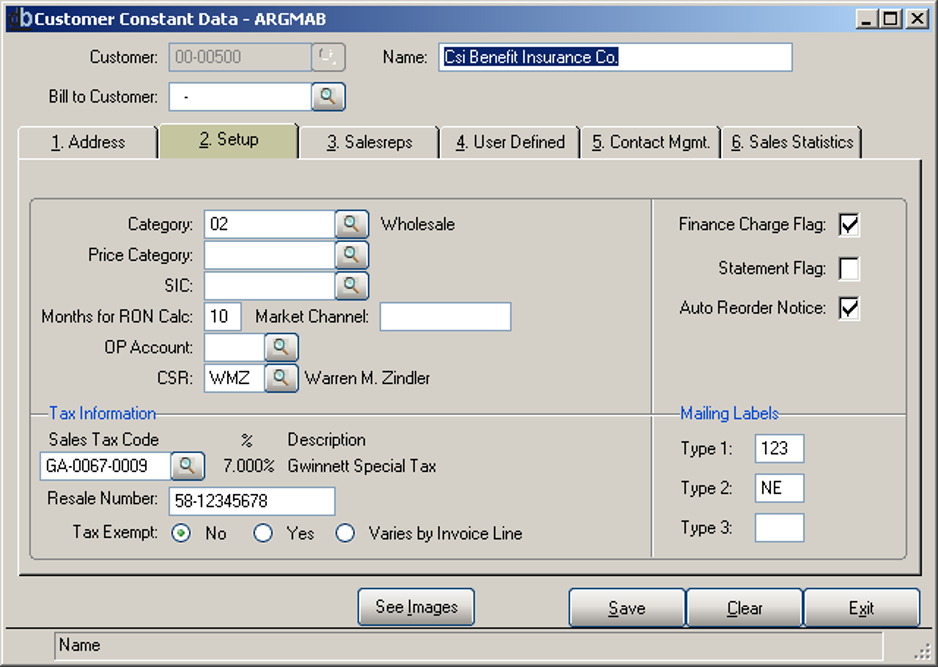
Customer Constant Data - ARGMAB — Tax Exempt field
Next the program will check the ship-to location record to determine if it has been coded as tax exempt and change the tax flag on the order accordingly. If the user has chosen to enter a manual ship-to or if they "skip" the ship-to field altogether, the Taxable flag will remain set as it was from the Customer Master file.
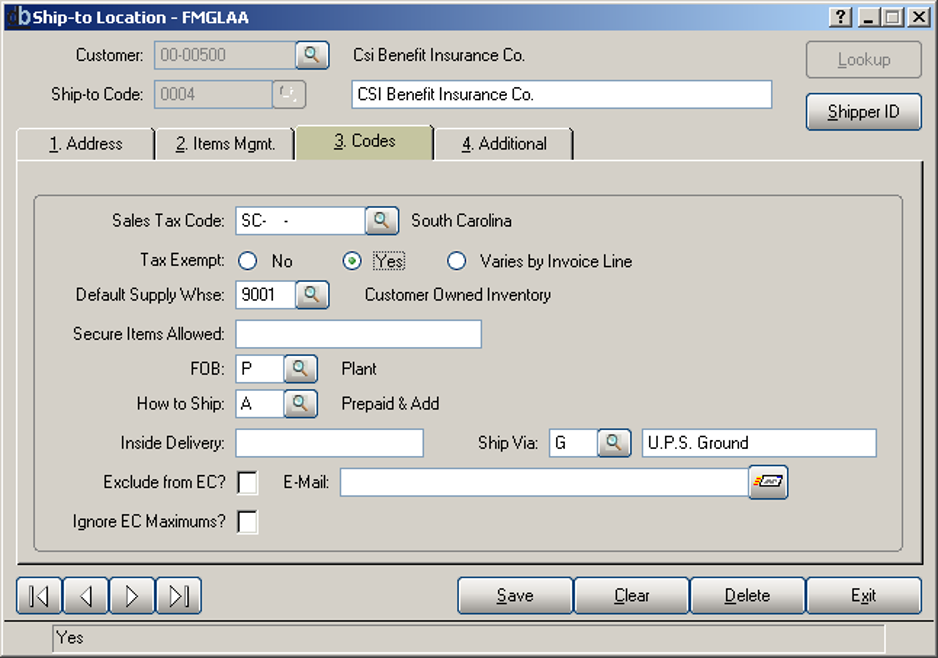
Ship-to Location - FMGLAA — Tax Exempt field
Finally, during entry of the order/invoice lines, the program will check the Product Code for each item on the order/invoice. If the order is taxable and the flag on the Product Code says to "Not tax," the tax flag on that particular line will be changed. If the order is not taxable, the flag on the Product Code will not have an effect on whether the order is taxable or not.
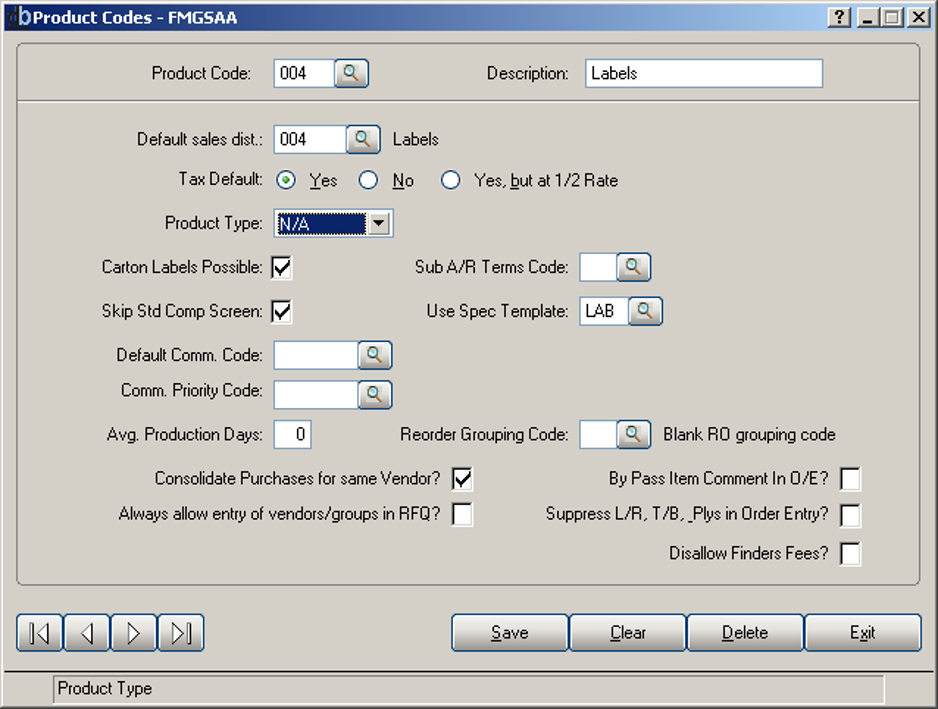
Product Codes - FMGSAA — Tax Default field
If the line item entered is either an Inventory Item or a Custom Item and that item has a Tax Type entered, DemandBridge will set the Tax Flag as follows:
- If the Tax Type is set to exempt, the Tax Flag on the order line will be set to non-taxable.
- If the Tax Type is set to taxable, the Tax Flag will be set to taxable.
- If the Tax Type is set to "C" for Custom ½ tax, the Tax Flag will be set to C and one half the value will be taxed.
- If no Tax Type has been entered for the Item, the Tax Flag will remain as it was after the Product Code check.
💡 Note: At this point, all lines on the order should have their final tax designation. If any of the lines on the order are taxable, the flag shown on the Summary Screen of the order will be set to Taxable.
Frequently Asked Questions
Q: What are the possible values for the new Tax Type field on an item?
A: Y (Taxable), C (Custom half-tax, used for the State of Illinois's rule that taxes custom items at one-half their value), E (tax-exempt), or Blank (Don't Process — ignore).
Q: In what order does DemandBridge determine whether a line is taxable?
A: It's hierarchical: first the Customer's tax exempt status, then the ship-to location's tax exempt status (unless a manual or skipped ship-to leaves the customer's setting in place), then the Product Code's tax setting, and finally the item's own Tax Type.
Q: Does the Product Code's tax setting always override the order's taxable status?
A: No — if the order is taxable and the Product Code says 'Not tax,' that line becomes non-taxable. But if the order is already non-taxable, the Product Code setting has no effect.
Q: What happens if an item has no Tax Type entered?
A: The Tax Flag remains as it was determined after the Product Code check — the item-level setting only applies when a Tax Type has actually been entered.
Q: How is the overall order's taxable flag determined?
A: If any line on the order ends up taxable after all the checks, the flag shown on the order's Summary Screen is set to Taxable.
Q: Does this apply to orders coming in through e-commerce or the Order Entry Gateway?
A: Yes — the same hierarchical tax determination process applies to orders processed via E-Commerce or the Order Entry Gateway.
Tags: order-processing, sales-tax, tax-type, item-master, custom-items, DB-distributor