
DBD: Cash Receipts Move AR Credit Or Invoice
DBD: Cash Receipts - Move An AR Credit Or Invoice From Another System
🔵 Overview At times you may have invoices/credits that were created on another system that you wish to add to the open invoice listing in DB/d. This can be accomplished by using the Prepayment feature in Cash Receipts to create a place holder for this invoice.
⚠️ CRITICAL UPDATE NOTE: If you wish to transfer unpaid commission amounts into DB/d, this is NOT the procedure you should use.
Step 1: Create a Zero Deposit and Enter the Prepayment
This will be a zero deposit.
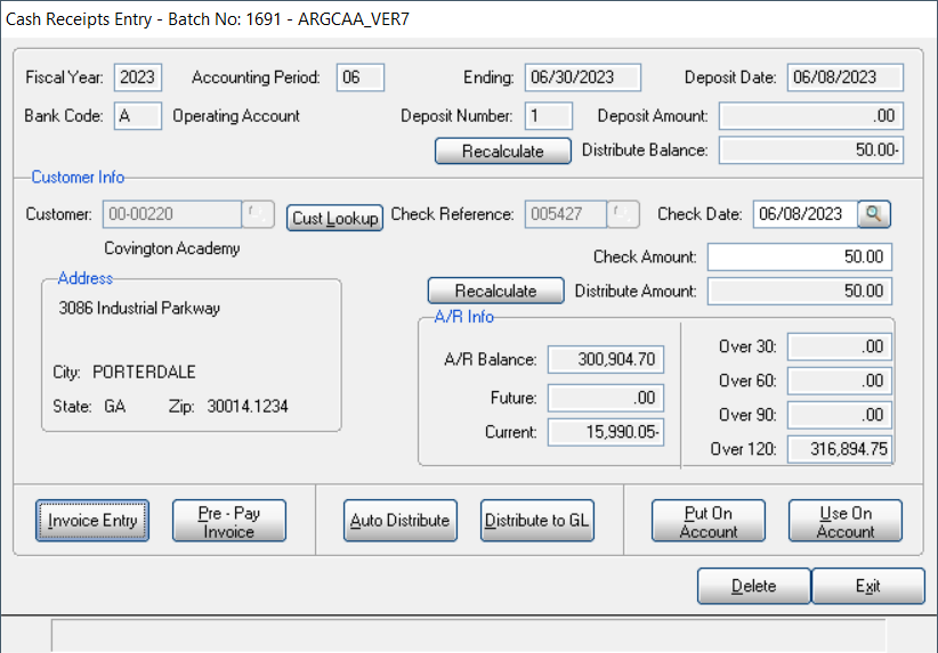
Cash Receipts Entry - ARGCAA_VER7
Enter the customer code you wish to enter the credit for. Enter a check number, enter a date (may wish to use the date of the original credit). The check amount will be a positive amount equal to the credit balance you wish to create.
Then select Pre-Pay Invoice.
Step 2: Set Up the Prepayment Invoice
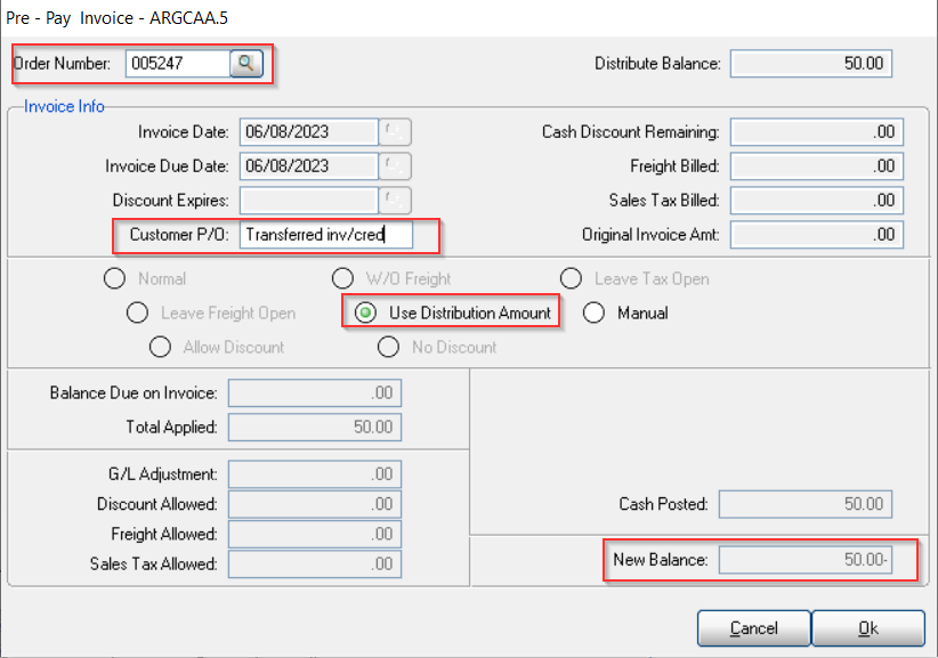
Pre-Pay Invoice - ARGCAA.5
At the order number, enter the invoice number you would like to identify this credit as. The Customer P/O field will default to Prepayment; if you have access to this field, you can change the comment as needed. Click Use Distribution Amount — this will display the New Balance as a credit value. Click OK.
The following message will display — click OK again.
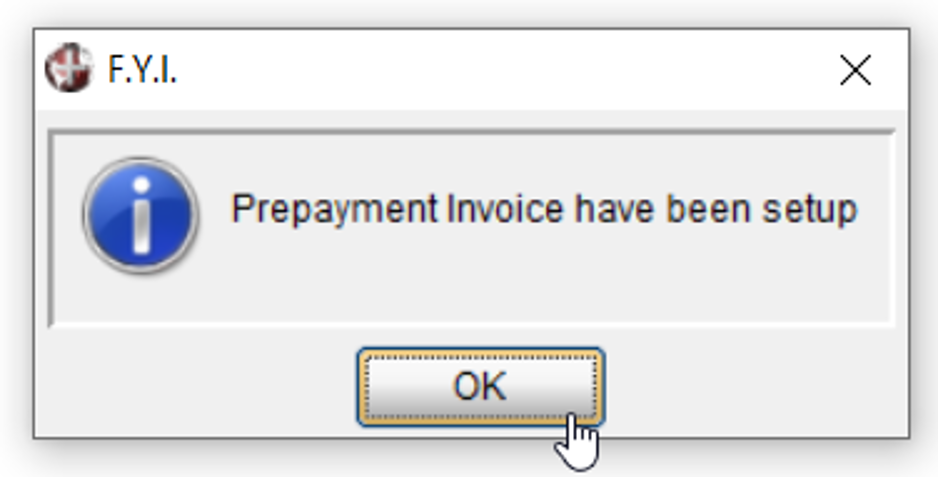
F.Y.I. — Prepayment Invoice have been setup
Step 3: Post the Offsetting Entry
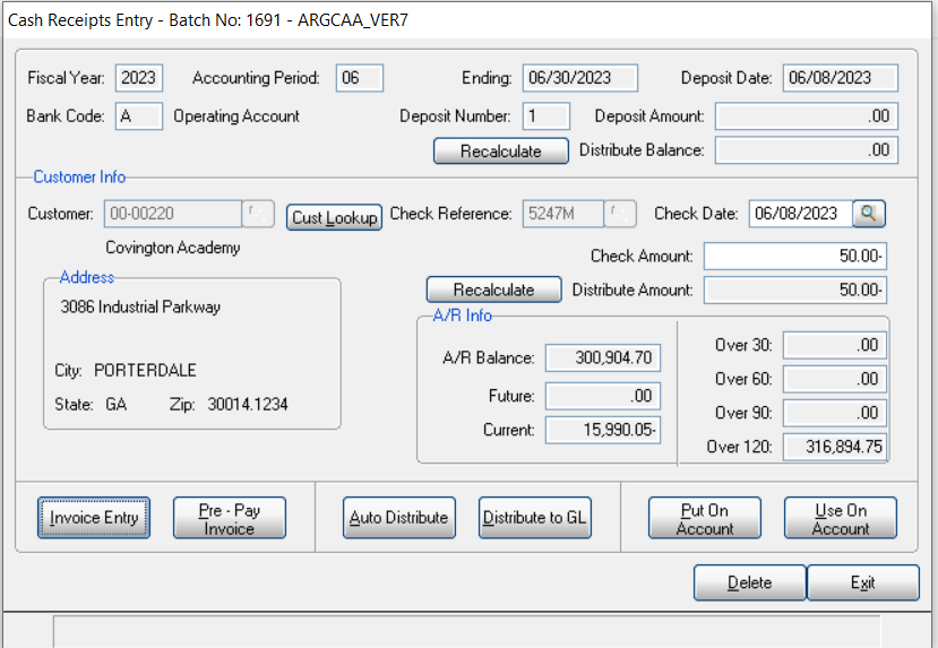
Cash Receipts Entry - ARGCAA_VER7 (offsetting entry)
Now enter the same customer number again, and enter another Check Number — use a new check number (this example uses the same number with a minor difference to make it unique). Enter a negative check amount this time.
Now click Distribute to GL.
Here you will enter a General Ledger Account that can be used for this purpose. Your CPA will be able to advise you as to the account they would like you to use for this purpose.
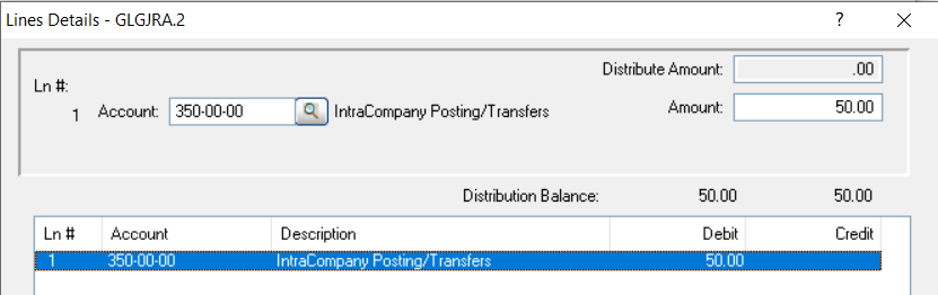
Lines Details - GLGJRA.2
Exit — your deposit — print journal and update.
💡 Note: You can also use this same process to create a positive invoice amount, just reverse your signs.
Frequently Asked Questions
Q: When would I use this procedure?
A: When you have invoices or credits created on another system that you want to add to the open invoice listing in DB/d, using the Prepayment feature in Cash Receipts as a place holder.
Q: Can I use this to bring in unpaid commission amounts?
A: No — this is explicitly not the procedure for transferring unpaid commission amounts into DB/d.
Q: What GL account do I use for the offsetting entry?
A: Your CPA can advise you which General Ledger account they'd like used for this purpose.
Q: How do I create a positive invoice amount instead of a credit?
A: Use the same process, just reverse the signs on the check amounts.
Tags: cash-receipts, prepayment, open-invoice, data-migration, commission, DB-distributor