
EQD: Turn off "Use Legacy Load Printer Method"
This guide provides the steps for turning off the the legacy load printer option in EQD.
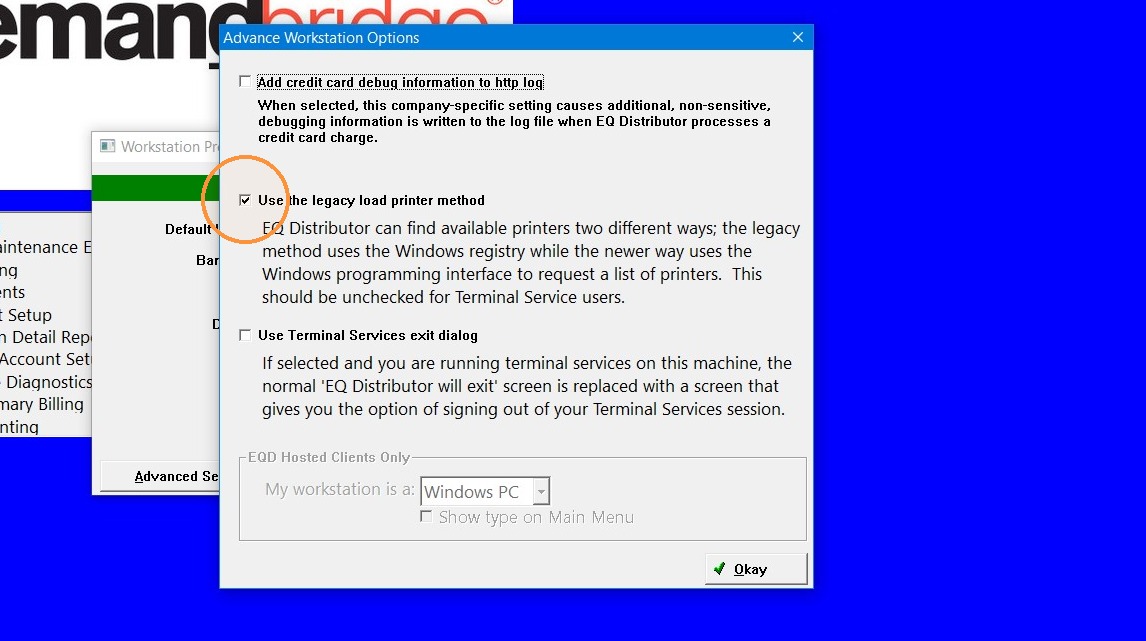
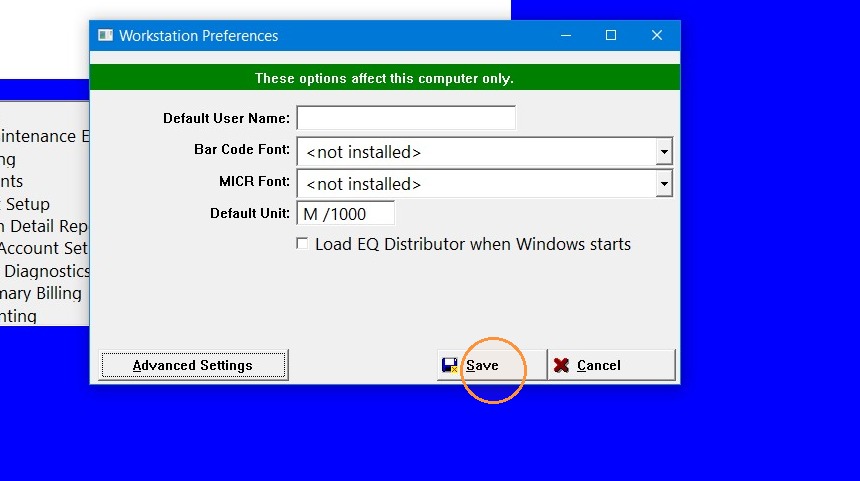
Tip: If there is a long list of printers in the "printer options" tab in EQD ,including old printers that are not used anymore, then turning off the "legacy load printer" option in EQD workstation preferences should help with that.
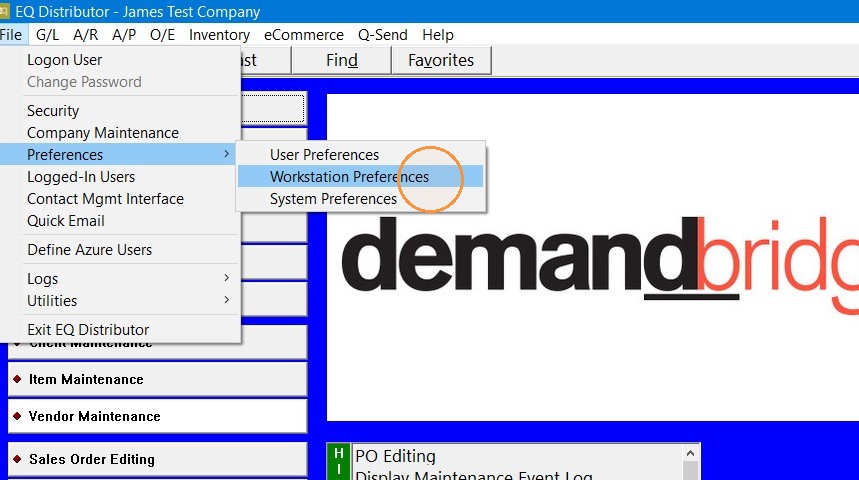
1. In EQD go to File> Preferences> Workstation Preferences
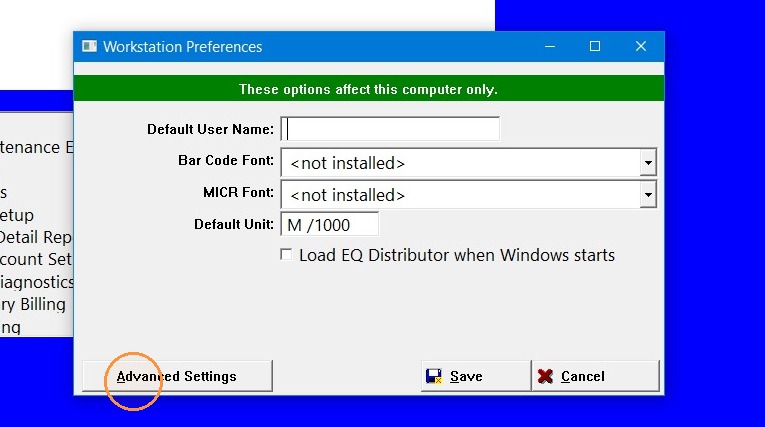
2. Click "Advanced Settings"
3. Uncheck the "Use the legacy load printer method" box.
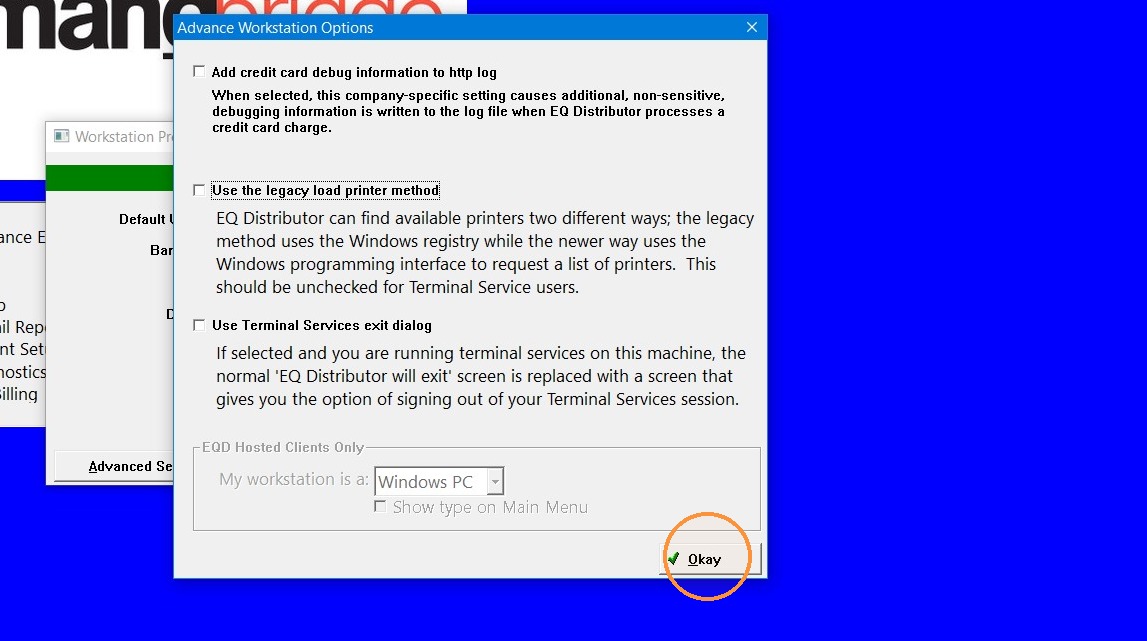
4. Click "Okay"
5. Click "Save"
Tip: If you have any further questions contact DemandBridge support.