EQD: Exporting as a PDF
This guide provides the step-by-step process for exporting documents from the EQ Distributor as a PDF.
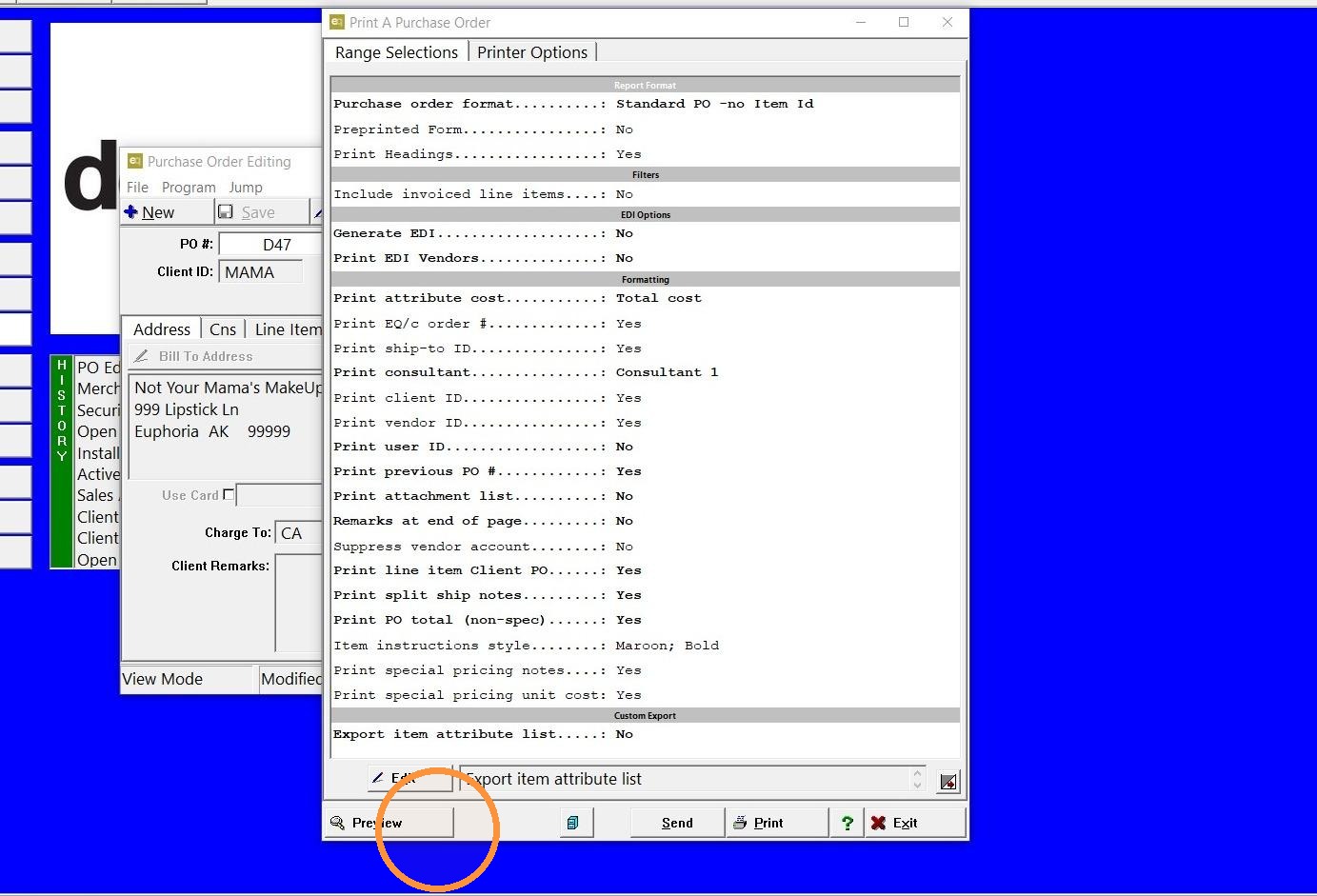
1. Preview the document.
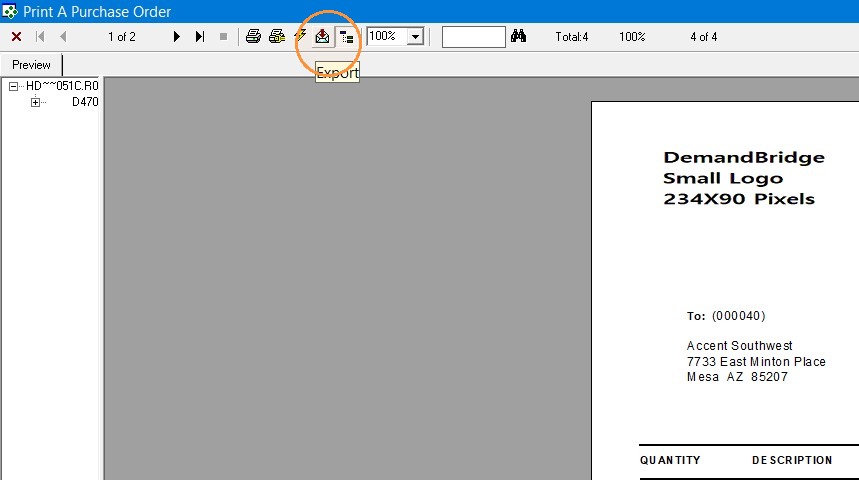
2. In the preview screen click the icon that is an envelope with a red arrow.
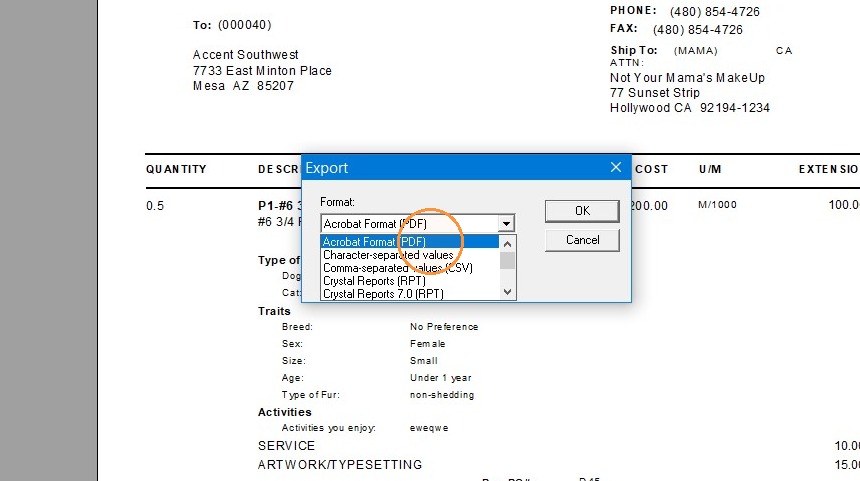
3. Make sure "Acrobat Format (PDF)" is selected. Then click "OK".
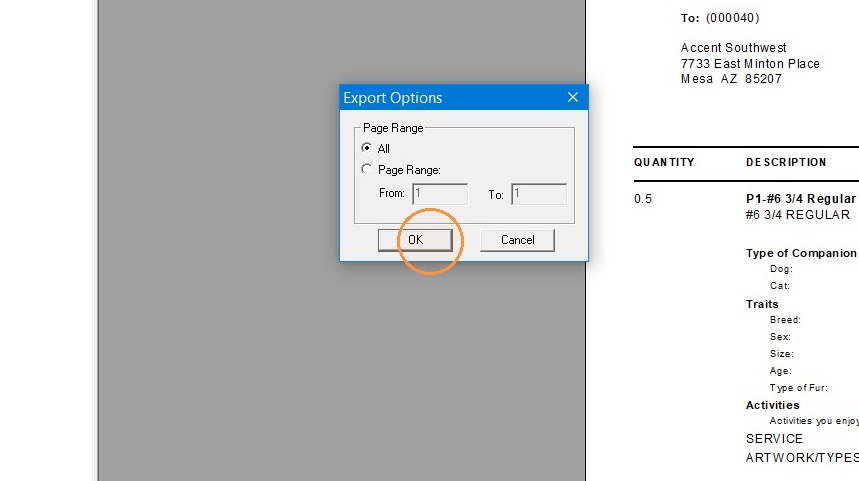
4. Click "OK"
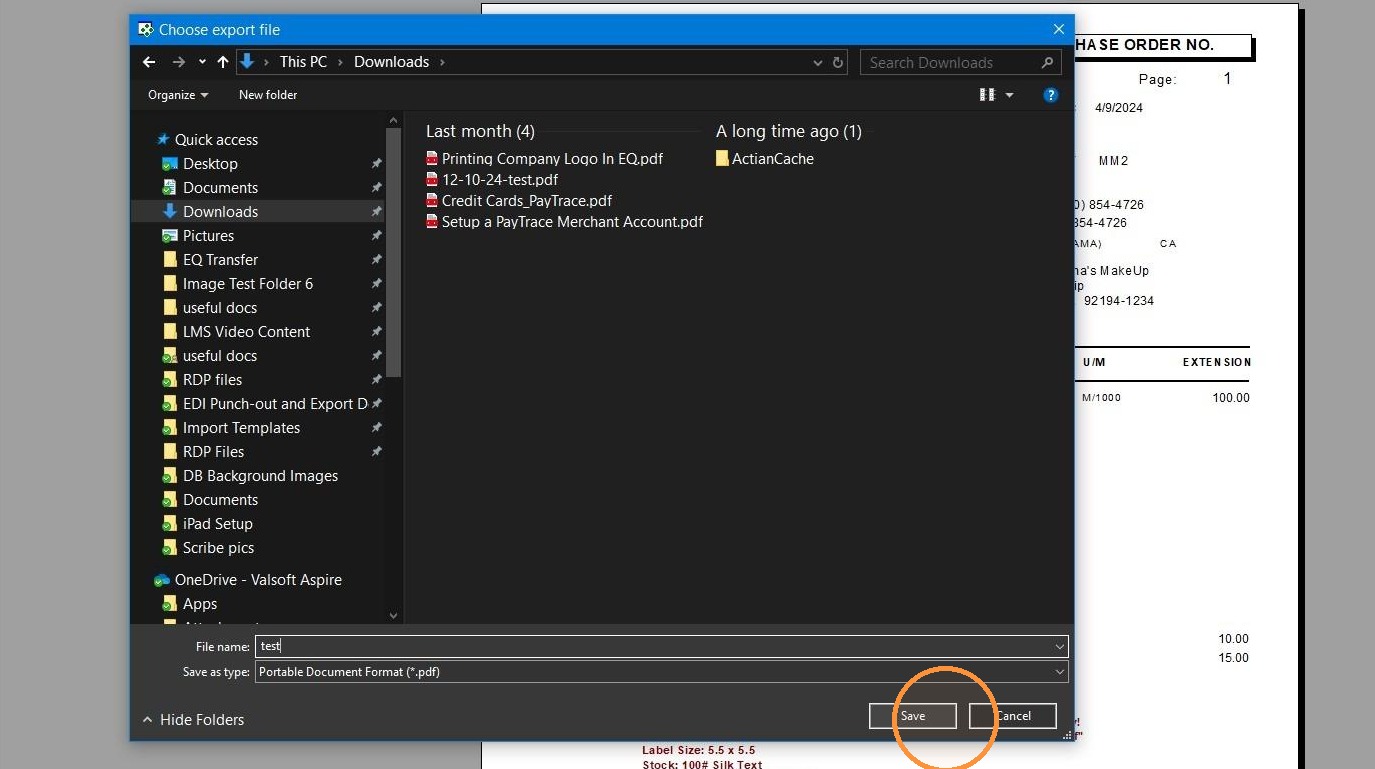
5. Choose the location where you would like to save the PDF and click "Save".
Tip: If you have any further questions contact DemandBridge support.