EQD: Download Keys and Check User Count
This guide provides a straightforward process for downloading keys and checking user counts in the e-Quantum software.
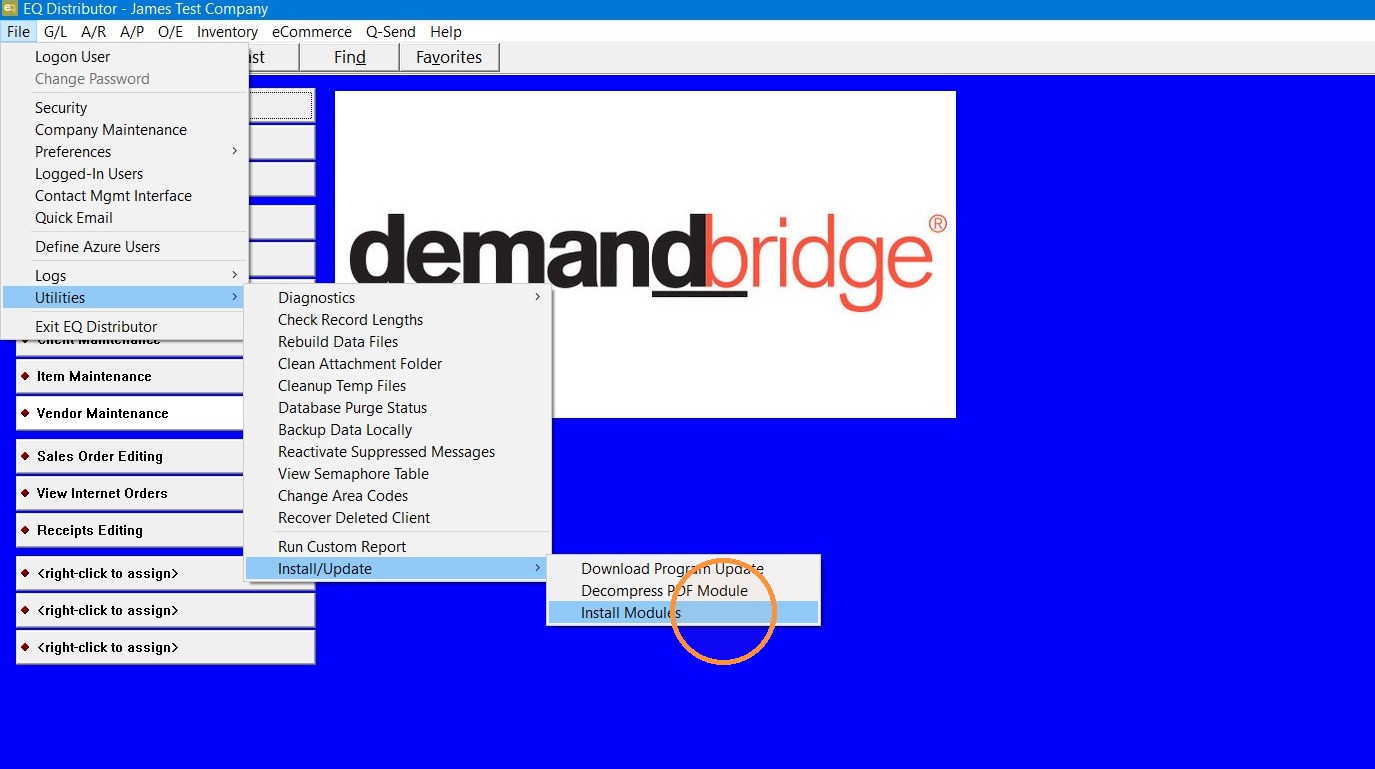
1. Go to File> Utilities> Install update> Install Modules.
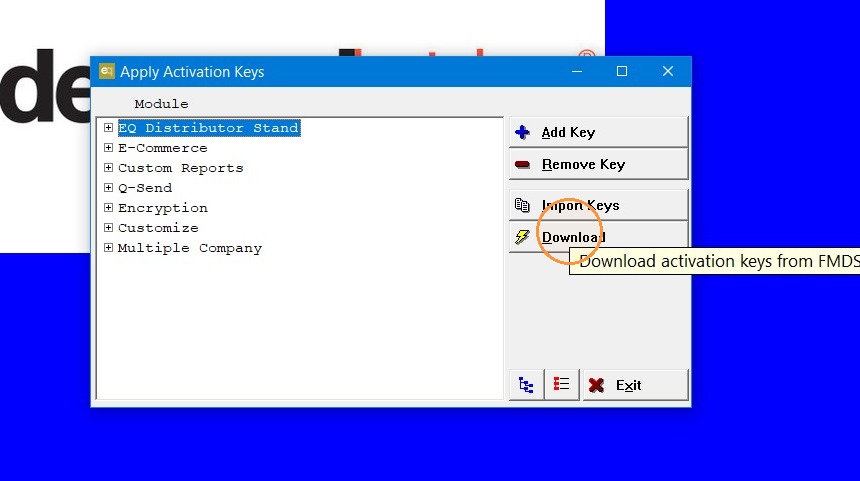
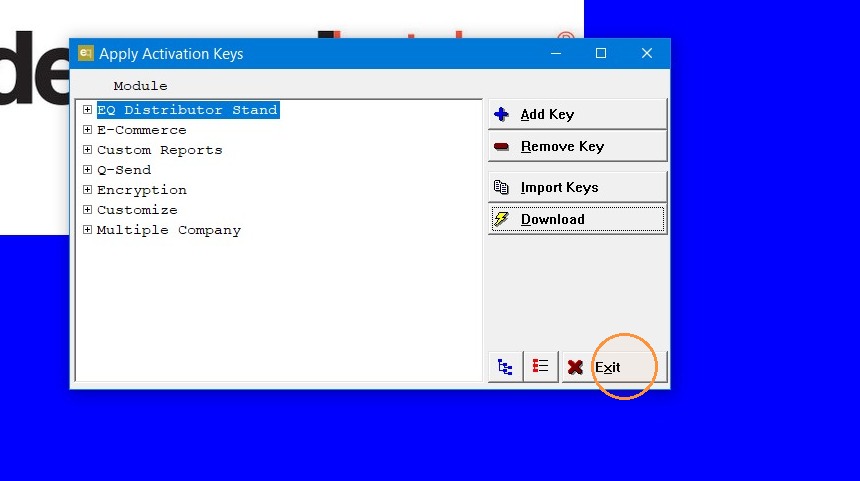
2. Click "Download"
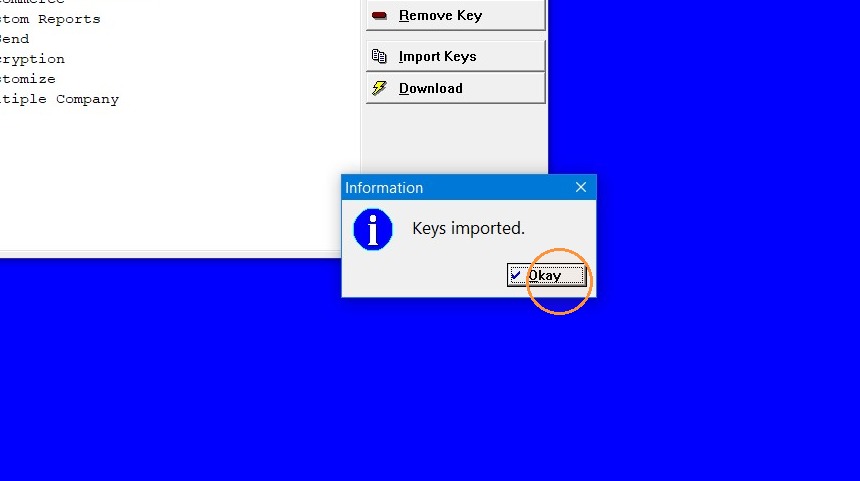
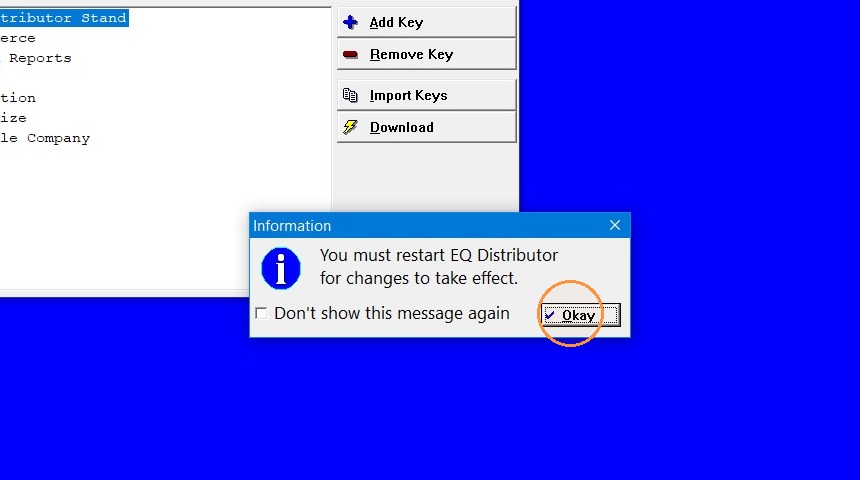
3. Click "Okay"
4. Click "Exit"
5. Click "Okay"
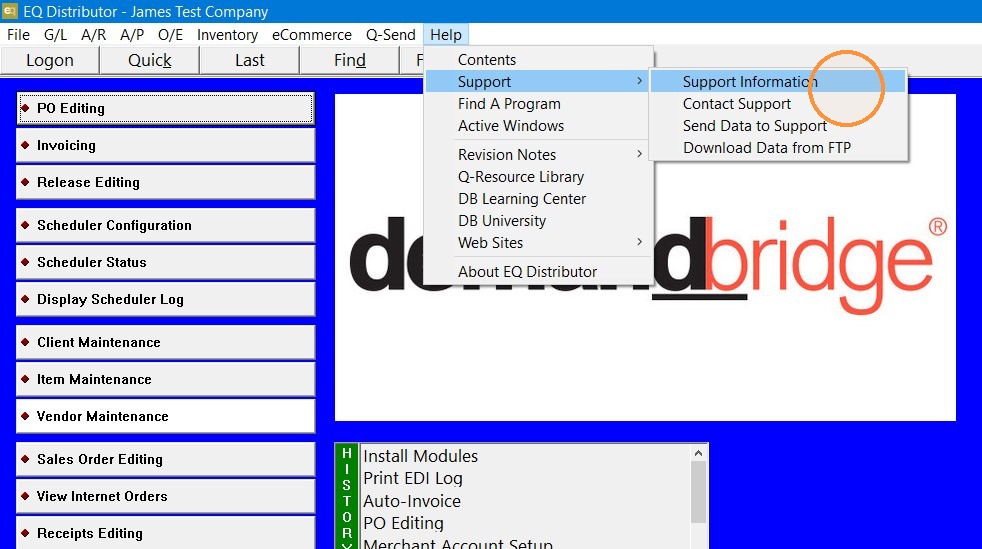
6. Log back into EQ and go to Support> Support Information.
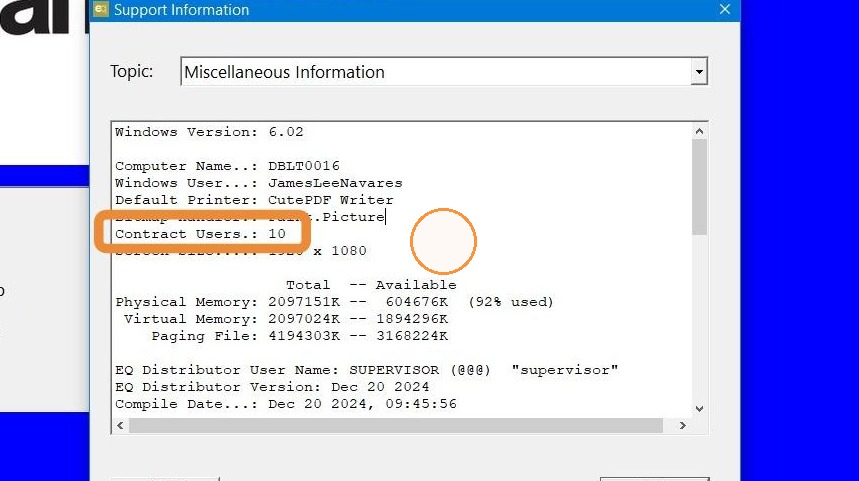
7. You can see your user count under “Contract Users”
Tip: If you have any further questions contact DemandBridge support.