EQD: Test Email Settings
This guide provides the process for testing email settings in EQD and sending information to a DemandBridge a support member to help troubleshoot.
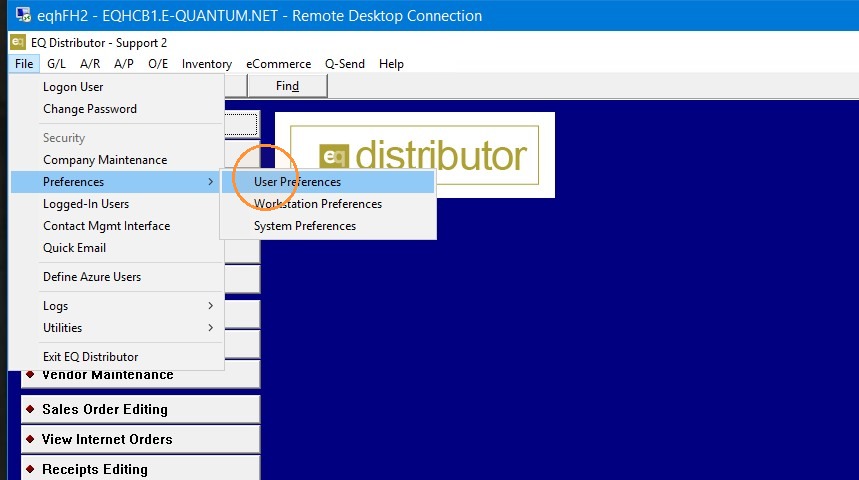
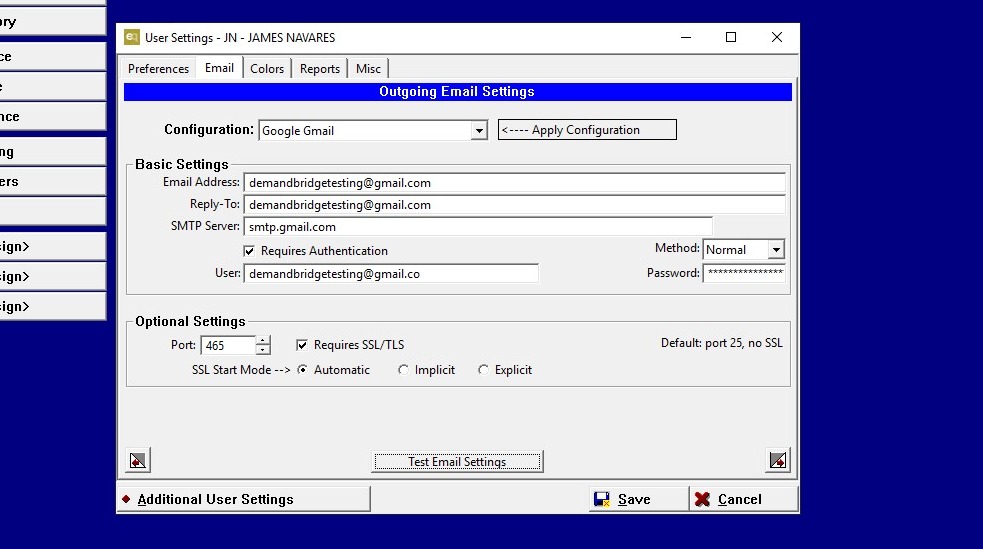
1. Go to file> Preferences> User Preferences> email (tab).
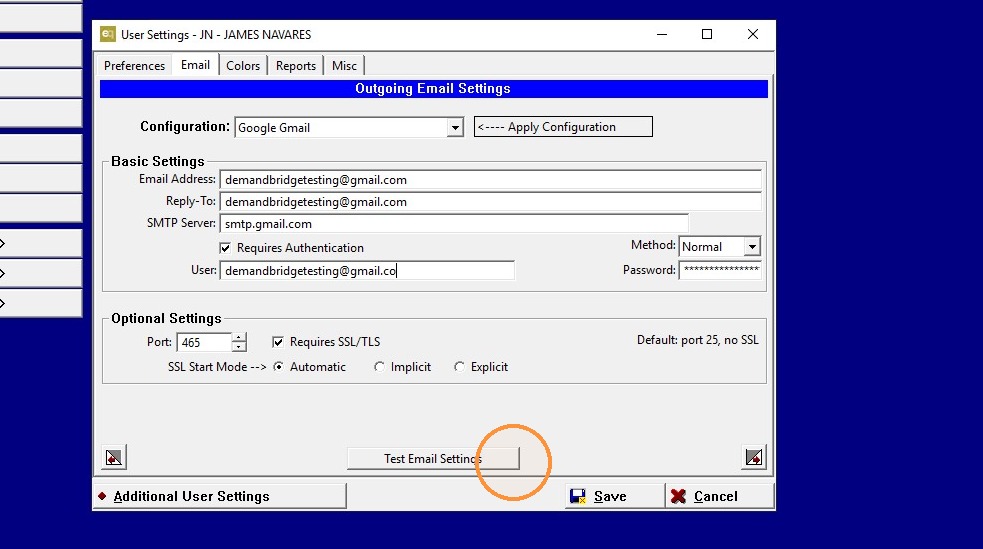
2. If your email account password or any other info has changed please update that info here.
Click "Test Email Settings".
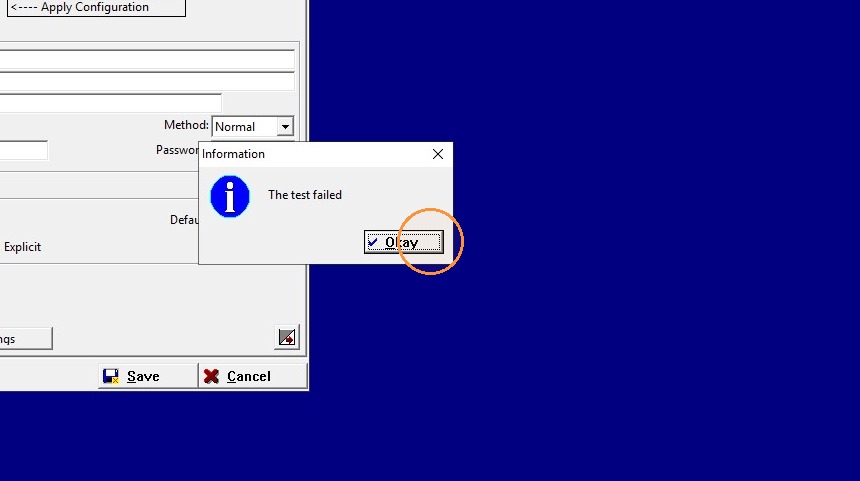
3. If it fails click "Okay"
4. An email log will come up.
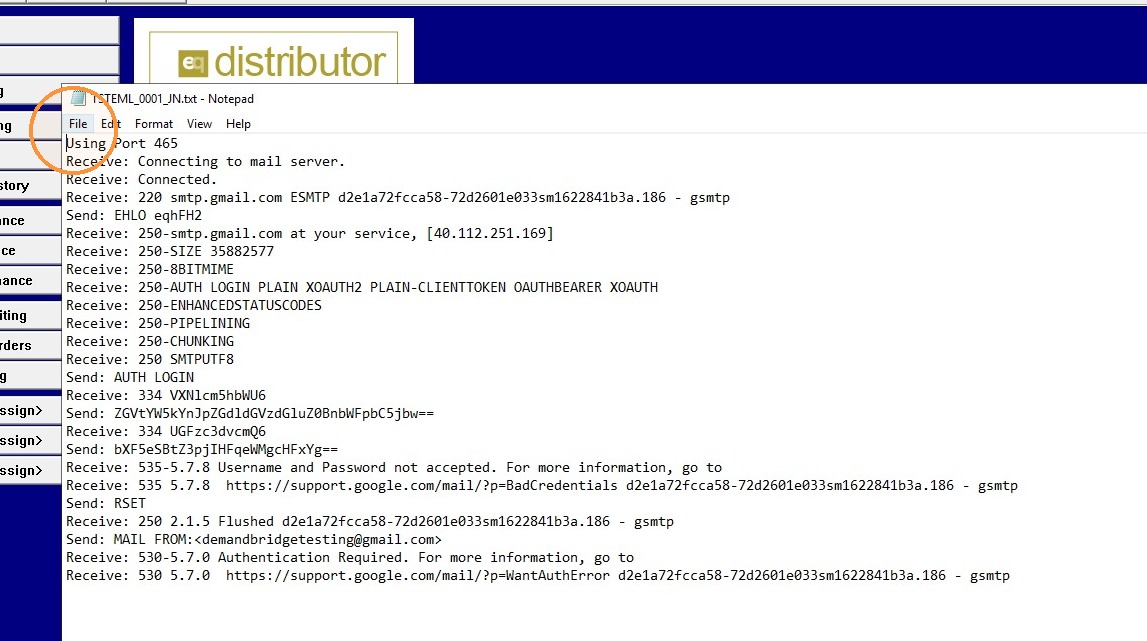
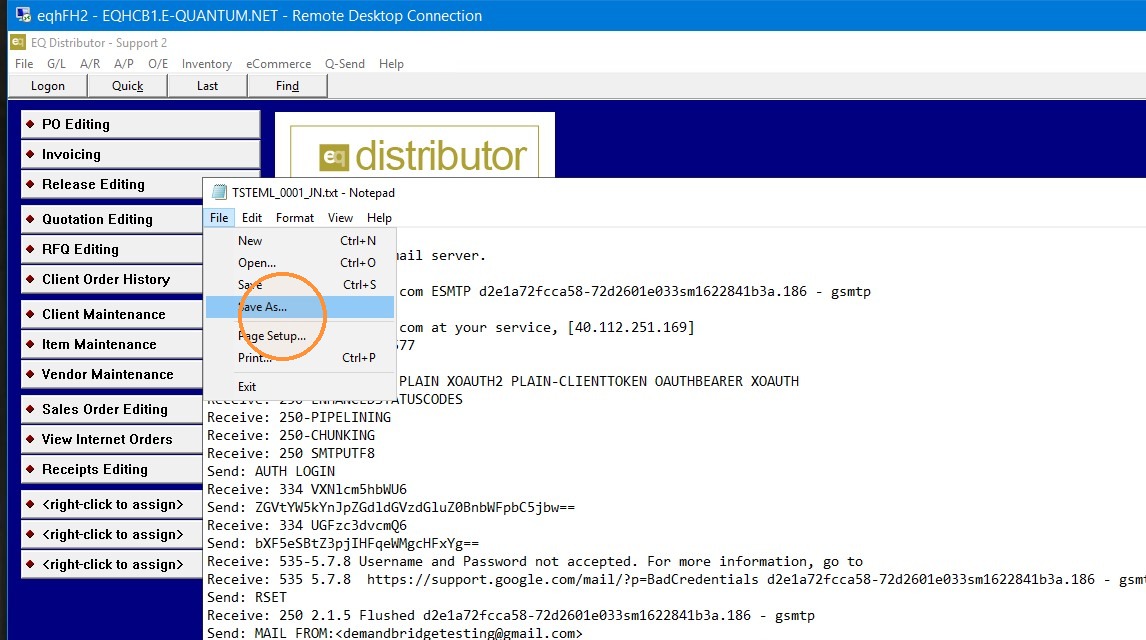
5. Save this log.
6. Take a screenshot of the email settings.
7. Send the log and the screenshot to the DemandBridge support member assisting you. Either through email or the support ticket in the Service Desk Portal .