
EQD: Remove and Re-add a Remote Desktop Connection
This guide provides a straightforward method to remove an EQD Remote Desktop Connection.
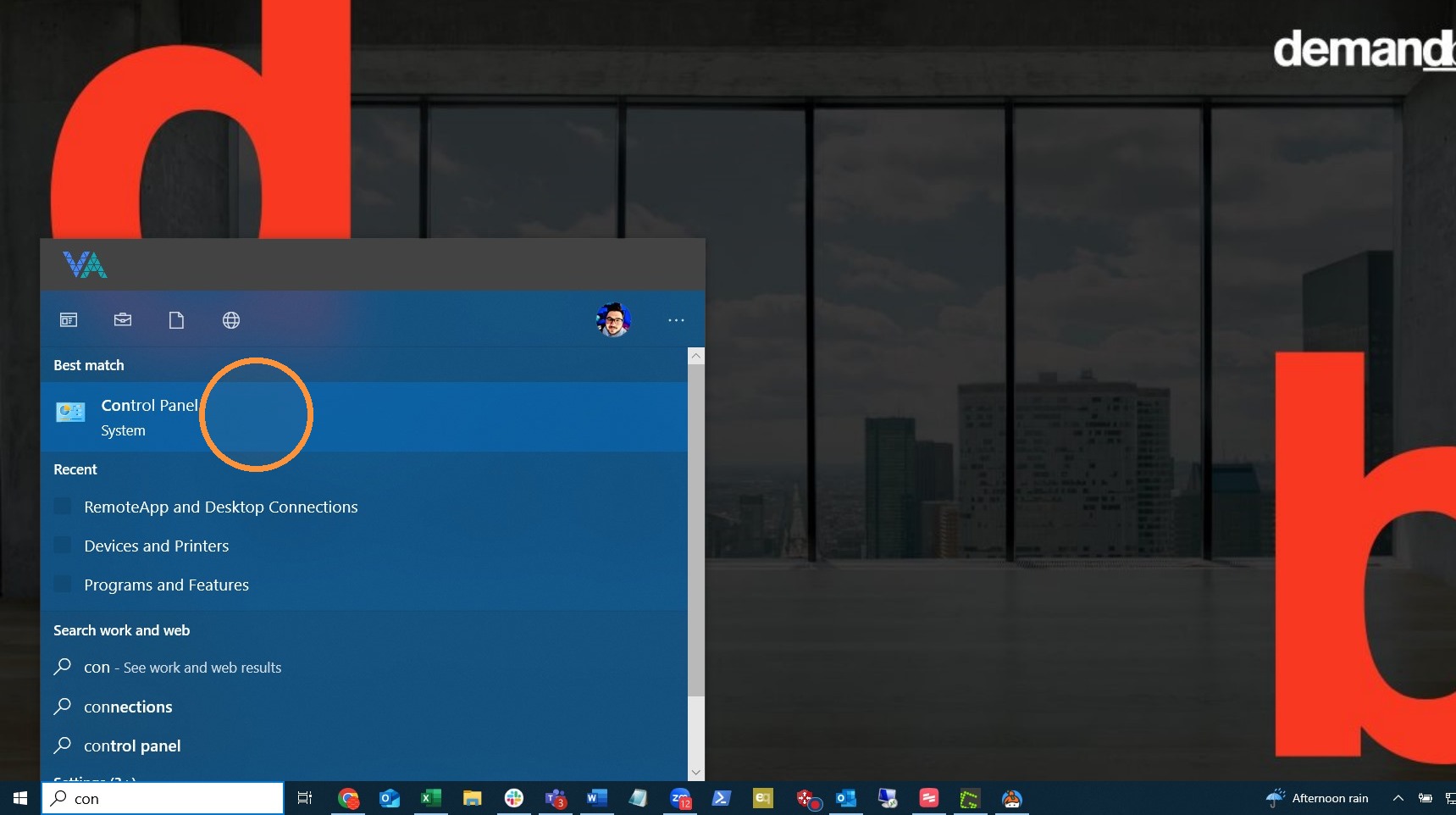
1. Navigate to the MS Windows "Control Panel".
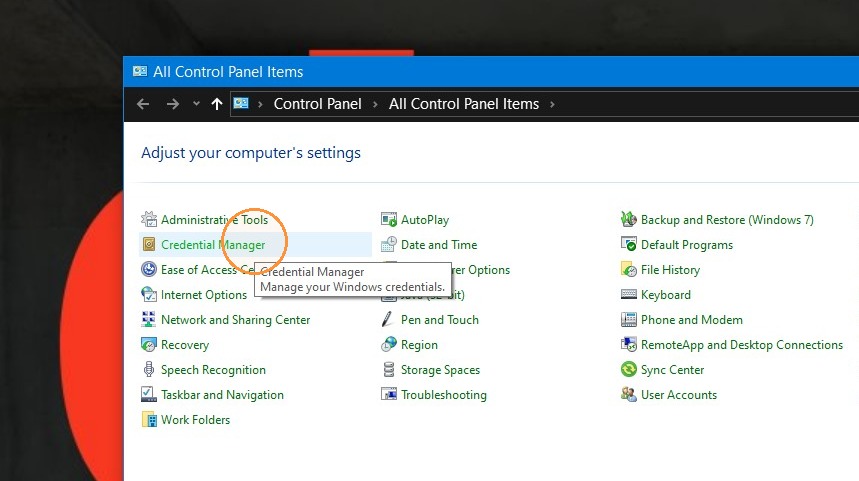
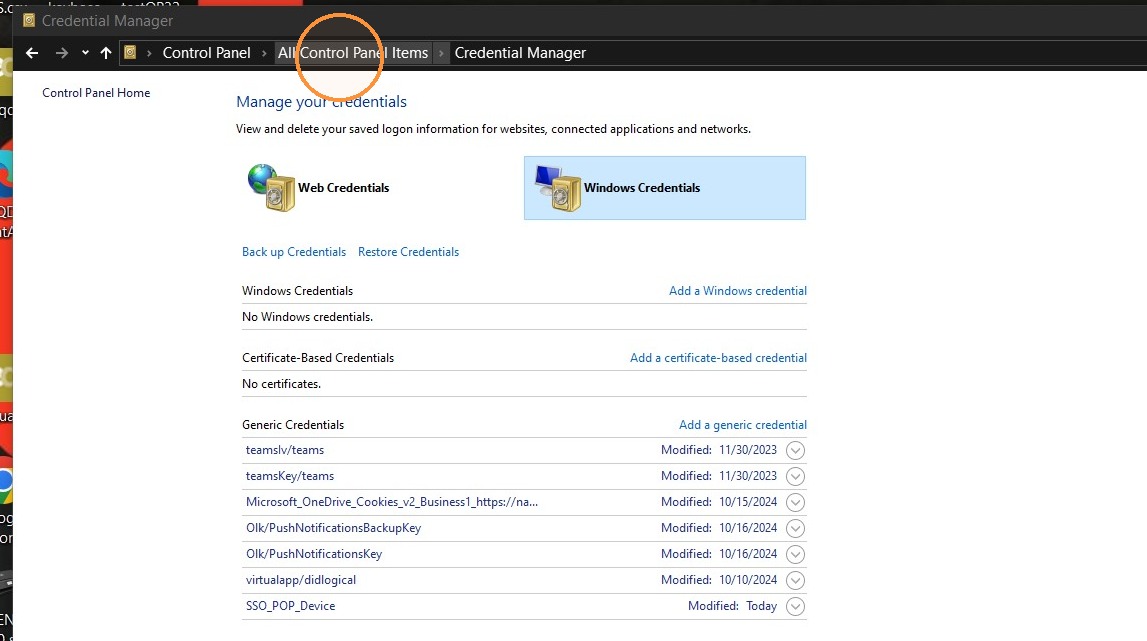
2. Click "Credential Manager"
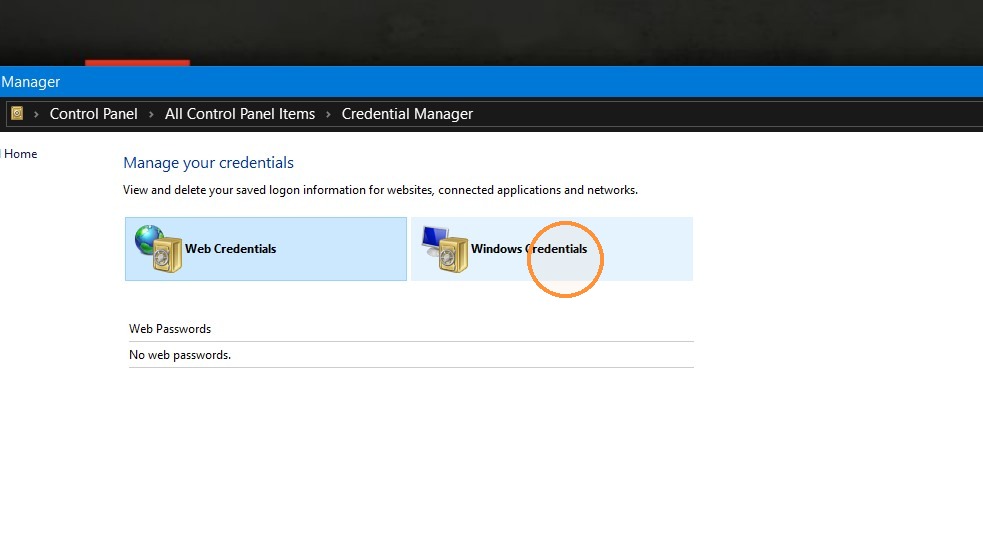
3. Click "Windows Credentials"
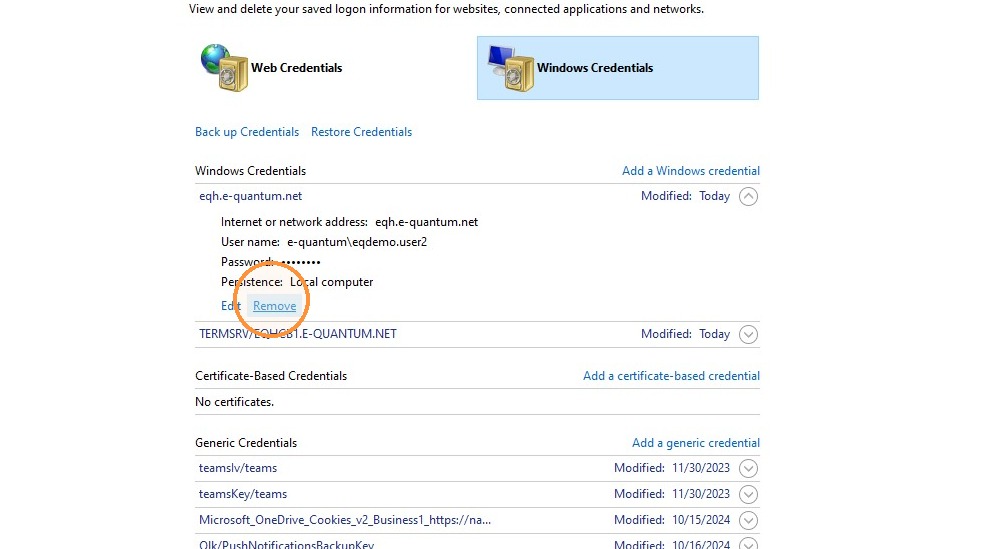
4. Expand the eqh.e-quantum and click "Remove". Do the same thing for the TERMSRV/EQHCB1.E-QUANTUM.NET.
5. Click "All Control Panel Items"
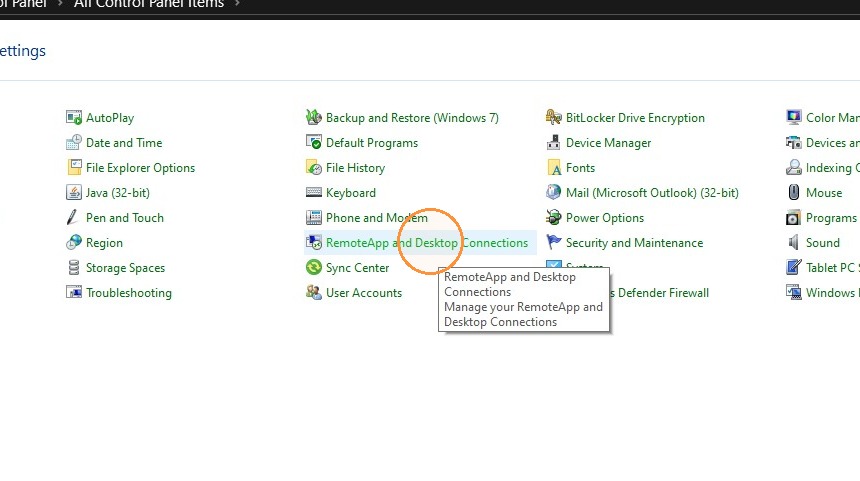
6. Click "RemoteApp and Desktop Connections"
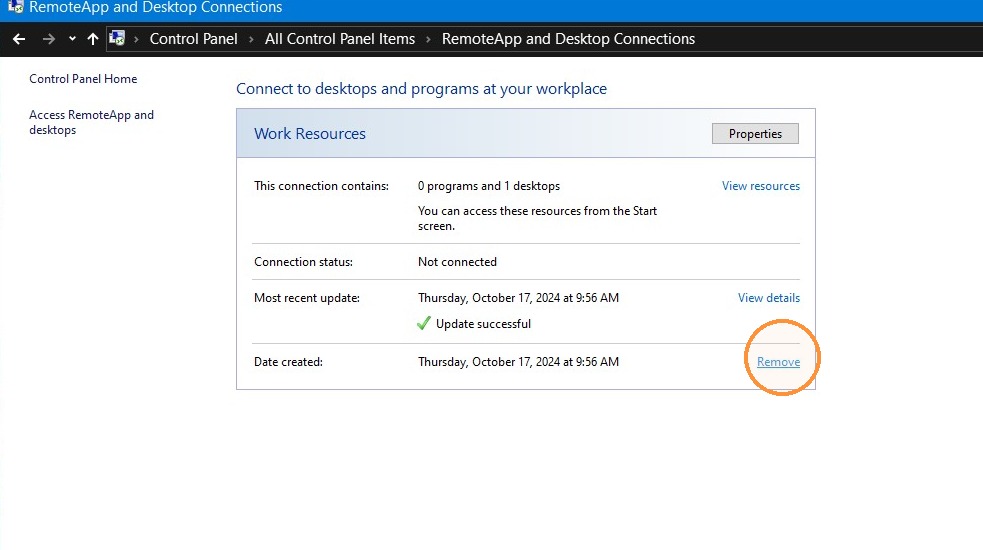
7. Click "Remove"
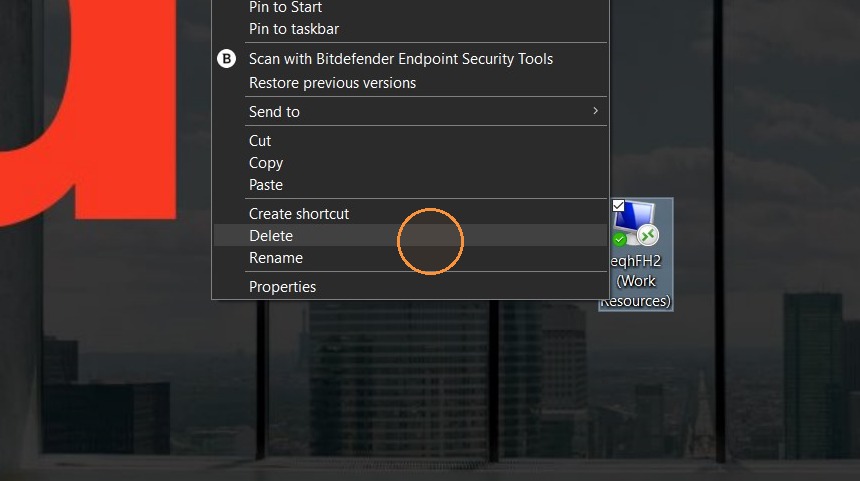
8. Delete the remote desktop shortcut.
Tip: Click here to review the steps for adding a connection.